


Execute Streaming REST Request sends an HTTP request and processes the response as a stream of chunks rather than waiting for the full body to arrive. Use it for server-sent events, chunked transfer responses, and any API that delivers data progressively — such as LLM inference endpoints or real-time data feeds.
Overview
Some APIs send their responses as a continuous stream of chunks rather than a single complete payload. The Execute Streaming REST Request action keeps the HTTP connection open and yields response chunks as they arrive, allowing your automation to act on partial data before the stream ends. The connection closes when the server finishes sending or when an error interrupts the stream.
Run Asynchronously is not available for streaming requests — the stream is consumed progressively by design, and the automation processes each chunk as it arrives rather than waiting for a single final response.
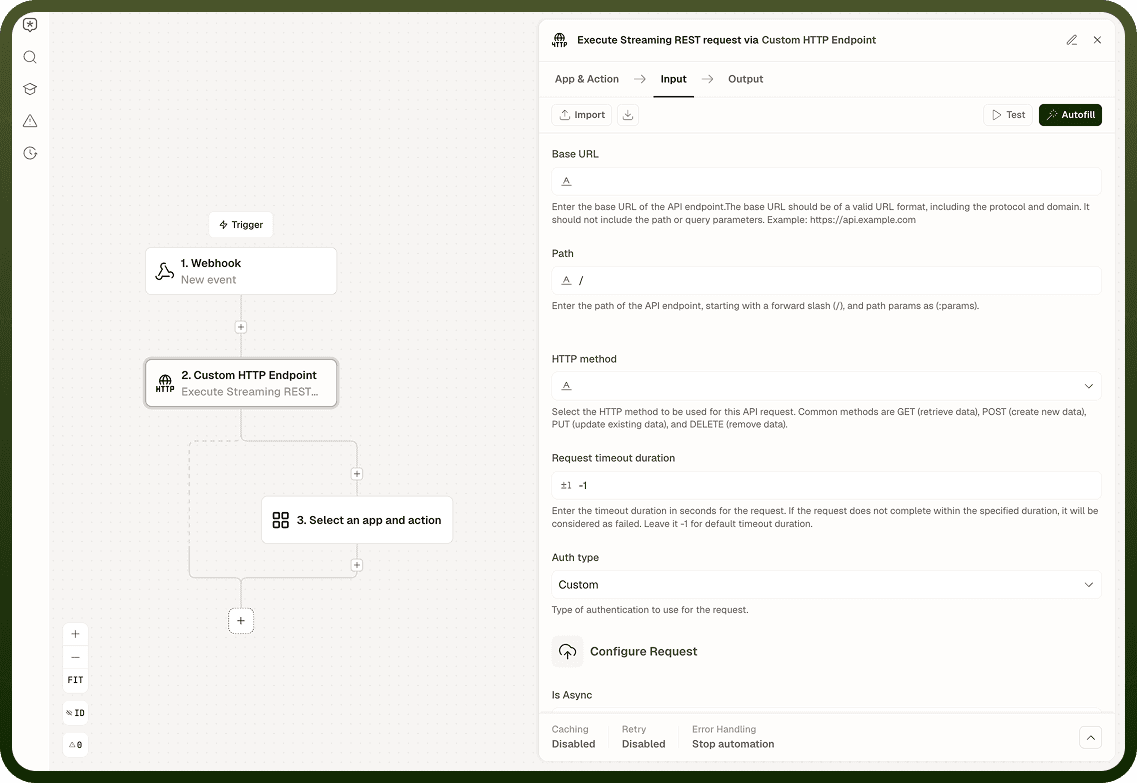
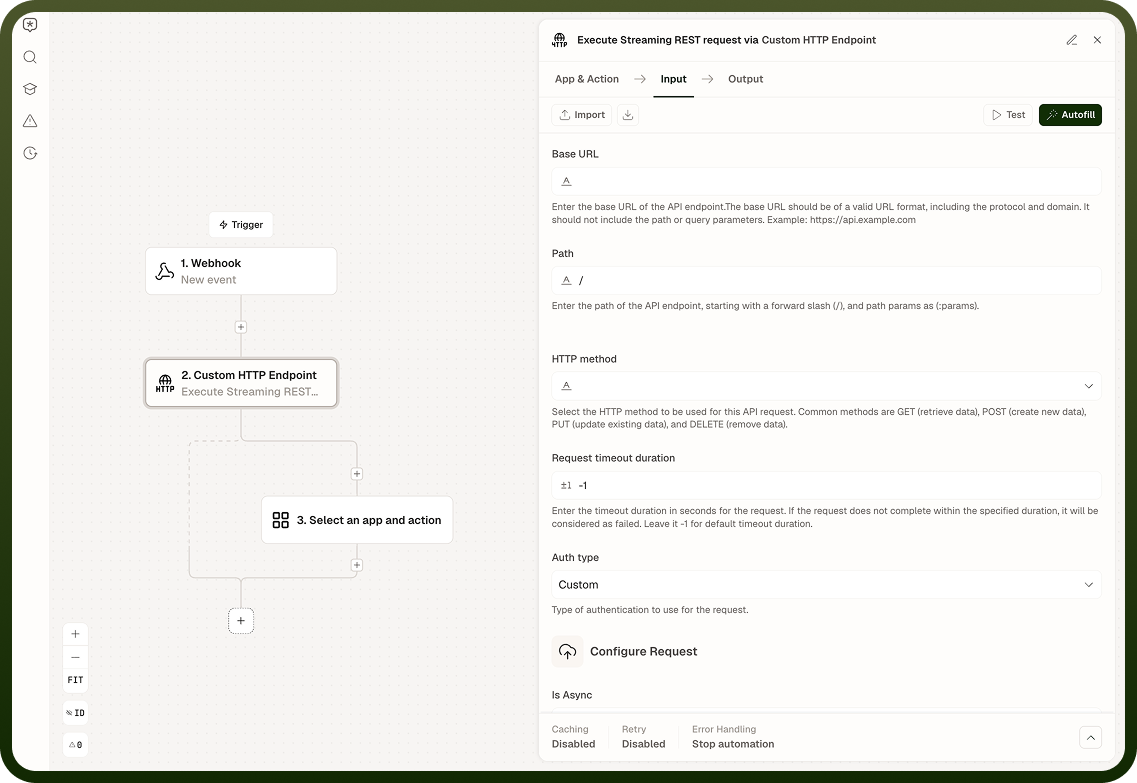
Input
Field | Description | Required* |
|---|---|---|
Method | HTTP method for the request: GET or POST. Streaming APIs most commonly use GET for Server-Sent Events and POST for chunked inference or data APIs. | Yes |
URL | The streaming endpoint URL. | Yes |
Headers | Request headers. For Server-Sent Events, include Accept: text/event-stream. For bearer-token APIs, include Authorization: Bearer <token>. | No |
Query Parameters | Key-value pairs appended to the URL as a query string. Values are URL-encoded automatically. | No |
Request Body | Body payload to send with a POST request (e.g., a JSON object with "stream": true for an LLM API). | No |
Authentication Type | Authentication scheme: None, Basic, or Custom. | No |
Username | Username for Basic authentication. Active only when Authentication Type is Basic. | No |
Password | Password for Basic authentication. Active only when Authentication Type is Basic. | No |
Custom Auth Configuration | Configuration object for a custom authentication scheme. Active only when Authentication Type is Custom. | No |
SSL Verification | Verify the server's TLS certificate. Enabled by default; disable only in trusted, non-production environments. | No |
Proxy URL | Route the request through an HTTP or HTTPS proxy. Note that some proxies buffer responses, which can interfere with streaming. | No |
* Required fields must be populated for the node to run.
Output
Field | Description |
|---|---|
Status Code | The HTTP status code returned when the server accepts the streaming connection (e.g., 200). |
Response Stream | The stream of chunks yielded progressively as the server sends data. Each chunk is a raw string; parse individual chunks as needed. |
Response Headers | A map of the HTTP response header names and values received when the connection was established. |
Notes
Run Asynchronously is not available for streaming requests. The stream is consumed progressively — the automation processes chunks as they arrive rather than collecting a final response.
For Server-Sent Events (SSE), set the Accept header to text/event-stream. The node reads the stream line by line according to the SSE format.
A non-streaming API called through this action will return its full body as a single chunk. This is valid but offers no advantage over Execute REST Request for non-streaming endpoints.
HTTP 4xx and 5xx status codes are reported in the Output Status Code field. The node does not raise them as errors — handle them in subsequent steps.
Some proxies buffer entire responses before forwarding them. If streaming does not work as expected, try a direct connection by removing Proxy URL or switching to a streaming-compatible proxy.