


The Parquet node reads and writes Parquet files — the compact, columnar format used in data pipelines and lakes. Use it when an automation exchanges data with analytics tooling or storage that expects Parquet rather than CSV or JSON.
Overview
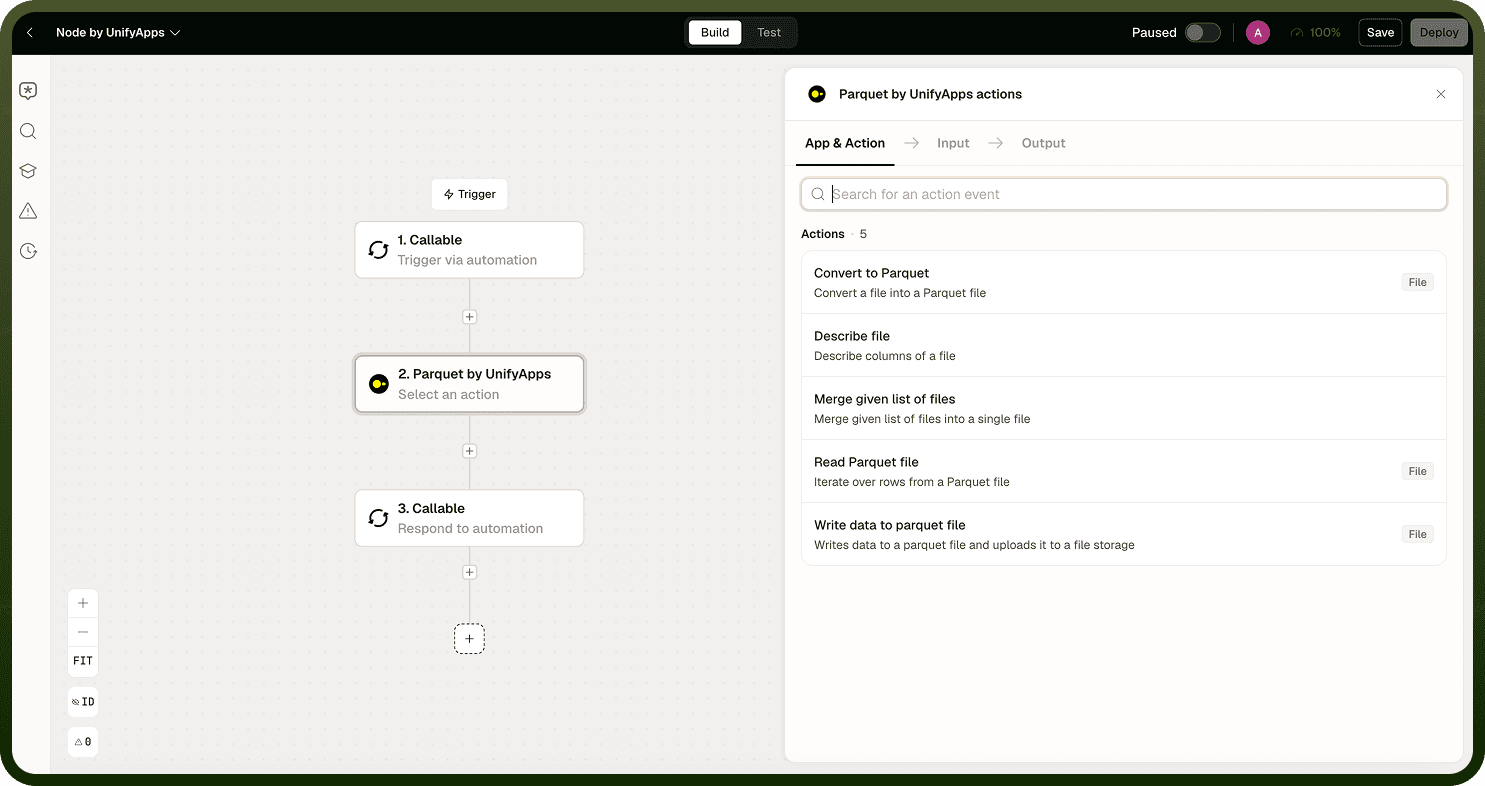
The Parquet node supports four operations:
Read — read a Parquet file row by row or in configurable batches
Write — write a list of data out to a Parquet file with a defined schema
Describe — inspect a file's schema (its columns and types) without reading row data
Merge — combine multiple Parquet files into one, with optional deduplication
Reading Parquet Files
Read a file as an iterator — the read operation yields rows one at a time, or in batches (default around 100 rows). Batching controls how many rows you get per pass to manage memory; it does not process rows in parallel — iteration is sequential. For a large file, use the iterator (optionally batched) rather than expecting the entire table in a single value.
When writing, you define the schema (columns and types). There is no full auto-detection, so ensure your declared columns match your data.
Merging Parquet Files
The Merge operation combines input files in the order you provide them. If you supply unique columns, it deduplicates on that key and keeps the last occurrence (by row order across the inputs). Earlier duplicates are removed.
Merge returns two outputs: the merged file (unique rows) and a separate duplicates file (the removed rows). Nothing is silently discarded — inspect the duplicates file if you need to audit what was deduped.
Note: The "last wins" deduplication rule is the key behavior to remember. If you are merging snapshots and want the newest record to survive, order your inputs so the newest file comes last.
Notes
Keep these practices in mind when working with the Parquet node:
Use Describe before mapping fields from an unfamiliar Parquet file — it returns the column names and types without reading all the data.
Parquet is a binary format; you cannot inspect its contents directly. Use Read or Describe to understand what a file contains.
For large files, prefer batched iteration over a single read to avoid memory issues in the automation run.
When merging files, order your inputs so the most authoritative (newest) file comes last — the Merge operation keeps the last occurrence on deduplication.
Always declare the schema explicitly when writing — the node does not auto-detect columns from the data you pass in.
Inspecting the schema with Describe before reading or writing ensures field mappings align with the file's actual structure.