


The AI Evaluator Node scores the quality of AI outputs against defined metrics, giving you automated regression tests for agents and prompts so you can catch quality drops between versions without reviewing results by hand.
Overview
The AI Evaluator node measures the quality of your AI outputs so you can test and monitor agents and prompts systematically instead of reviewing results manually. You define metrics, supply evaluation cases, and the node scores each one. Use it to build a regression suite for your AI, catch quality drops between versions, and compare agent or prompt variants against each other.
Where Automation builder › AI Evaluator
Evaluation Types
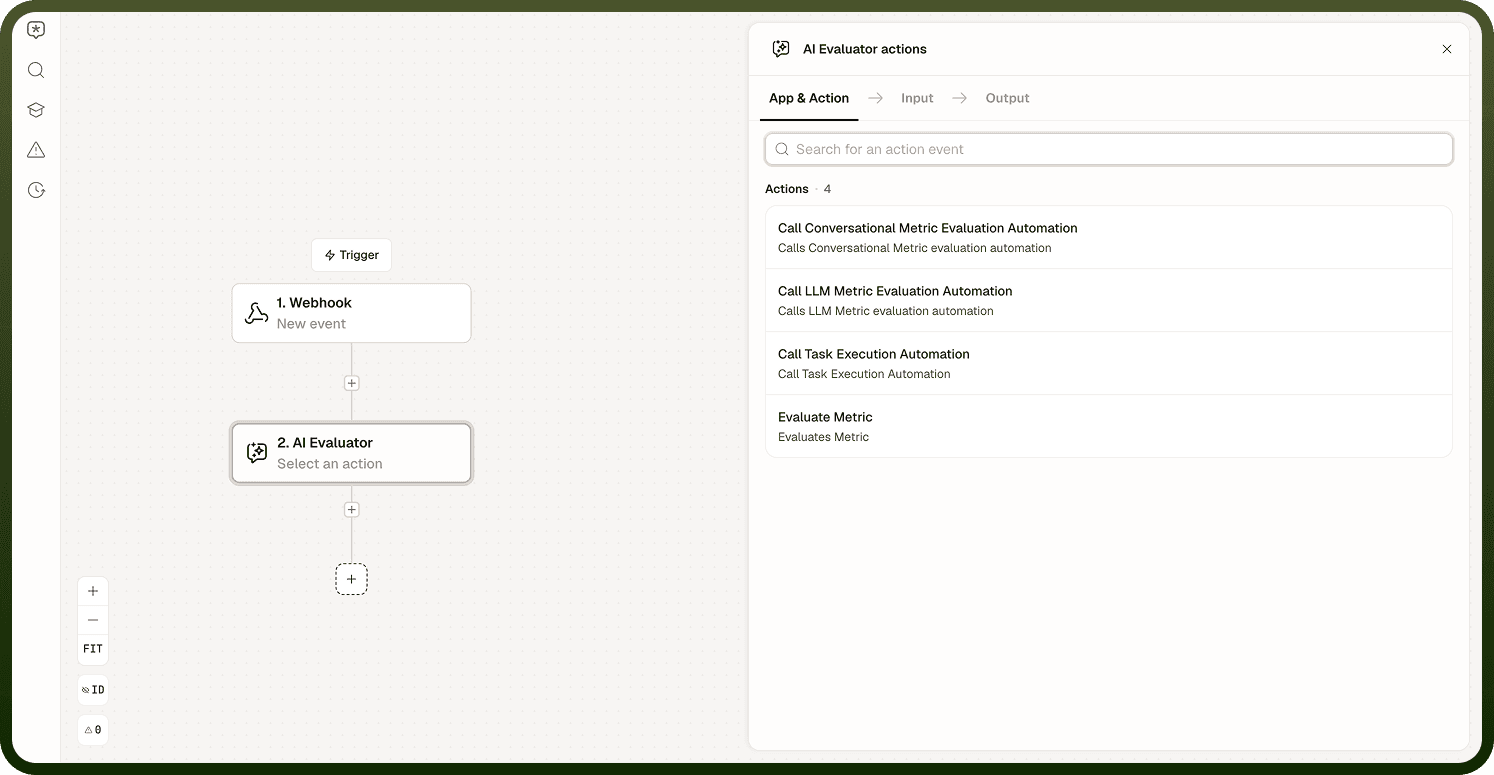
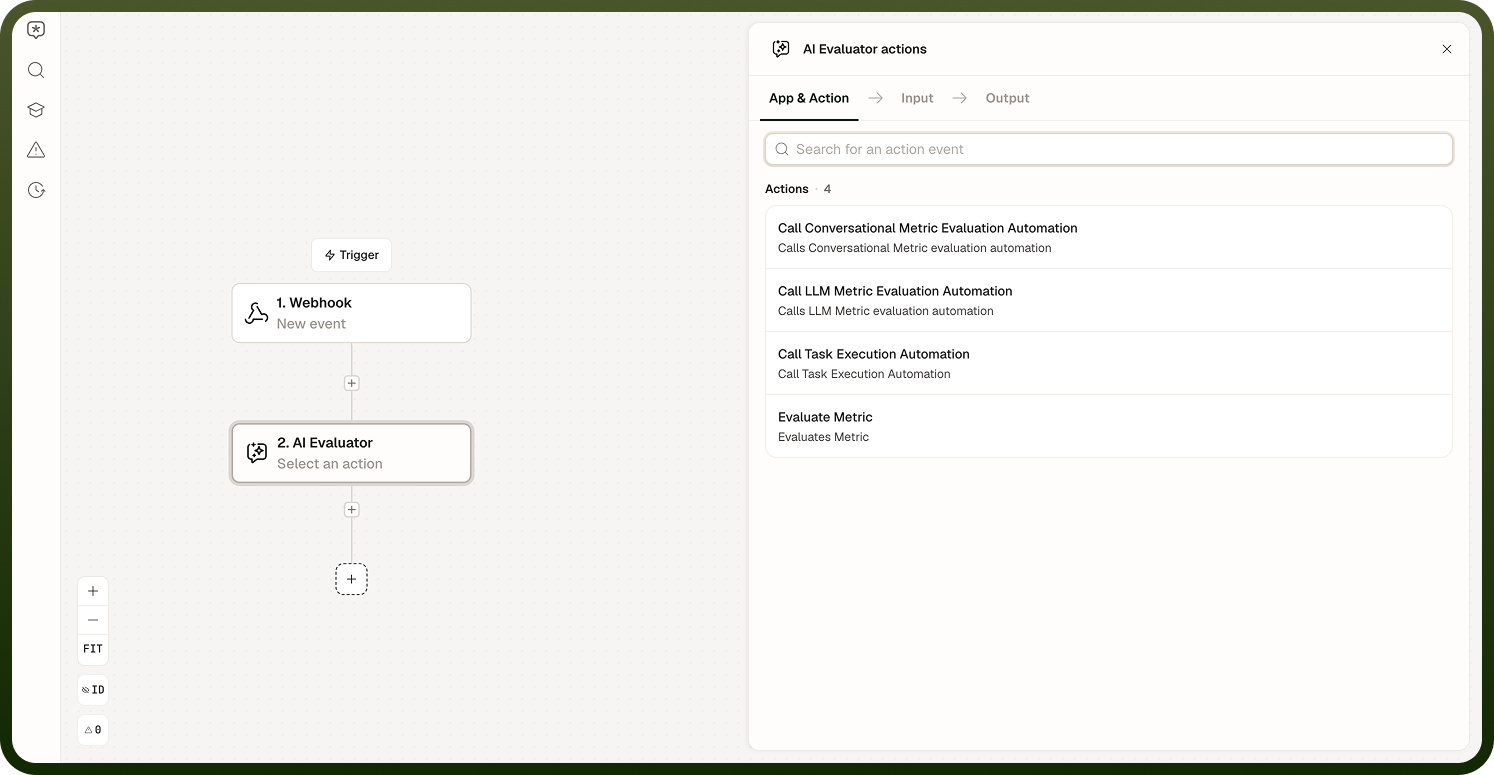
The AI Evaluator supports three evaluation modes:
Metric evaluation — a one-shot evaluation of a single input/output pair against your defined metrics.
Conversational evaluation — scores a full conversation exchange rather than a single turn, capturing quality across an entire dialogue.
Task execution evaluation — runs a task end-to-end and judges the result, not just the output text.
Input
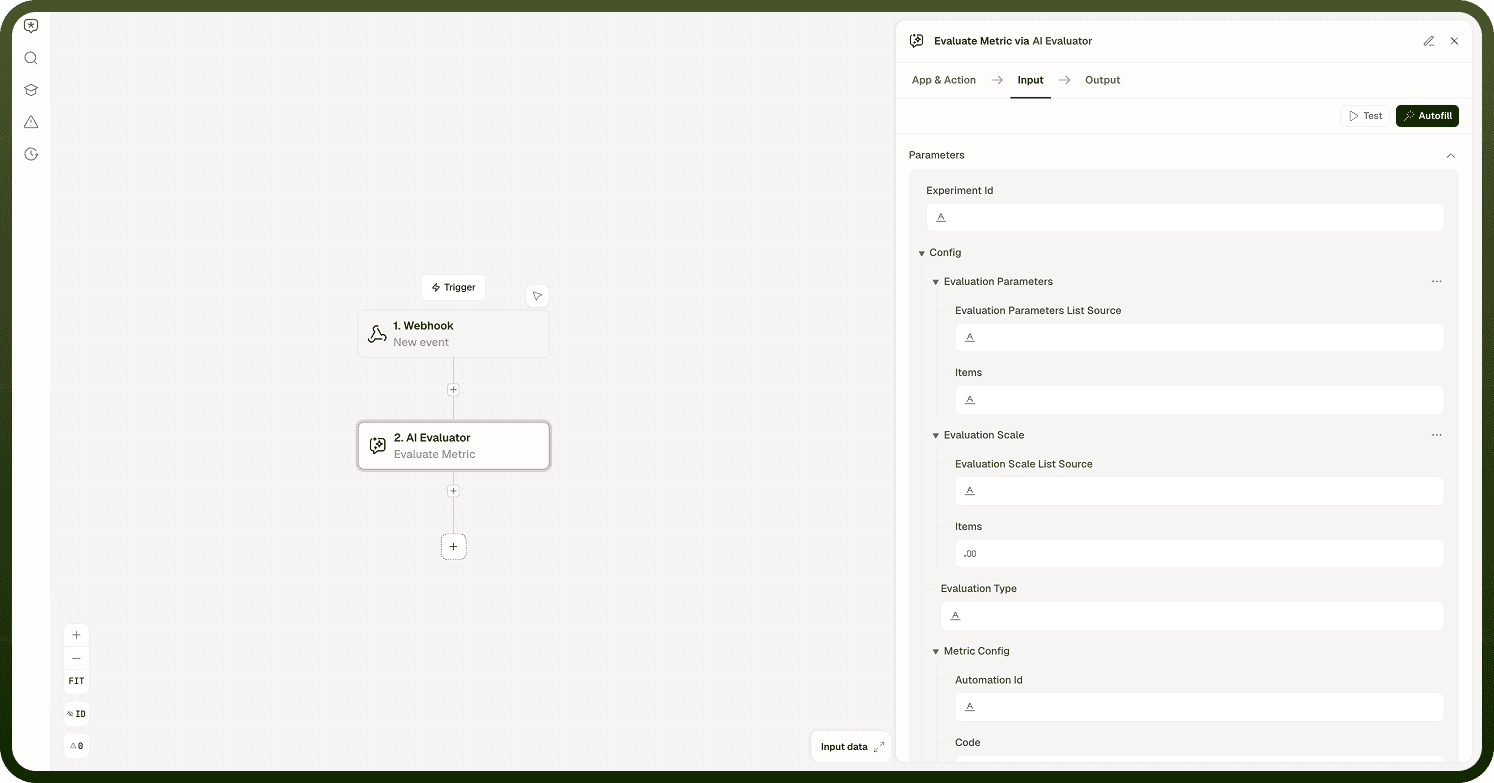
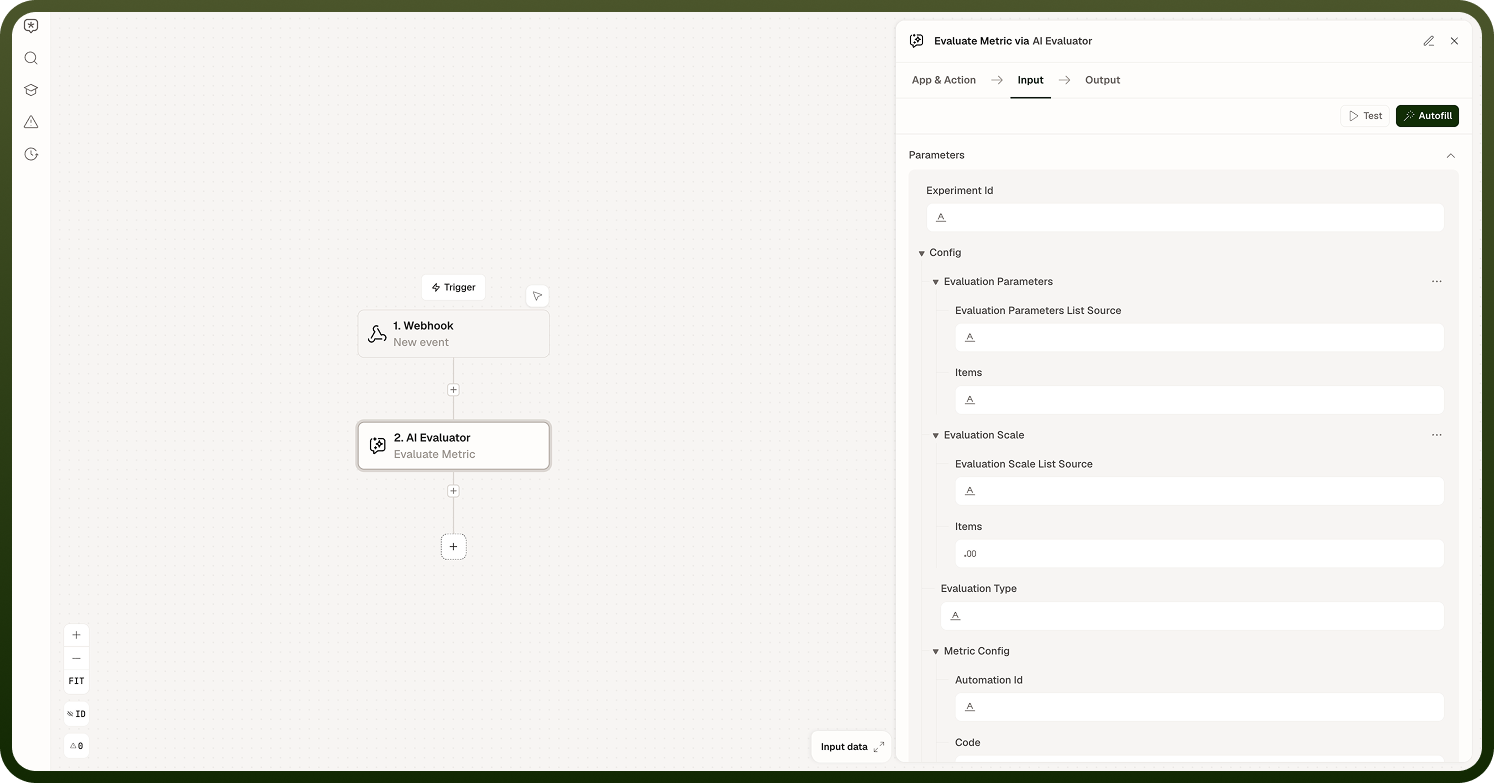
Inputs vary slightly depending on which AI Evaluator action you use, since each evaluation type calls a different kind of automation. All three actions require you to pick the automation to call and to supply the parameters for the evaluation case; the task execution action has one additional setting.
Metric Evaluation
Configured on the Call LLM Metric Evaluation Automation action.
Input Field | Description |
|---|---|
Automation to call | The automation this action triggers to run the evaluation. Only automations built with an LLM evaluator metric trigger appear in the lookup; you can also enter a custom value. |
Input | The input that was given to the agent or prompt being evaluated. |
Expected output | The reference answer or ideal response for this case. Used as the baseline for scoring. |
Context | Any supporting information or background that was available to the agent at the time it produced its response. |
Actual output | The response the agent or prompt actually produced. This is what is scored against the expected output. |
Metrics | The criteria used to score this case. Define the metrics you want applied to the evaluation. |
Conversational Evaluation
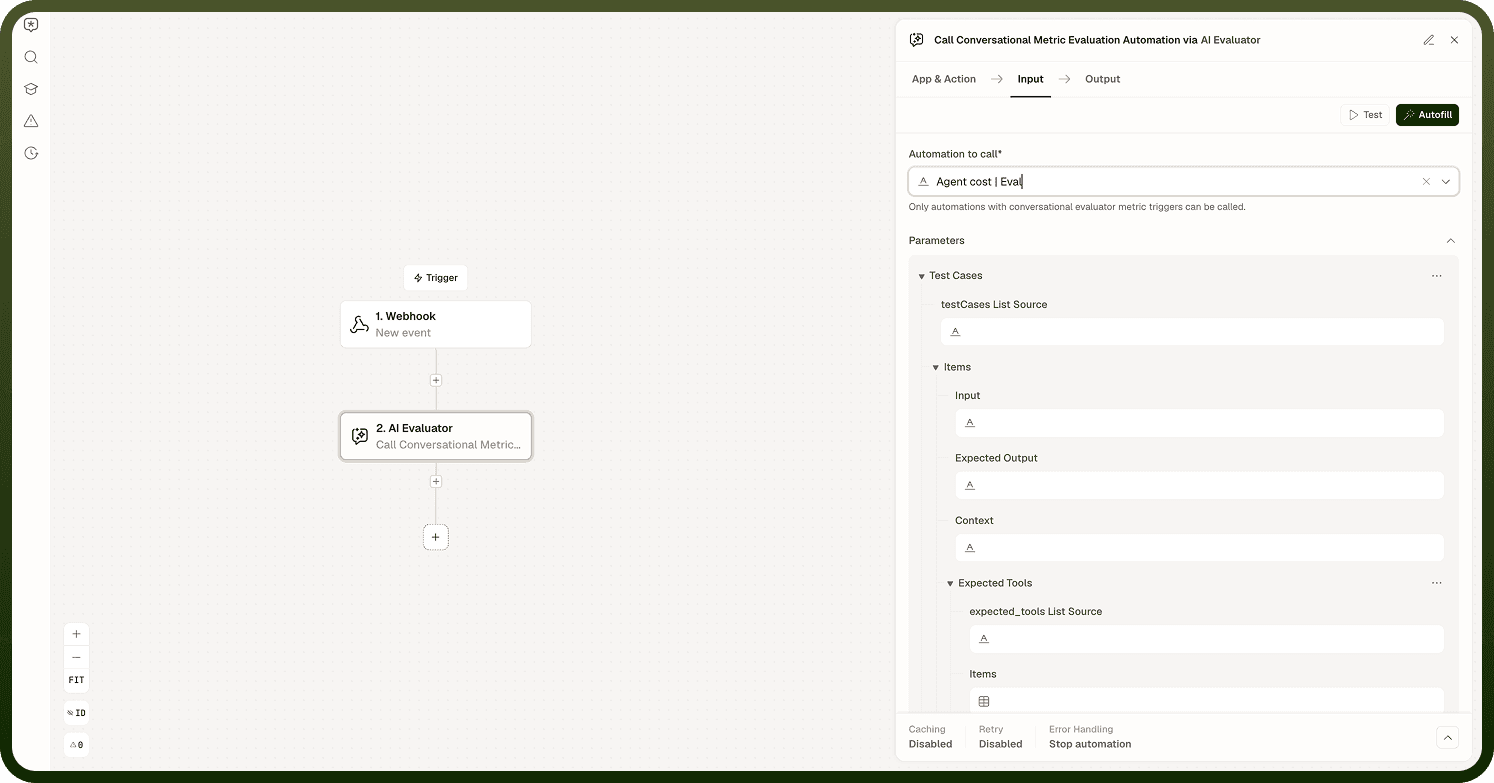
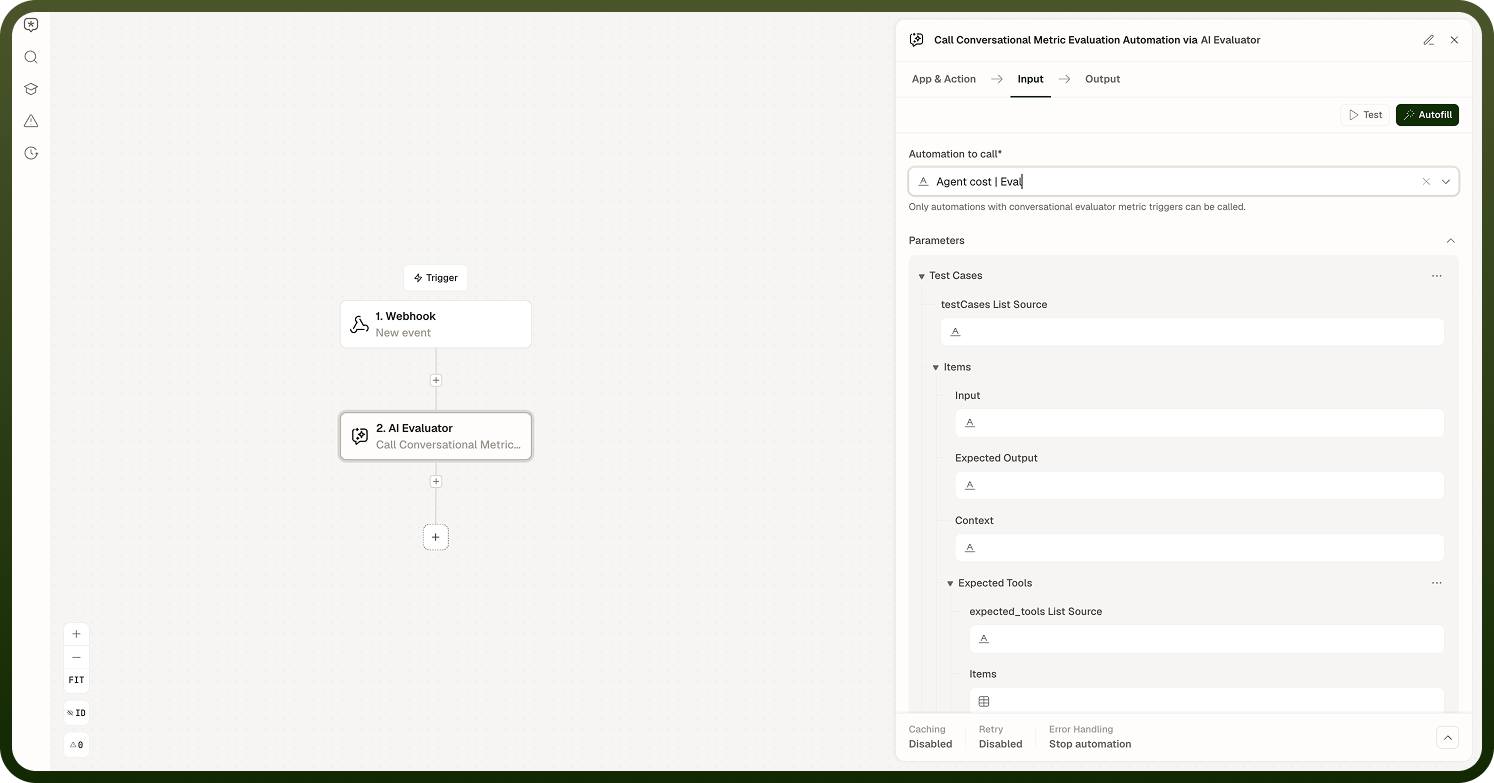
Configured on the Call Conversational Metric Evaluation Automation action.
Input Field | Description |
|---|---|
Automation to call | The automation this action triggers to run the evaluation. Only automations built with a conversational evaluator metric trigger appear in the lookup; you can also enter a custom value. |
Input | The input that was given to the agent or prompt being evaluated. |
Expected output | The reference answer or ideal response for this case. Used as the baseline for scoring. |
Context | Any supporting information or background that was available to the agent at the time it produced its response. |
Actual output | The response the agent or prompt actually produced. This is what is scored against the expected output. |
Metrics | The criteria used to score this case. Define the metrics you want applied to the evaluation. |
Task Execution Evaluation
Configured on the Call Task Execution Automation action.
Input Field | Description |
|---|---|
Automation to call | The automation this action triggers to run the evaluation. Only automations built with a task trigger appear in the lookup; you can also enter a custom value. |
Trigger Workflow With RunTime Type | Optional. Controls how the called automation is run — choose DEFAULT or IN_MEMORY. |
Input | The input that was given to the agent or prompt being evaluated. |
Expected output | The reference answer or ideal response for this case. Used as the baseline for scoring. |
Context | Any supporting information or background that was available to the agent at the time it produced its response. |
Actual output | The response the agent or prompt actually produced. This is what is scored against the expected output. |
Metrics | The criteria used to score this case. Define the metrics you want applied to the evaluation. |
How Scoring Works
Scoring combines automated similarity metrics with model-based judgement. By default the node uses a semantic similarity metric that compares the actual output against the expected output as text. Evaluation can also use a model to judge quality against your defined criteria. Each evaluated case returns:
Score — the numeric quality score for the case.
Reason — an explanation of why the case received that score.
Cost — the cost of running the evaluation for that case.
Trigger-and-Callback Pattern
Evaluation runs do not block the calling automation. Instead, the AI Evaluator uses a two-part pattern:
A trigger operation defines the evaluation's inputs and starts the evaluation job. The work runs as its own automation.
A return-response operation sends the result back once the evaluation completes.
This decoupling lets evaluations run as independent jobs — and in parallel when you have multiple cases — without holding up the caller. When you wire an evaluator, you must set up both ends: the trigger that starts it and the response that reports the result back. If the return-response operation is missing, the evaluation has no destination for its output.
Notes
To make the most of it:
Build a representative set of cases that covers the range of inputs your agent or prompt will encounter in production, not just the easy ones.
Always wire the return-response operation — without it, evaluation results are discarded.
Read the Reason field for every case whose score surprises you; the explanation tells you whether the issue is in the output, the expected answer, or the metric definition.
Run evaluations after any change to an agent's instructions, tools, or knowledge to catch regressions before they reach users.
Evaluate enough cases per run that one outlier does not distort your overall quality reading.