


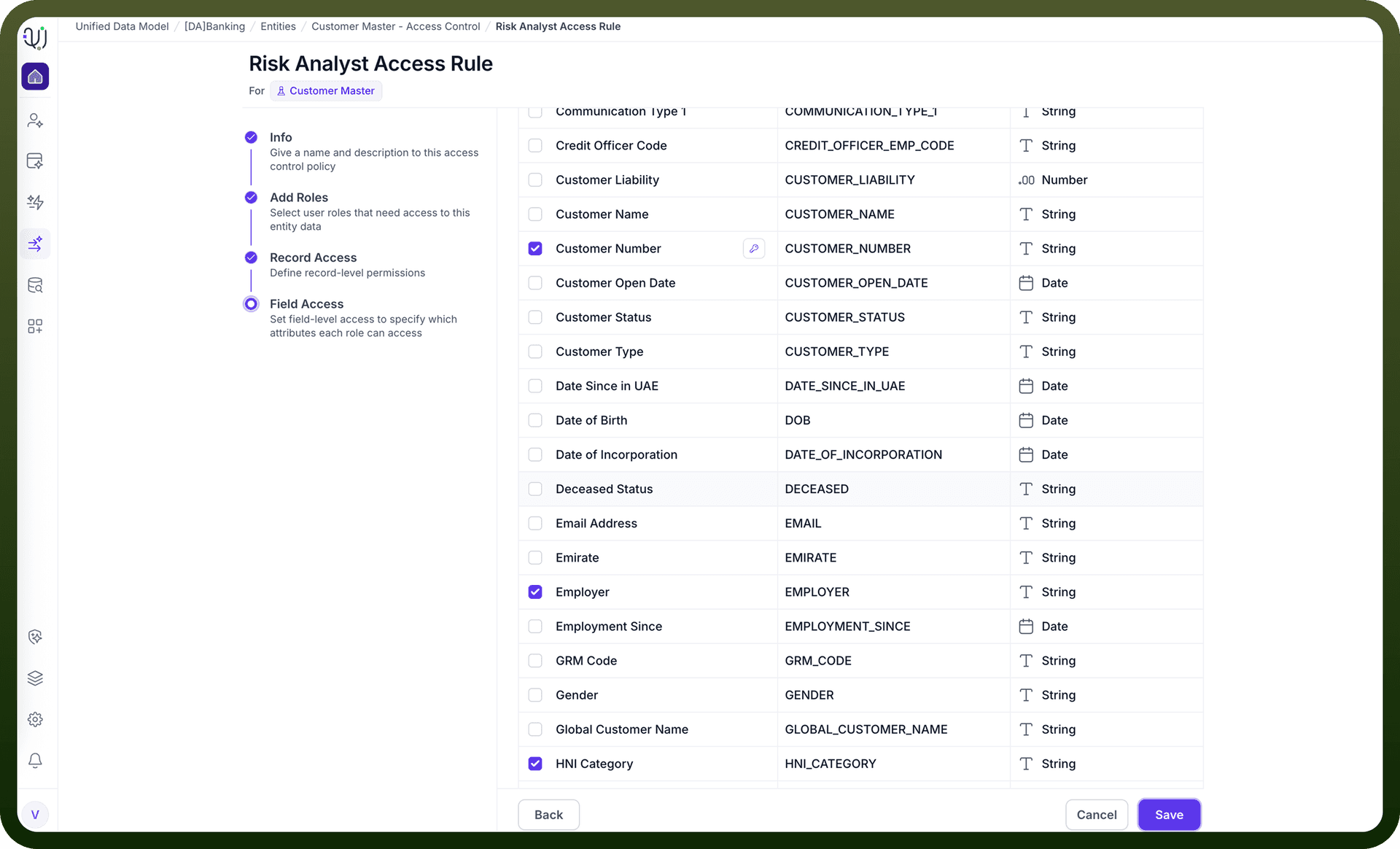
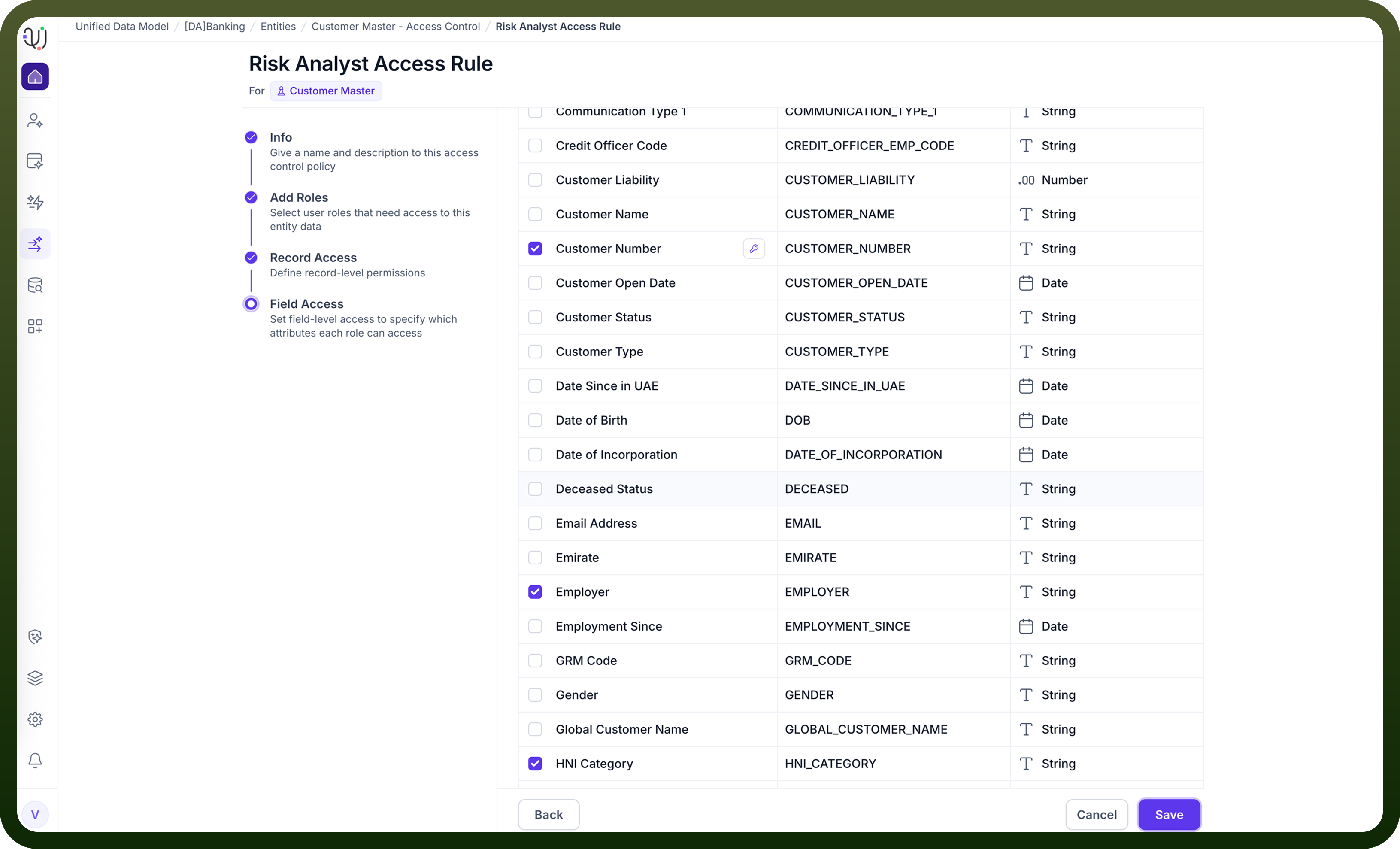
Access Control in the UnifyApps Unified Data Model (MDM) is powered by a Role-Based Access Control (RBAC) framework. This system ensures that users only see and interact with the data they are permitted to access. Using RBAC, administrators can define roles, configure access policies, and apply granular controls at both the record level and attribute (column) level, ensuring strong data governance across the platform.
Key Concepts
Roles
A Role represents a set of permissions assigned to one or more users. Roles determine what actions a user can perform and what portions of the data model they can access. Examples include: Data Steward, Analyst, Sales User, Operations Viewer, etc.
Access Control Policies
An Access Control Policy defines how much of an Entity’s data a role is allowed to see or modify. Each policy consists of two components:
Record-Level Filter Controls which records a user can access. This allows row-level segmentation such as:
Only records belonging to a user’s region
Only customers assigned to a specific account manager
Only transactions within a business unit
Record filters ensure that users see only the subset of data that applies to them.
Column-Level Filter Controls which fields (attributes) a user can view or edit. This is used to:
Hide sensitive fields (e.g., SSN, salary, internal notes)
Restrict editing rights for certain attributes
Provide read-only access where needed
Column filters ensure that sensitive or restricted attributes remain protected.
How Access Control Works
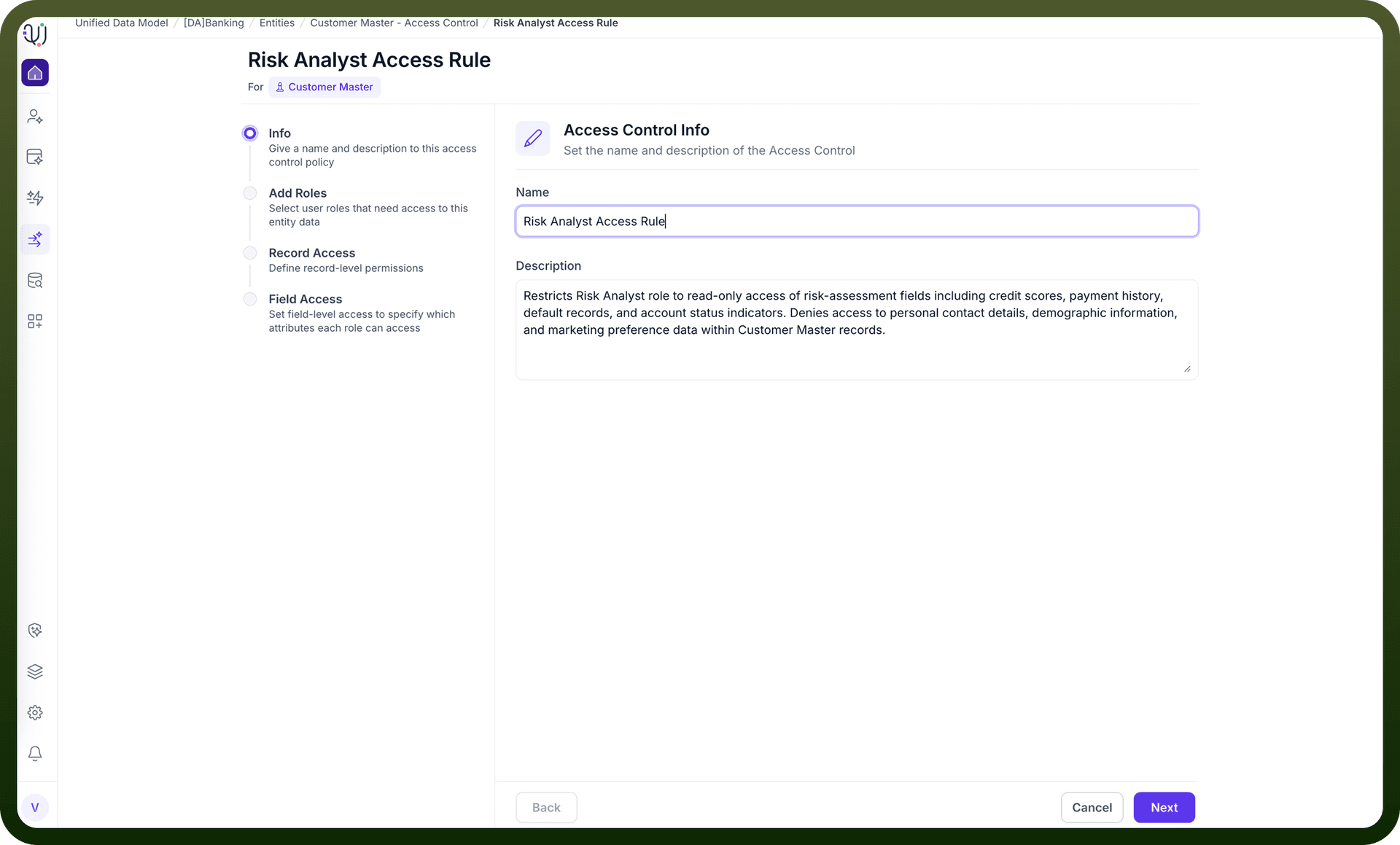
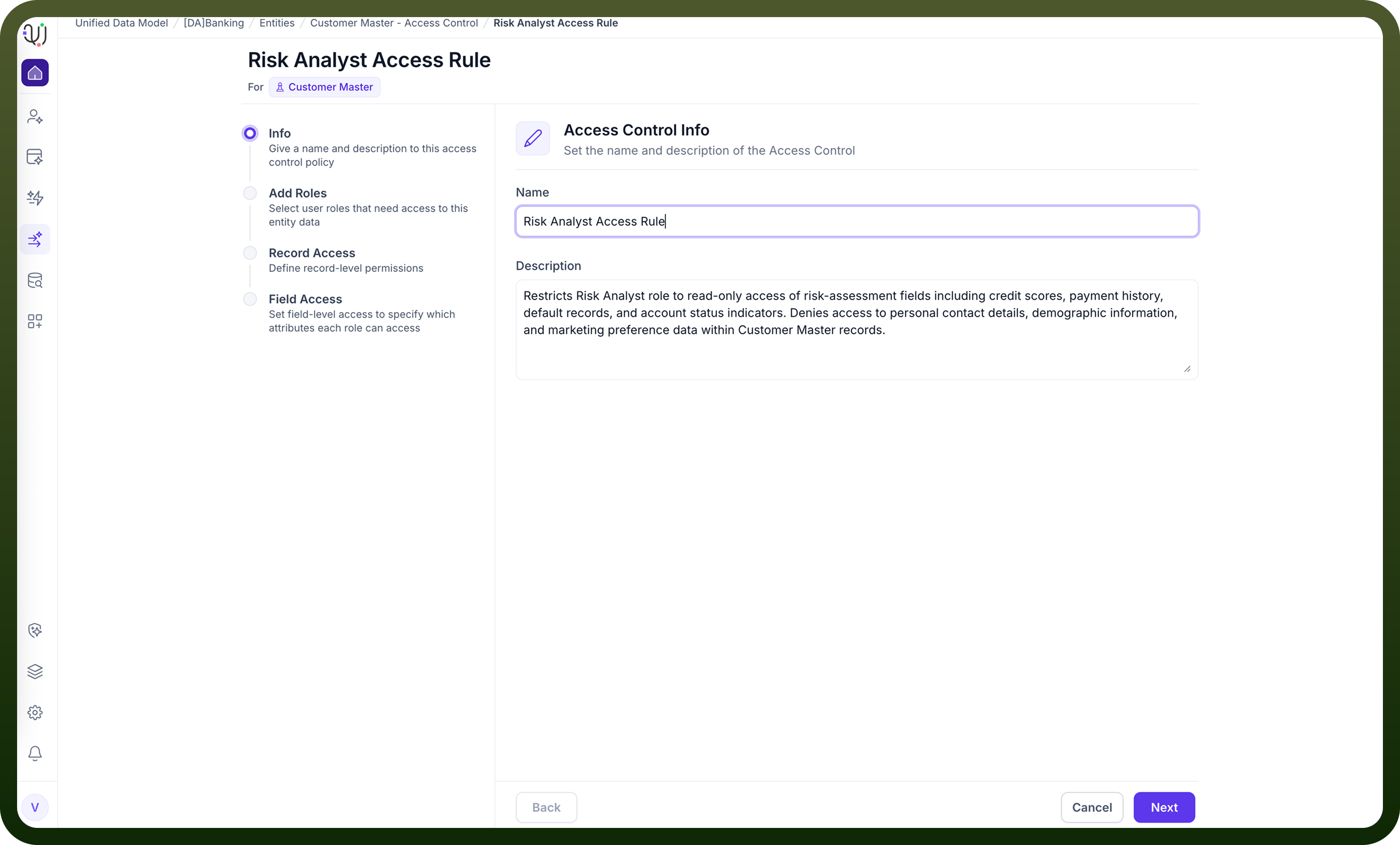
Create a Role Administrators define a role representing a category of users with similar responsibilities or access needs.
Configure an Access Control Policy For each policy, define:
Record-Level Access Rules: a filter expression determining which rows are visible to the role.
Column-Level Access Rules: a list of visible, hidden, or read-only fields.
Assign the Policy to a Role One or more access policies can be attached to a role. Users who are assigned that role inherit all applied policies.
User Access Enforcement When a user interacts with MDM:
The system evaluates record filters to determine which records they can see.
Column filters adjust the visibility or editability of fields.
All UI views, APIs, automations, and downstream integrations respect these constraints.
Example Scenario
Role: Regional Sales Manager Record-Level Filter: region == user.region Column-Level Filter:
Visible: name, email, purchase_history
Hidden: credit_score, tax_identifier
This ensures sales managers can only view customers within their territory and cannot access sensitive financial attributes.
Benefits of RBAC in MDM
Strong Data Governance — Protects sensitive and regulated data.
Granular Control — Row-level and column-level restrictions for maximum precision.
Scalable Administration — Policies can be reused across multiple roles.
Consistent Enforcement — Applied across UI, APIs, workflows, and reporting layers.
Compliance Ready — Supports segmentation required for GDPR, HIPAA, SOC2, and internal audit controls.
Summary
UnifyApps MDM provides a flexible, enterprise-grade RBAC system that enables precise data access management. By defining roles and attaching Access Control Policies with record-level and column-level filters, organizations can enforce secure, compliant, and contextual data visibility across users and teams.