


Overview
UnifyApps MDM supports multiple ingestion methods for bringing data into your Unified Data Model (UDM). While Pipelines handle large, structured ETL-style loads, Automations offer a flexible way to sync data using custom logic.
Automations allow you to fetch data from any connected system, apply transformations or conditions, and then write that data into UDM. The key requirement: the automation’s final step must use the Create Staging Record action from the UDM by UnifyApps node to ingest the actual record.
How Automations Fit Into Data Sync
Automations are ideal when you need:
Event-driven or scheduled data ingestion
Conditional logic (update only certain records, skip inactive items, etc.)
Data transformation before entering the UDM
Light–medium volume syncs
The staging layer ensures all records pass through MDM’s governance rules: validation, matching, merging, and survivorship.
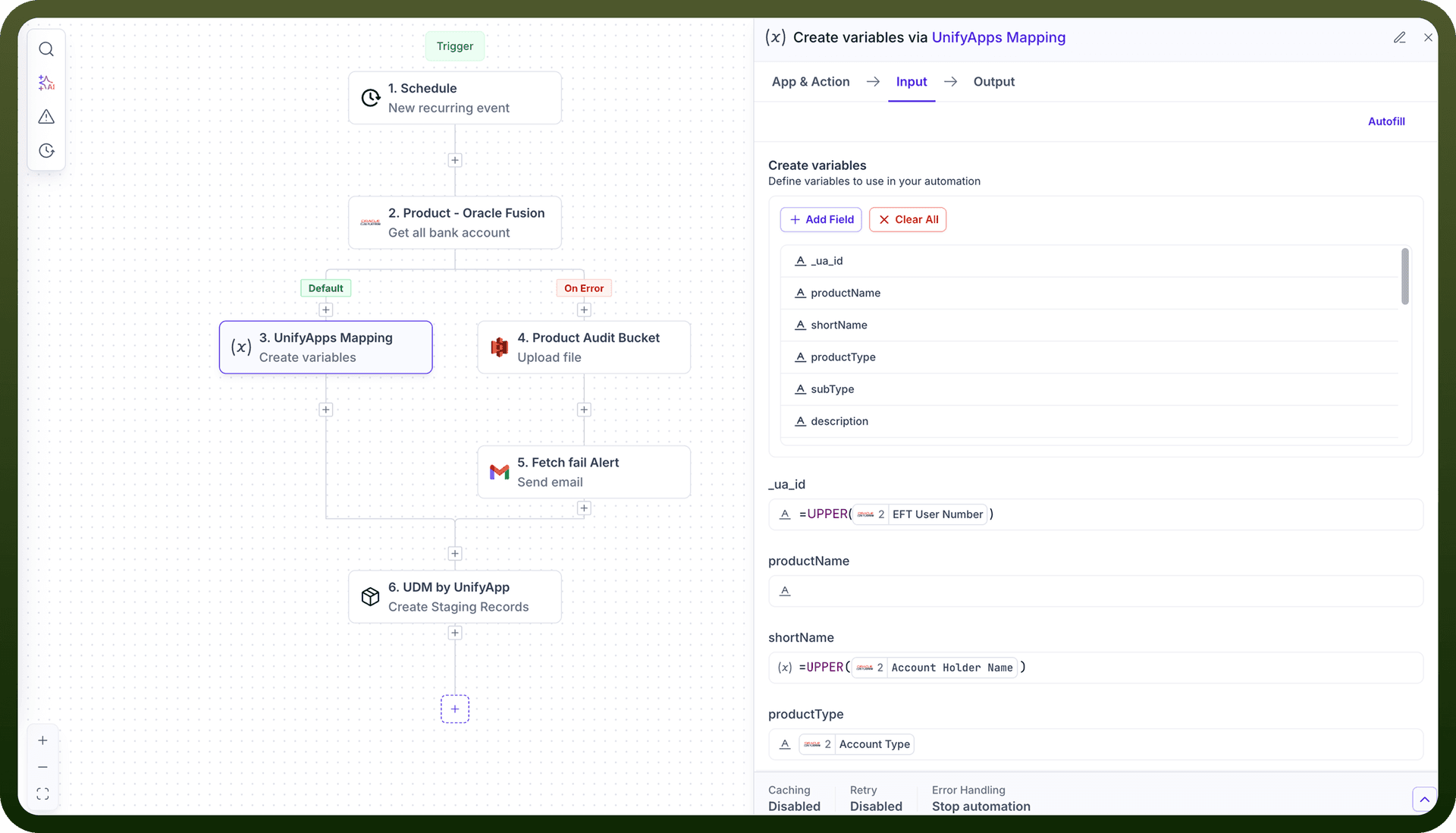
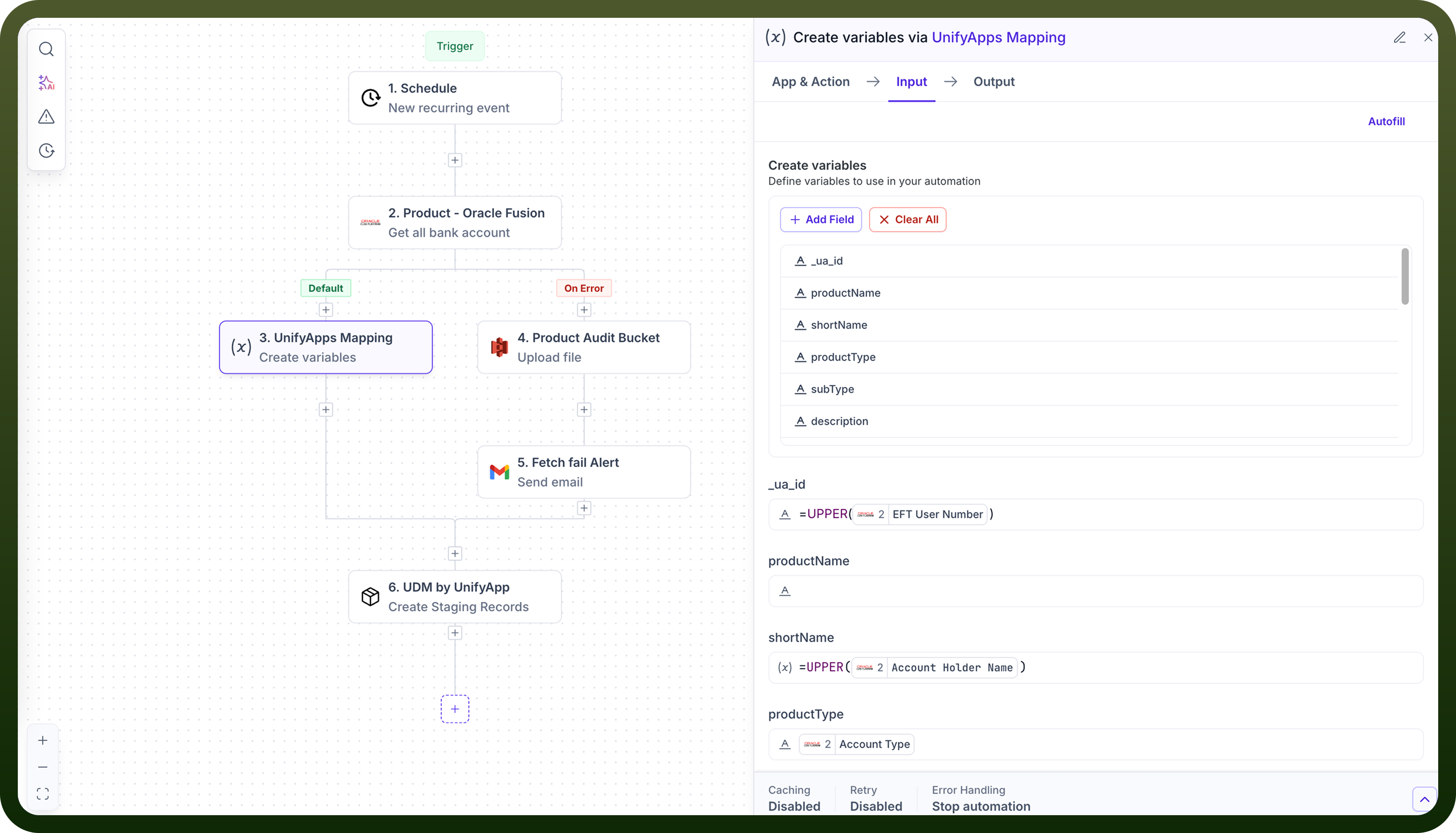
Setting Up a Data Sync Automation
1. Create an Automation
Go to Automations and click Create Automation.
Choose your trigger (Schedule, Webhook/Event, or Manual start).
This defines how and when your sync runs.
2. Fetch Data From Your Source
Add steps to pull or receive data from systems such as:
APIs
Databases
SaaS connectors
Files or webhook payloads
You may loop through datasets or handle batches depending on the source.
3. Apply Transformations (Optional)
Use automation steps to prepare the data:
Field mapping
Cleanup/normalization
Conditional branching
Enrichment from other systems
These steps let you shape the record before sending it into UDM.
4. Create the UDM Staging Record
Finish the workflow by adding:
Action: Create Staging Record Node: UDM by UnifyApps
Provide:
The target Entity
The payload matching that Entity’s attributes
Once staged, the UDM engine performs all standard MDM processing.