


Configure how long the API gateway waits for a backend response before terminating the request and returning an error to the caller.
Overview
A Timeout Policy defines the maximum amount of time the gateway will wait for a backend service to respond to an API request. If the backend does not respond within the configured duration, the request is terminated and an error is returned to the client — preventing long-running or unresponsive requests from consuming system resources.
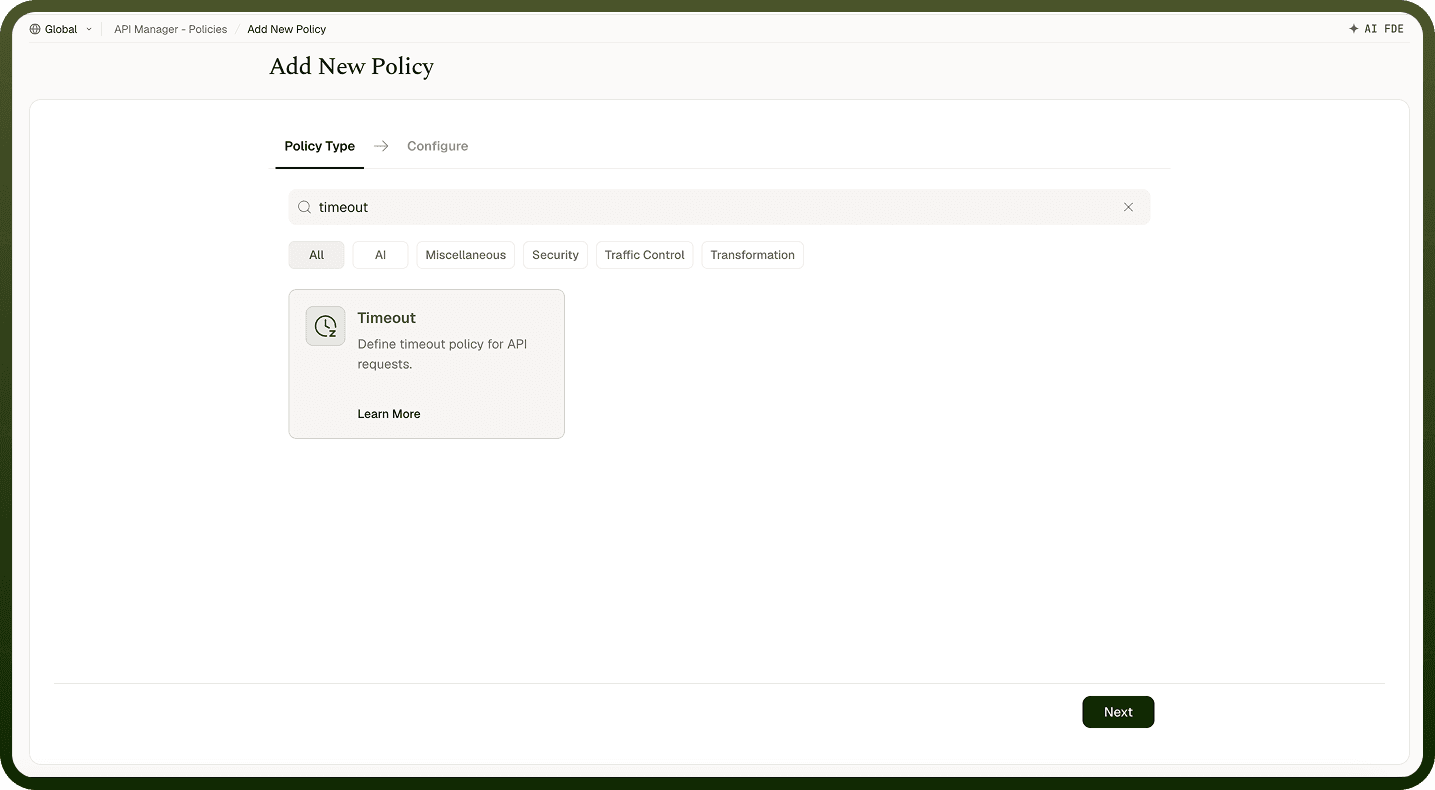
Field Reference
Field | Description |
|---|---|
Policy Name * | A unique identifier used across logs, dashboards, and API group configurations. |
Tags | Custom labels to organize and filter the policy by environment, team, or functionality. |
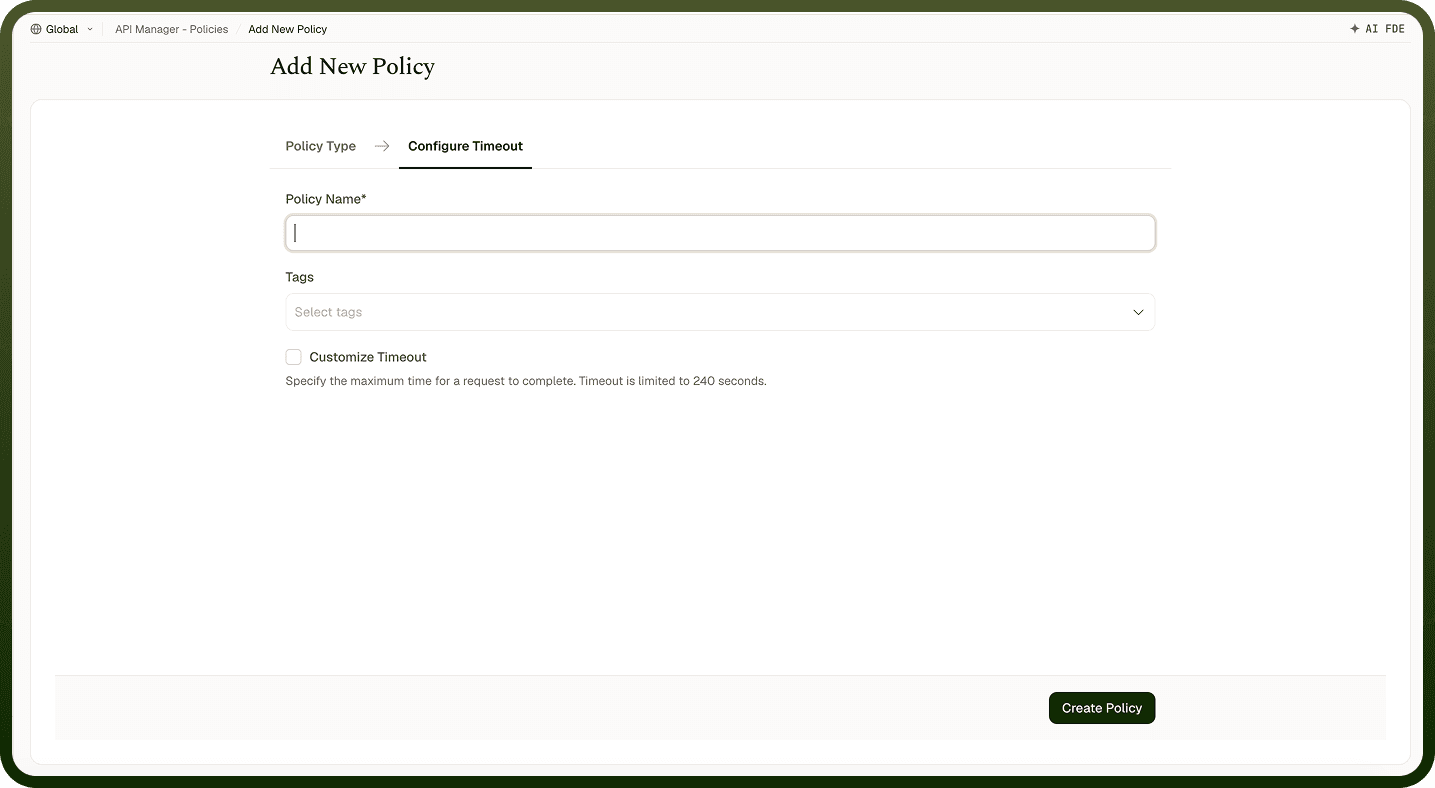
Customize Timeout * | Enables or disables a custom timeout for API requests. When enabled, the configured value is enforced. |
Request Timeout * | Maximum time (in seconds) the gateway waits for a backend response before terminating the request. Maximum allowed value: 240 seconds. |
How It Works
Request initiated — The gateway forwards the incoming API request to the backend service.
Timer starts — A countdown begins based on the configured Request Timeout value.
Response received in time — If the backend responds before the timeout expires, the response is returned to the client successfully.
Timeout exceeded — If the backend does not respond in time, the request is terminated.
Error returned — A timeout error response is sent to the client indicating the request took too long.
Attaching to an API Group
Once a Timeout Policy is created, attach it to one or more API Groups from the group's policy settings. Multiple policies can be applied to a single group; drag them into the desired execution order.
Notes
Set the timeout to the slowest your slowest legitimate backend call takes, plus a small buffer — a value that's too tight causes spurious timeouts for valid requests.
The platform maximum is 240 seconds; requests requiring longer processing should consider an async pattern (webhook-triggered automation).
Timeouts apply per request, not per session — a retry after a timeout starts a fresh counter.
Pair this policy with a Fallback Response on the endpoint so timed-out callers receive a useful error body rather than a generic gateway error.