


The User Events triggers start an automation the moment a user-related action occurs on the platform — a new account is created, a login attempt fails, a password is reset. Use them to automate provisioning, enforce security policies, or alert on suspicious activity without polling user records for changes.
Overview
User Events are real-time, webhook-style subscriptions. The platform fires them the instant the event occurs, not on a polling interval. Each automation gets its own subscription, and most events accept a filter condition so you only react to the specific circumstances you care about.
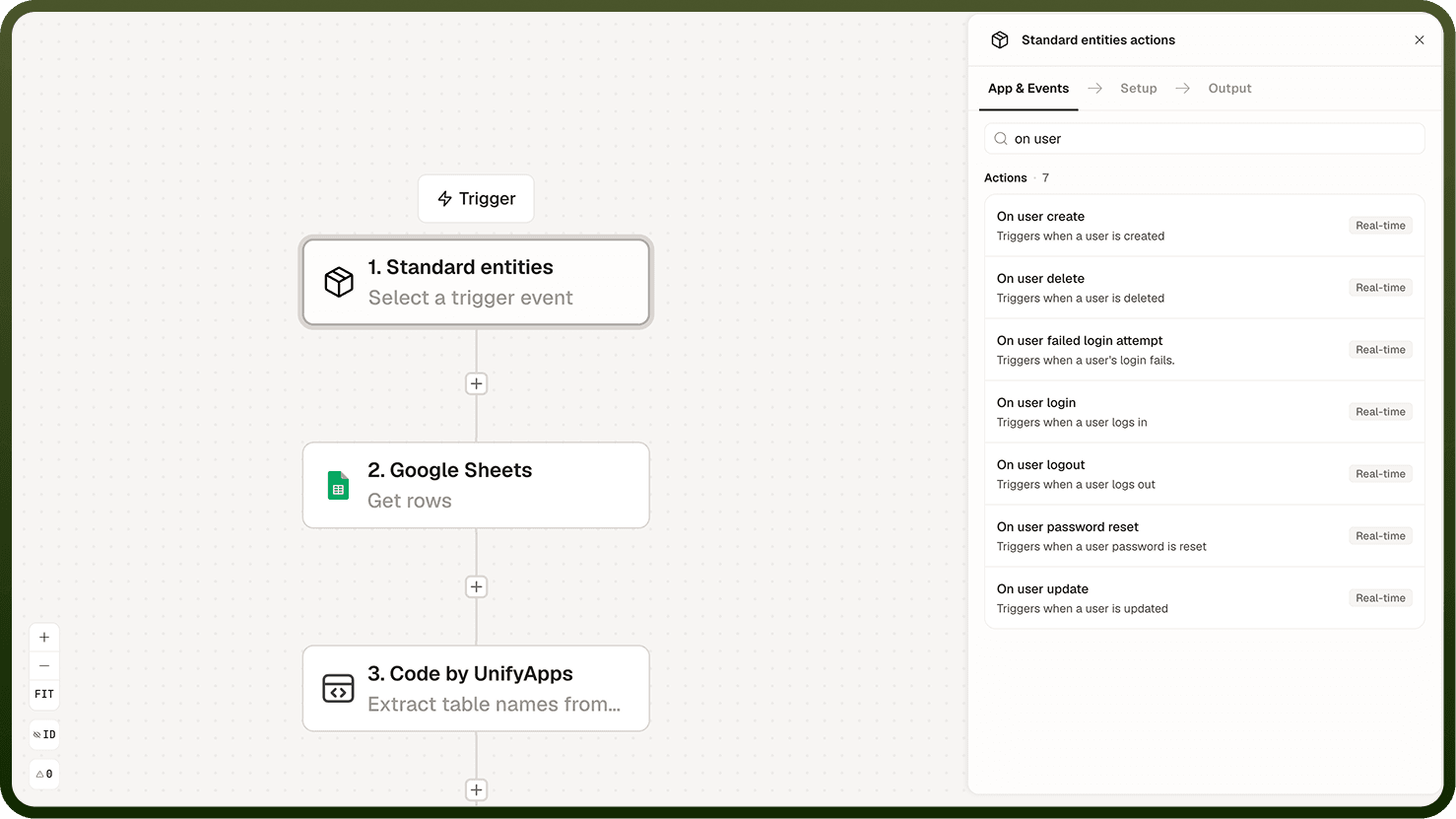
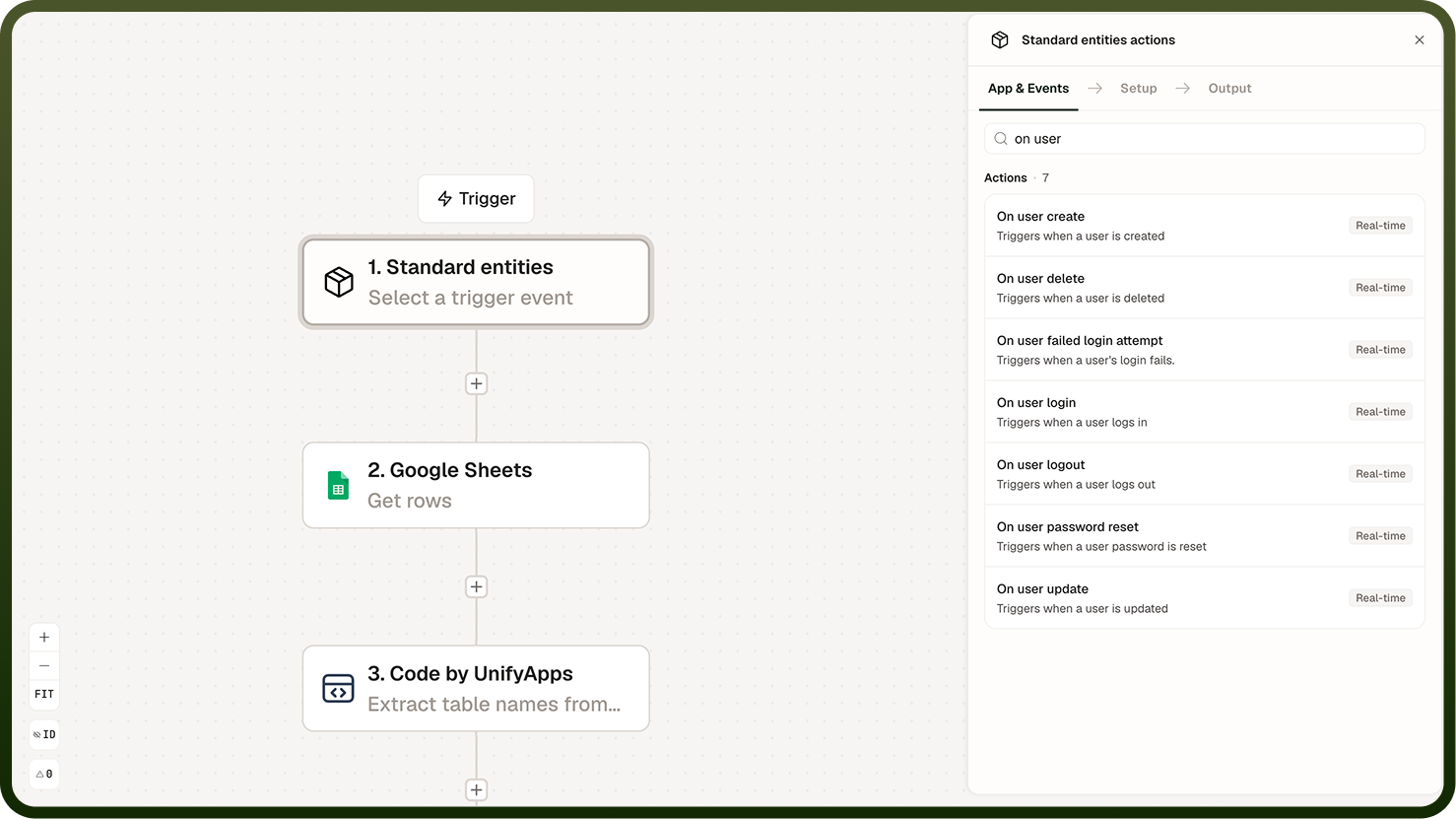
Available Events
The following user-related events are available as triggers:
User created — fires when a new user account is added to the platform. Use it to auto-provision resources, send a welcome message, or assign default roles.
User updated — fires when a user's profile or attributes change. Use it to sync profile data to downstream systems or audit changes.
User deleted — fires when a user account is removed. Use it to revoke access to external systems or archive associated records.
User logged in — fires on a successful login. Use it to log audit entries or trigger session-start workflows.
User logged out — fires when a user ends their session. Use it for session-end housekeeping or audit logging.
Login failed — fires when an authentication attempt does not succeed. Use it to detect brute-force patterns or alert on repeated failures from a specific source.
Password reset — fires when a user's password is reset, whether self-initiated or administrator-initiated. Use it for audit trails or to trigger follow-up security checks.
Delivery and Filtering
User Events fire in real time — the automation run starts the moment the event is emitted by the platform, with no polling delay. The payload carries the details of what changed, available as data fields in the automation's context.
Most User Event triggers accept a filter condition. Use filters to narrow the events your automation reacts to — for example, only fire on login failures from a particular source IP range, or only on user deletions where the account belonged to a specific group. Filtering reduces noise and ensures each automation handles only the events it was designed for.
Common Use Cases
Auto-provisioning — when a user is created, automatically assign default roles, create a personal workspace, and send an onboarding email.
Deprovisioning — when a user is deleted, revoke their access tokens in connected systems and archive their data.
Security alerting — when a login fails repeatedly, send an alert to the security team or temporarily lock the account.
Audit logging — on every login, logout, or password reset, write a record to a centralized audit log.
Notes
Keep the following in mind when working with User Events triggers.
All User Events are delivered in real time — there is no polling delay between the event occurring and the automation starting.
Use filter conditions to limit which events trigger a run. An automation that fires on every login may generate far more runs than intended.
The login failed event fires for every failed attempt, regardless of cause. Read the event payload to distinguish bad passwords, account lockouts, or other failure reasons.
The user deleted event fires before downstream deprovisioning happens — act on it promptly to avoid access gaps.
Each automation gets its own event subscription. Two automations both subscribed to user created will each fire independently on every new user.
Design automations that handle User Events idempotently where possible — if an event is delivered more than once due to a retry, the automation should produce the same result without duplicating side effects.