


The flow builder header shows two at-a-glance health indicators for the automation you are editing: an error count that surfaces configuration problems, and a workflow score badge that gives an overall quality rating. Both update as you build.
Error Count
When the automation has configuration problems — missing required inputs, invalid connections, unresolved data pills — the header shows an error count button indicating how many issues exist. Clicking it opens a list of the problems, each pointing at the step it came from. Selecting an issue jumps to the relevant step and opens its properties panel.
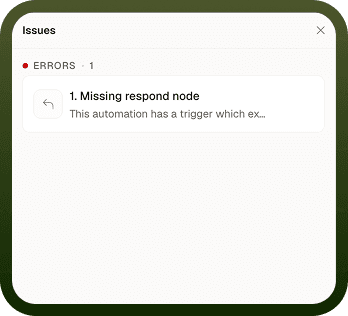
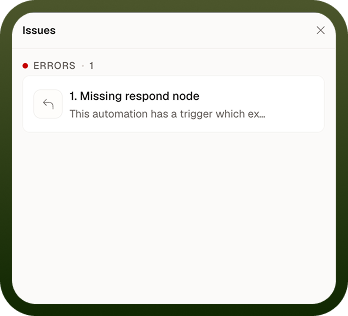
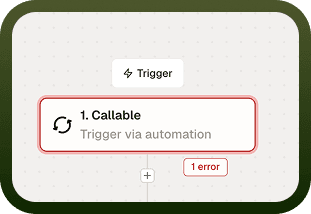
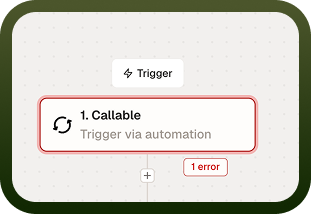
The Errors item in the left icon rail does the same and turns red when there are violations, so you can spot issues without looking at the header.
Note: You can save a draft with errors, but an automation with errors cannot be deployed. Resolve all errors before deploying.
Workflow Score Badge
The score badge in the header gives an at-a-glance quality rating for the automation as a whole. Clicking it opens a breakdown of what contributes to the score — error handling coverage, configuration completeness, and similar quality signals. Use the breakdown to identify which steps are dragging the score down and what you can do to improve it.
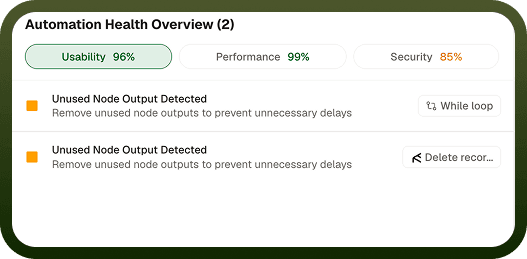
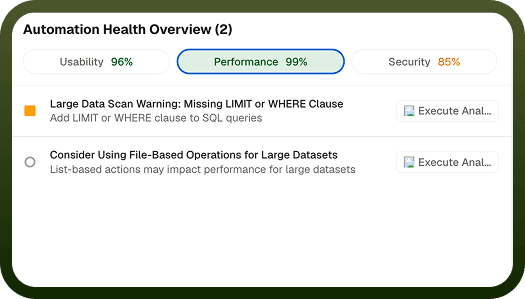
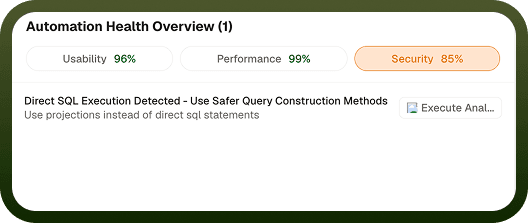
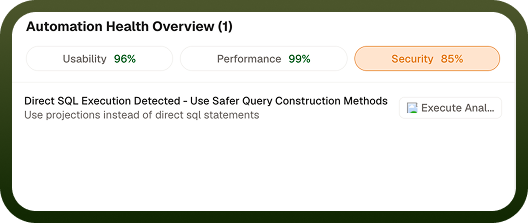
The score is advisory: a lower score does not prevent deployment, but it highlights areas worth reviewing before the automation goes live.
Notes
The Error Count and Workflow Score indicators work best when you follow these practices:
Fix errors in the order the list shows them — earlier steps feeding data pills into later steps mean one missing connection can cascade into multiple downstream errors.
After fixing an error, the count updates immediately when you return focus to the canvas.
The score is separate from the error count — a score can be moderate even with zero errors, if steps are missing optional best-practice settings.
A well-maintained error count and score helps keep automations production-ready.