


The Test button on a step's Input tab runs just that step in isolation — using its current configuration and any sample values you have entered — without triggering the whole automation. It's the fastest way to verify a step is correctly set up before moving on to the next one.
How It Works
Open the step you want to test and go to its Input tab. Fill in the fields (or supply sample values for any data pills that don't yet have upstream output to draw from), then click Test. The step executes against the real connection and returns the actual response. The result appears in the step's Output tab as a live, navigable tree.
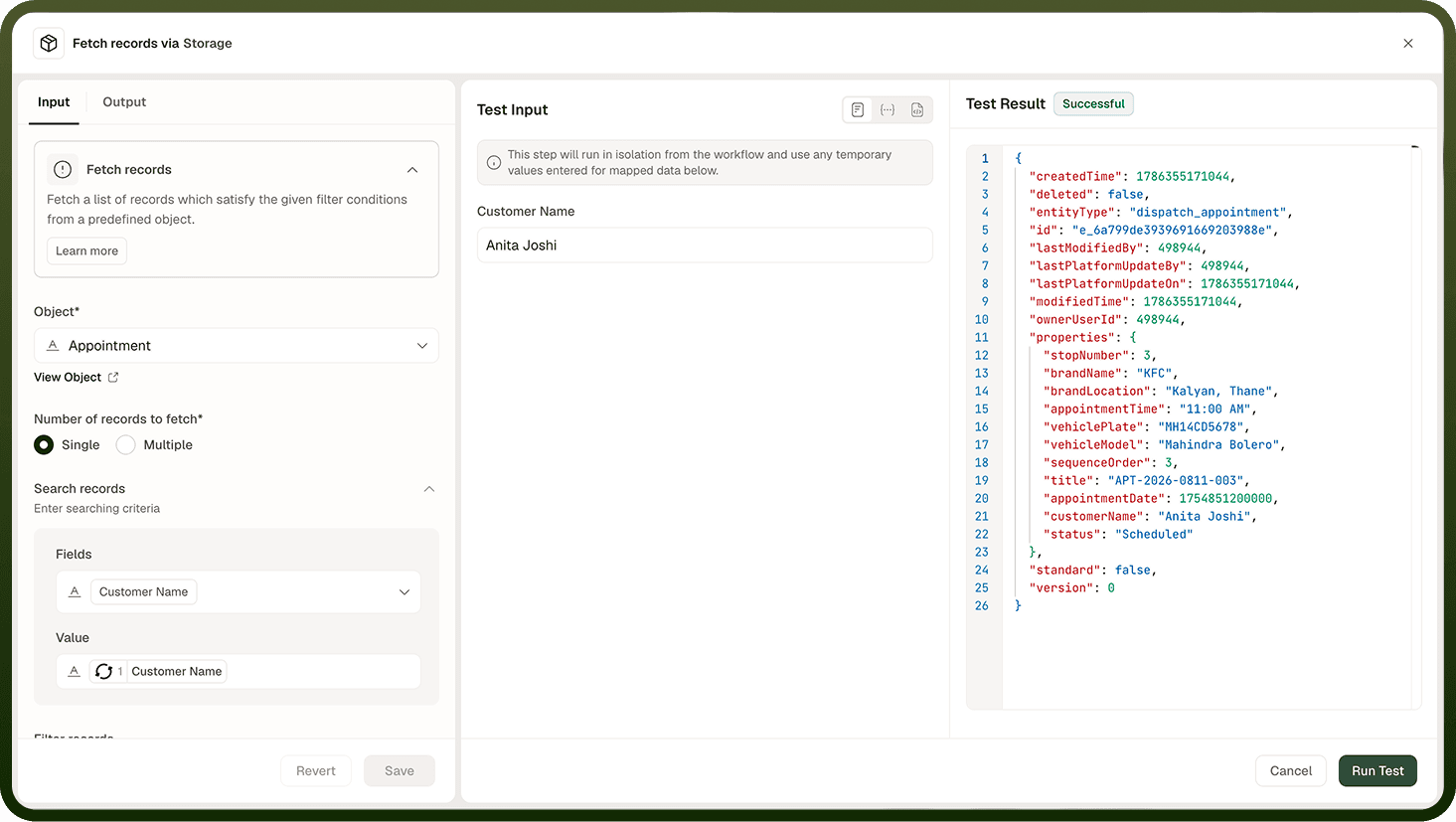
Once the test completes, the Output tree is populated with real data. You can copy field references (data pills) from it directly into the Input fields of downstream steps — this is the recommended way to discover and map real output shapes rather than relying on schema definitions alone.
Scope of a Step Test
A step test executes only the selected step. It does not run any preceding steps, re-trigger the automation, or affect any saved or deployed state. The test uses the connection and inputs you have configured at that moment.
Note: Trigger steps do not have a Test button — they are tested by running the full automation with sample data. Use the "Trigger Run with Sample Data" option for trigger testing.
After Testing
The Output tab shows the step's real result. Check that the fields you plan to use downstream exist in the response and contain the values you expect. If the step returns an error, the error message appears in the Output tab — use it to diagnose misconfigured inputs or connection issues before saving.
Notes
Keep the following in mind when testing a single step:
Test results are ephemeral — they appear in the Output tab but are not saved as a run record. Use Test Studio for persisted end-to-end test runs.
Actions that create or modify records in a connected system will do so during a step test — use caution when testing steps that write data to production systems.
Supply concrete sample values for data pill fields that reference earlier steps you have not yet tested, so the step has something to act on.
Step-level testing catches configuration issues early, before a full automation run surfaces errors across multiple steps.