


Advanced Settings give you fine-grained control over an endpoint's performance, resilience, and rollout: timeout, response caching, fallback responses, error mapping, canary deployments, and per-endpoint logging.
Overview
Once an endpoint is live, these settings let you tune it without changing the backing automation. Timeout and caching address performance; fallback and error mapping address resilience; canary deployment addresses safe rollout; and logging controls what is captured for debugging. Configure the settings that matter for each endpoint individually — production endpoints with high traffic or strict SLAs need more attention here than internal or low-traffic ones.
Timeout
Set a timeout — the maximum time the backing resource may take — by choosing a value and a unit (milliseconds, seconds, or minutes). If the resource does not finish within that time, the platform abandons the call and the caller receives 408 Request Timeout. Set the value generously enough for normal work (especially for automations that do heavy processing) but low enough that a stuck call fails fast rather than tying up the caller indefinitely.
Response Caching
Enable response caching to serve repeated identical calls from a stored response instead of invoking the backing resource every time. Configure:
TTL (time-to-live) — how long a cached entry is valid before it expires and the next call runs the resource again.
The cache key is built from the request (path, parameters, and body), so only matching requests share a cached entry.
A response served from cache carries an X-Cache header so callers can tell.
Use caching for endpoints whose results do not change on every call — reference data, expensive computations — to cut latency and reduce load. Avoid it where every call must be fresh.
Fallback Response
A fallback response is a fixed response the endpoint returns when the backing resource fails, so callers receive a controlled answer instead of a raw error. Configure:
The fallback status code, body, and headers.
Locale-based fallbacks — a different message per Accept-Language header, so international callers see an appropriate response.
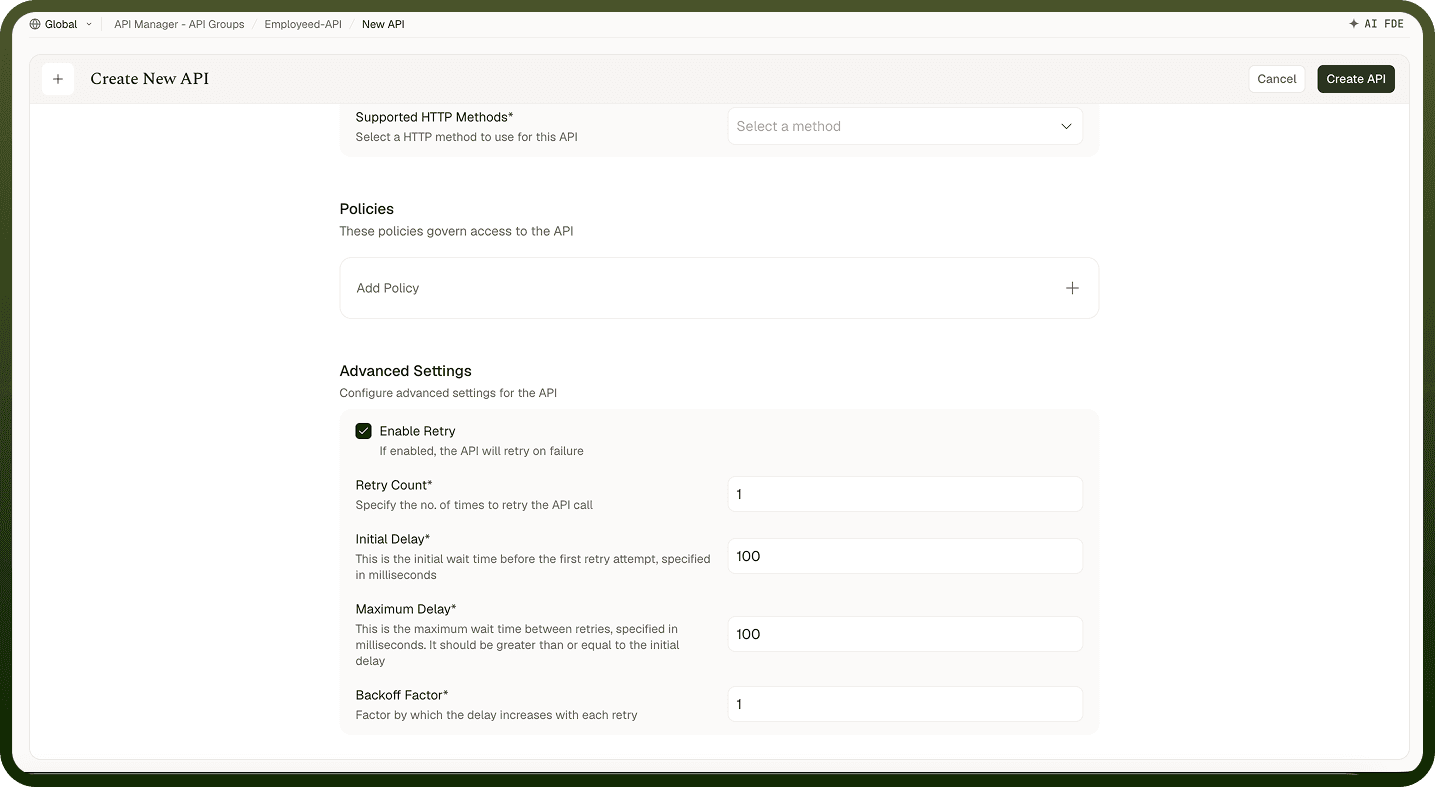
Retries — the endpoint can retry a failed call a configurable number of times before triggering the fallback.
A well-configured fallback makes a published API dependable even when the underlying automation has a momentary failure.
Error Mapping
An endpoint can carry error-code mappings that translate internal error codes into caller-friendly messages. Instead of surfacing a raw or cryptic error, the endpoint returns the message you mapped for that code — for example "Order not found" for a specific internal error. This keeps internal details out of the API response and gives consumers actionable errors they can display or handle.
Canary Deployment
Use canary deployment to roll out a change to an endpoint gradually — sending a portion of traffic to a new version while the rest stays on the current one:
Split traffic by percentage (for example, 10% to the new version, 90% to the current).
Or split by rule — route specific callers or request patterns to the new version.
Increase the share as confidence grows, or roll back instantly if something is wrong. Use canary for risky changes to a live endpoint. For a clean breaking change, version the collection instead so callers opt in explicitly.
Per-Endpoint Logging
An endpoint can set its own logging level — controlling run, node (step), and variable logging for its backing automation — overriding the collection's defaults. Higher logging captures more detail and makes debugging easier, but stores more data. Raise logging on an endpoint you are actively troubleshooting and keep it lean on stable, high-traffic endpoints. These settings flow into the backing automation's execution records.
Notes
Always configure a fallback response on customer-facing endpoints — a momentary automation failure should not surface a raw 500.
Set the timeout from the backing automation's typical runtime, with enough headroom for normal variation; a timeout too close to the average causes unnecessary failures.
Enable caching only for endpoints whose output is stable between calls; check the cache hit rate in the Insights dashboard to confirm it is working.
Use canary for any change that modifies the automation's output schema or behaviour — roll back in seconds if callers report issues.
Raise per-endpoint logging temporarily when debugging; lower it again once resolved to avoid storing unnecessary run data.