


API groups (called collections in an exported API spec) group related APIs under a shared base path and version, forming the top-level unit of a published API in the API Manager.
Overview
An API group is the container that holds a logical API together. It sets the base path every API inside it inherits, carries its own version label, and lets you apply policies, telemetry, and trace-header settings once for the whole group. Clients are granted access at the API group level, and an OpenAPI spec can be exported for the entire group. Think of an API group as one published API and its APIs as the individual operations.
Creating an API Group
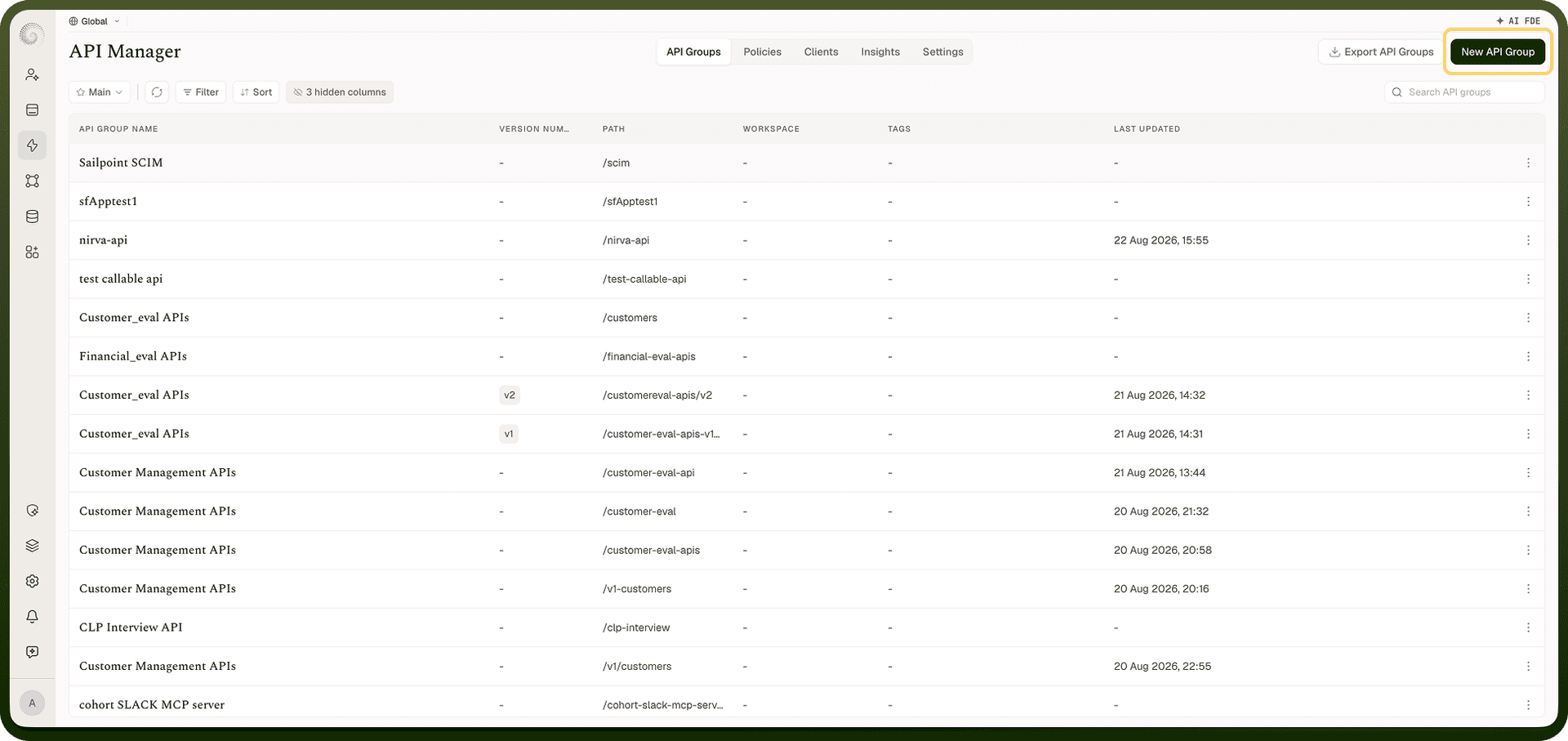
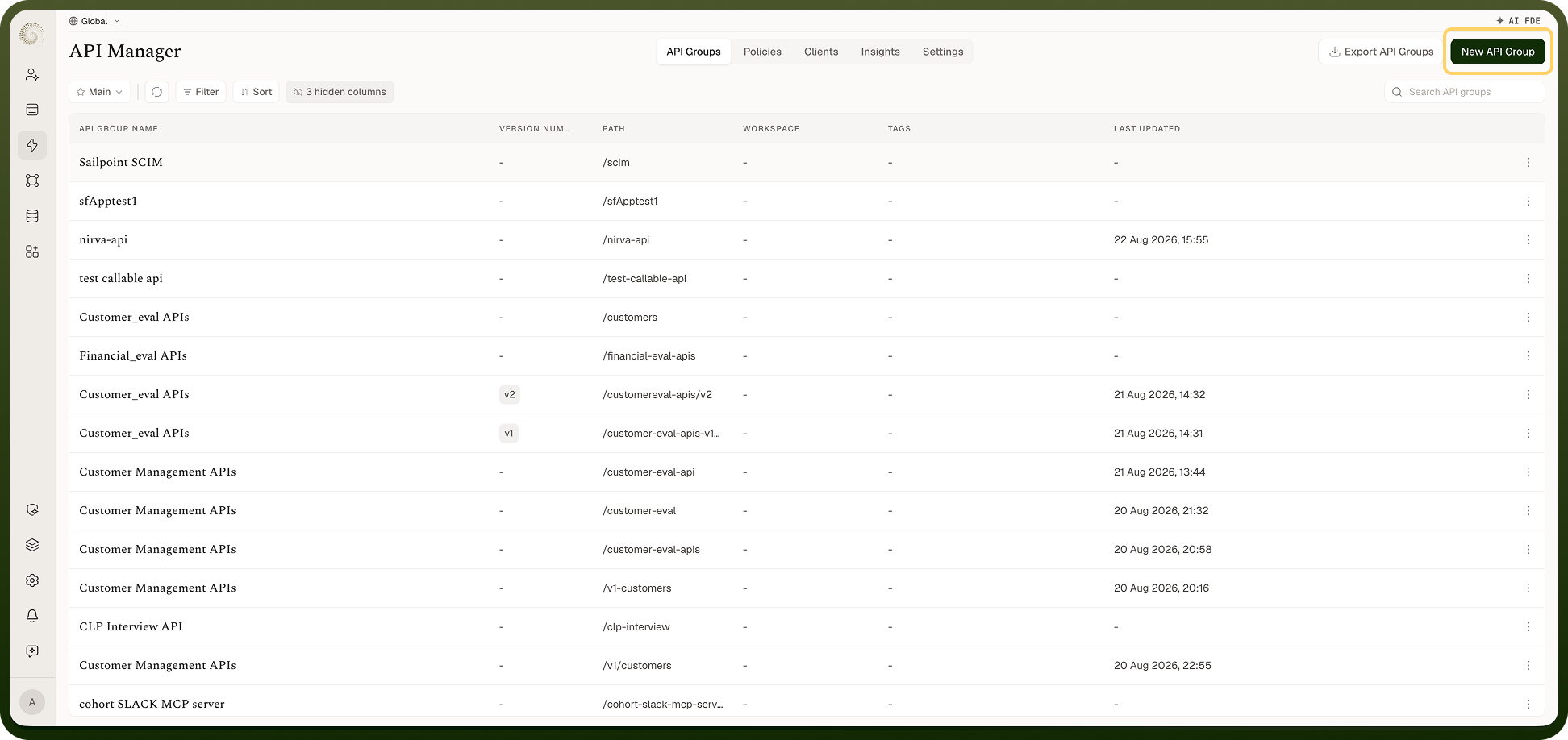
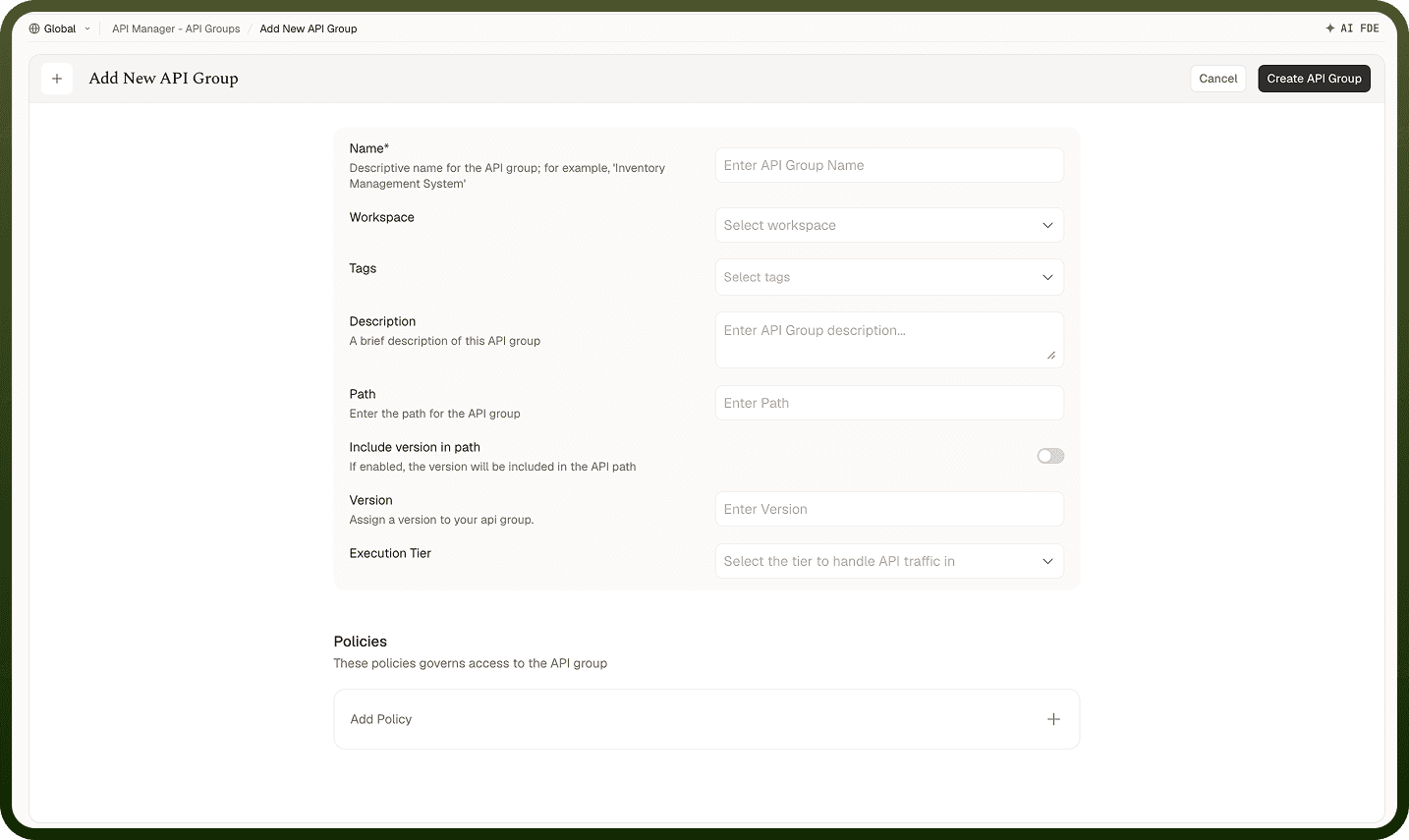
Go to API Manager › API Groups and click New API Group. The fields to configure are:
Name (required) — a display name for the API (for example, "Orders API").
Workspace — the workspace the API group belongs to.
Tags and Description — what the API is for, shown to clients and in the OpenAPI export.
Path — the base URL path all APIs in this group share (for example,
/orders). If you leave it blank, one is built from the name. Must be unique within your project.Include version in path — when on, the version appears in the URL right after the group path (so
/orders/v1/...), letting multiple versions run simultaneously at distinct URLs.Version — a version label such as v1, limited to 10 characters. Required when **Include version in path** is enabled. Must be unique within the same base path.
Execution Tier — the tier that handles this group's traffic.
Policies — group-wide governance rules applied to every API inside it.
API URL Structure
A managed API's public URL follows this pattern:
https://<your-domain>/<group-path>/<api-path>
For example, https://acme.unifyapps.com/orders/123. When Include version in path is on, the version sits between the group path and the API path — for example https://acme.unifyapps.com/orders/v1/123. Path variables in an API (like {id}) are filled by the caller. This is the address you give to consumers of the API.
Versioning
Each API group carries a Version label. To run multiple versions at the same time, keep the current API group live and publish a new one with the same base path but a different version (and Include version in path enabled), so callers choose /orders/v1/ or /orders/v2/ explicitly. Callers on the older version continue working without changes until they choose to migrate.
OpenAPI Export
You can export an OpenAPI specification for a single API, a whole API group, or all API groups at once. The exported spec describes paths, methods, parameters, and request/response schemas — ready to load into Swagger UI, Postman, or any other OpenAPI-compatible tool. This gives consumers a machine-readable contract without writing documentation by hand.
API Group Settings
Beyond its APIs, an API group holds settings that apply across all of them:
Policies — governance rules that every API inherits (individual APIs can still add their own).
Telemetry — metric configurations (counters and timers) that control what gets measured and published to your monitoring system.
Traceability — custom trace headers to capture with each request (combined with the global list in API Manager › Settings › Traceability).
Activity — a history of changes made to the API group.
Clients — the list of clients whose access profiles include this API group.
Notes
Name API groups after the domain they represent ("Orders API", "Customer API") — consumers see this name in the OpenAPI export.
Turn on Include version in path from the start if you anticipate breaking changes; retrofitting versioning into an existing path is disruptive.
Set group-level policies for broad baselines (a default rate limit, CORS), then tighten per API.
Export the OpenAPI spec to share with consuming teams — it reflects the request and response contract of each API's backing automation.
An API group's base path must be unique in the project; plan paths as you would a URL namespace.