


The automation builder has two distinct layers of configuration: the Settings tab, which applies to the automation as a whole, and node-level settings, which apply to individual steps. Understanding which layer controls what prevents misconfiguration and makes it clear where to look when behavior needs to change.
Overview
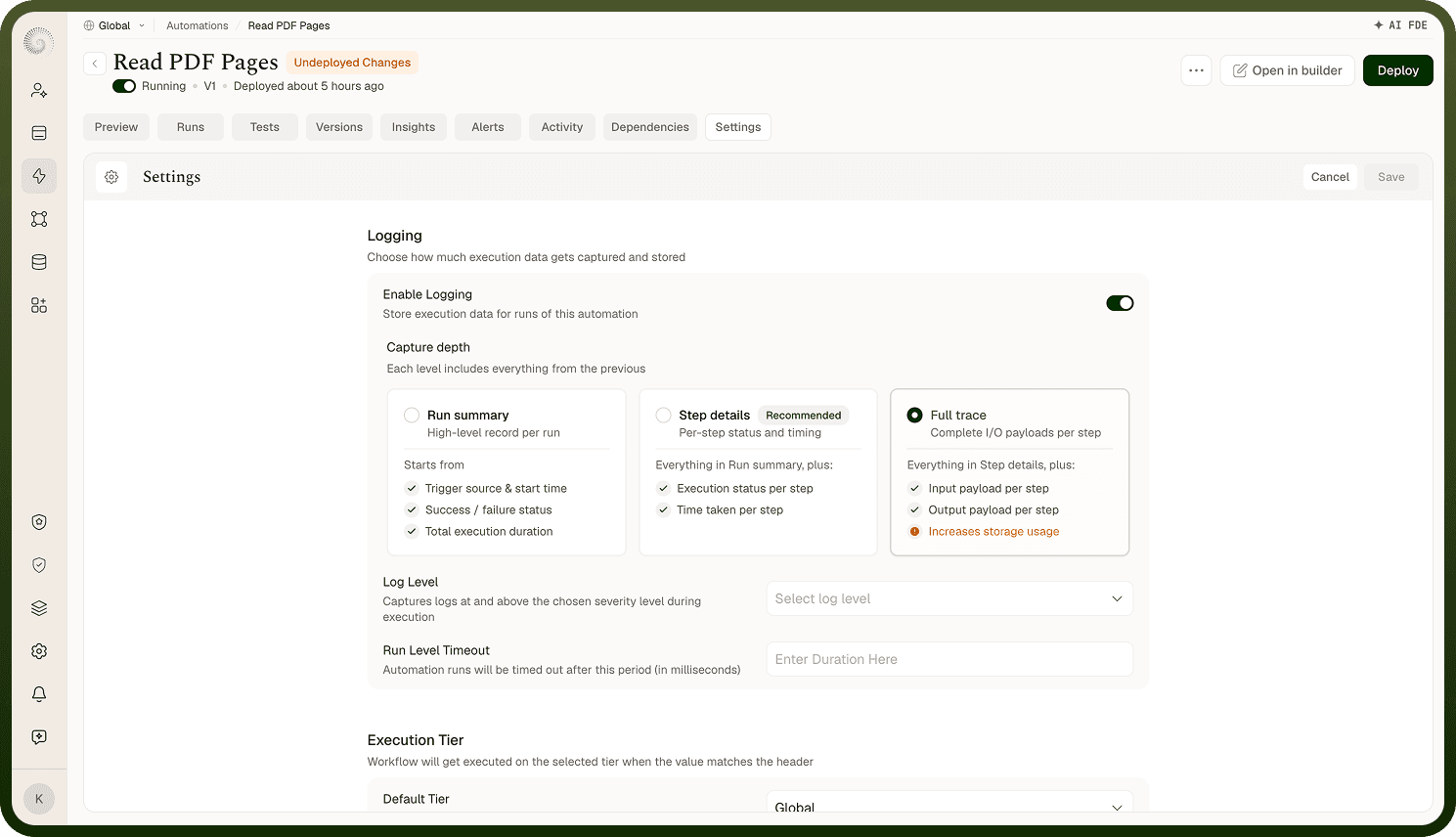
Automation Settings govern behavior that applies across every run and every node — they are the automation-wide floor. Node settings govern the behavior of a single step within a run. The two layers are complementary: global settings establish the default behavior for the automation as a whole, and step settings tune what individual nodes do within that frame. Changes to global settings affect every run of the automation; changes to a node affect only that node.
What Automation Settings Control
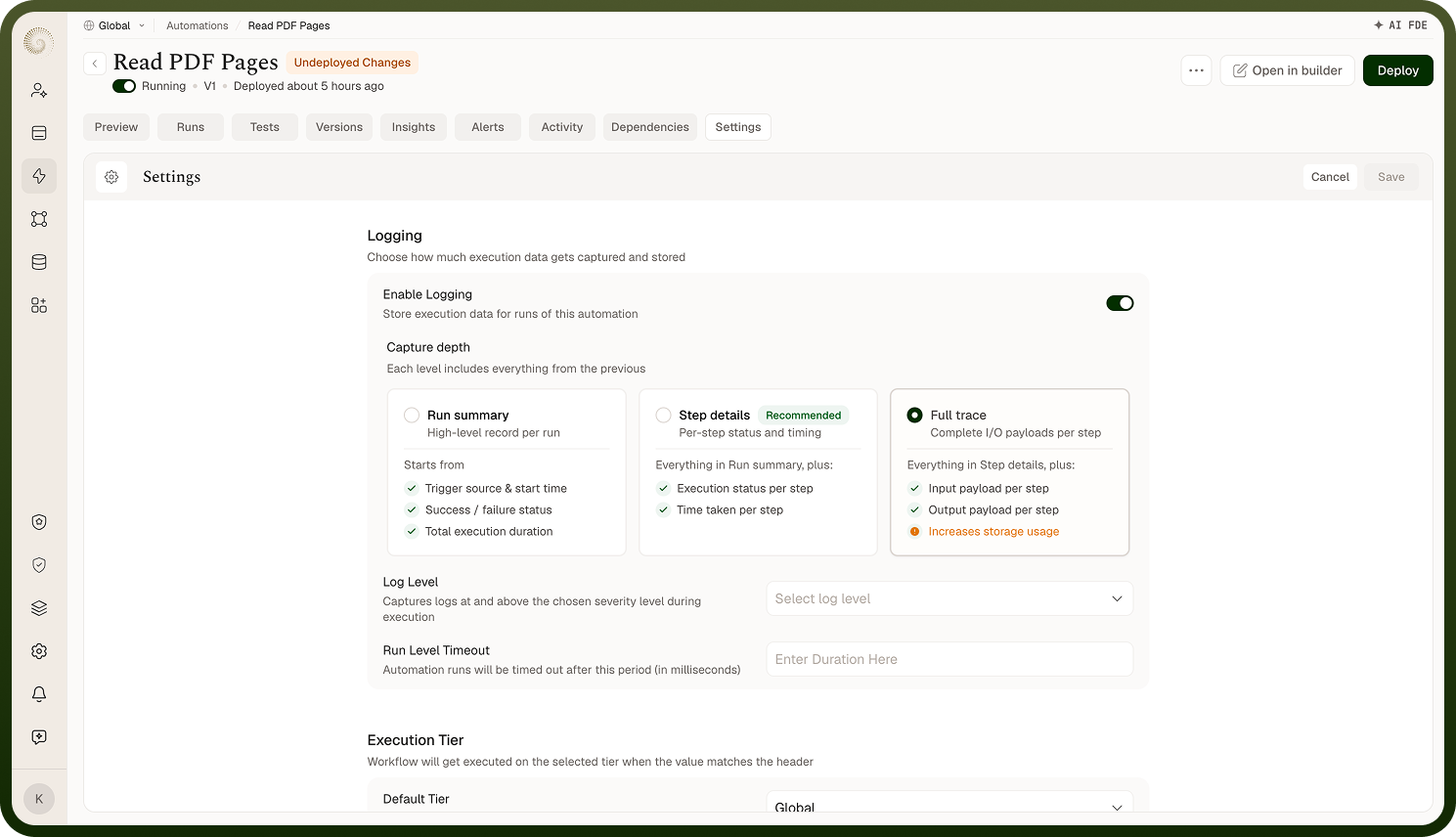
The Settings tab provides configuration that applies to the automation as a whole, rather than to individual nodes. Two settings are available:
Execution Tier — controls the compute resources allocated to every run. Includes a default tier and optional dynamic rules that assign a different tier based on a header value in the trigger's inbound request.
Data Management — controls what is captured in run logs across the entire execution: the traversed path (which nodes ran) and the I/O of each node (input payload and output data). Both options are enabled by default.
Both settings take effect on the next deployment and remain in force for every subsequent run until changed and redeployed.
What Step Settings Control
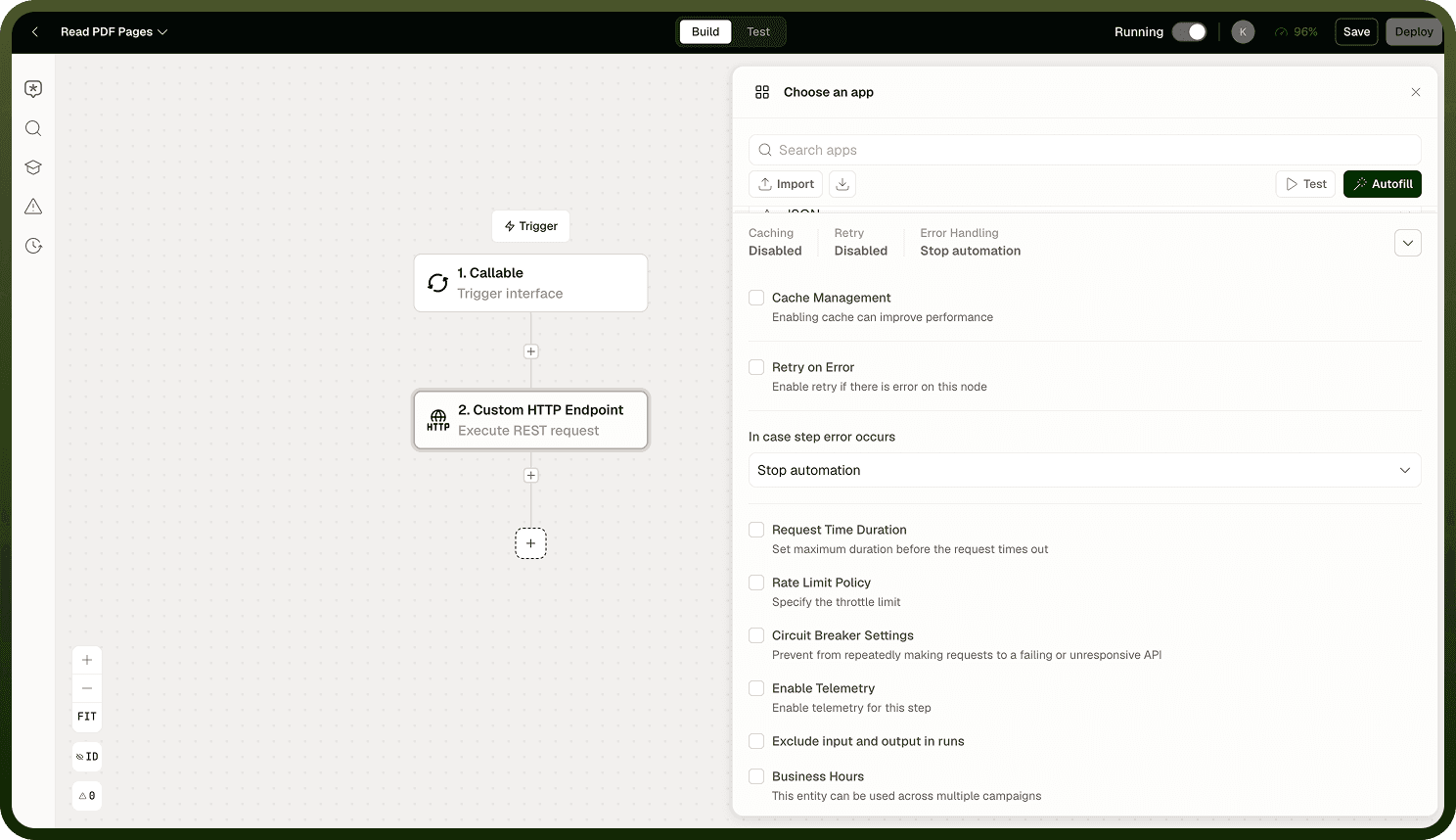
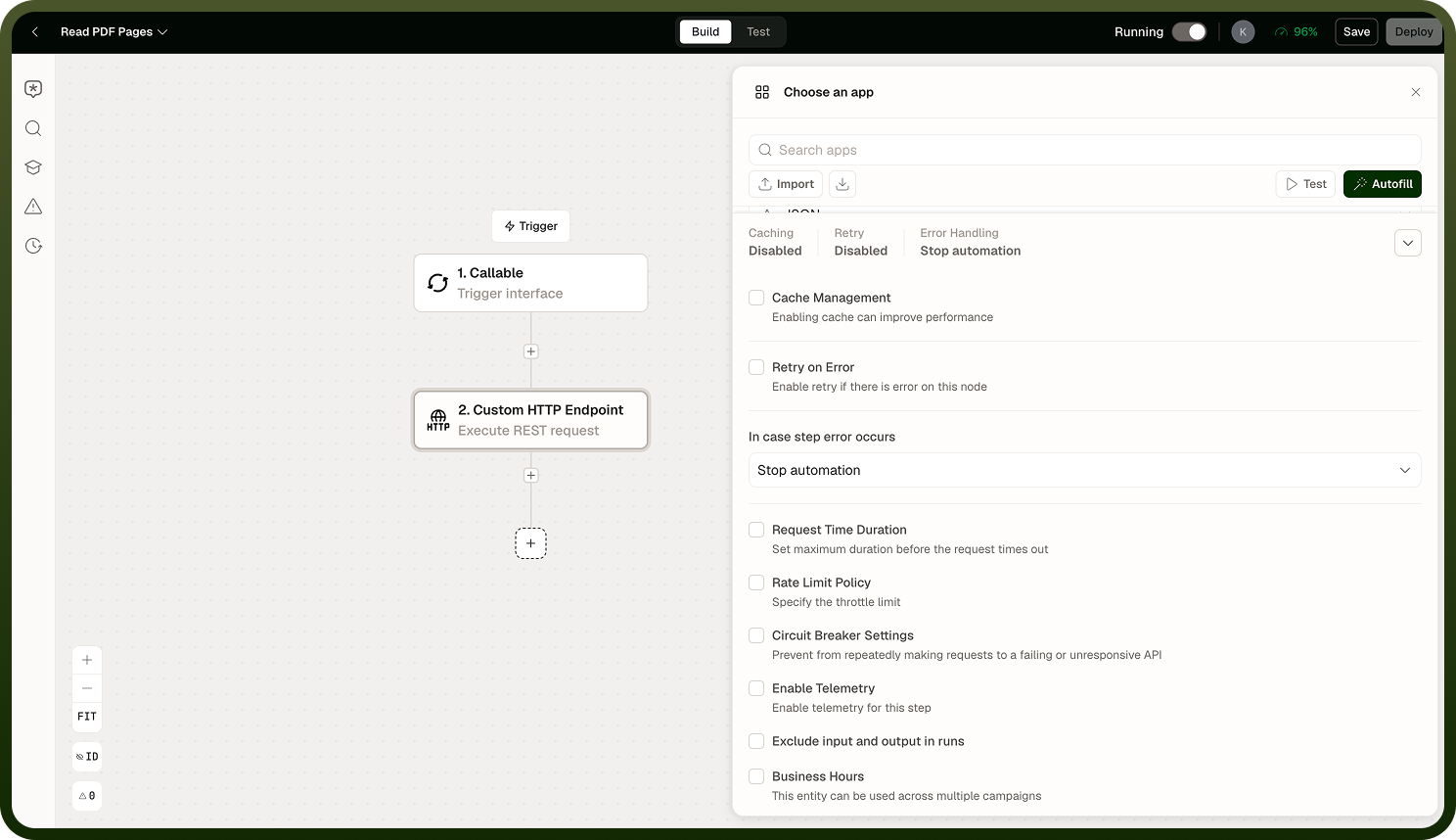
Node-level settings are configured on individual nodes within the automation builder and affect only that node's behavior within a run. Node-level logging, for example, provides finer control over what each individual step emits — independently of the global Data Management setting.
Step settings are the right place to configure behavior that varies from node to node within the same automation. Automation Settings are not the right place for that — they apply uniformly to every node in every run.
Global settings are the floor, not the ceiling: Automation Settings establish behavior across the whole automation. Node-level settings give you the per-step control to go finer than the global default — for example, restricting logging for a specific node that handles sensitive data while leaving the global setting at full logging.
Side-by-Side Comparison
Concern | Automation Settings (Settings tab) | Step Settings (node panel) |
|---|---|---|
Scope | Entire automation — every run, every node | Single node in a single run |
Execution resources | Execution Tier (default + dynamic rules) | Not configurable at the node level |
Log capture | Data Management (traversed path, I/O of each node) | Node-level logging for per-step control |
When changes take effect | On the next deployment | On the next deployment |
Who is affected | All runs of the automation | Only the run in which that node executes |
Notes
Knowing which layer to configure saves time and prevents settings from having unintended wide effects.
Automation Settings govern behavior across every run — changes here affect the entire automation, not individual steps.
Node-level logging provides finer control over what each individual step emits; use it when you need per-step log control rather than changing the global Data Management setting.
Both Automation Settings and node-level settings take effect on the next deployment.
If a behavior change should apply to only one node, configure it at the node level — do not use the Settings tab for per-node adjustments.
Document changes to both layers in the automation's description, especially any Data Management restrictions, so future reviewers understand the intent.
When troubleshooting unexpected run behavior, check both layers — a global setting may be overriding what you configured on a node, or a node setting may be producing behavior that looks like a global issue.