


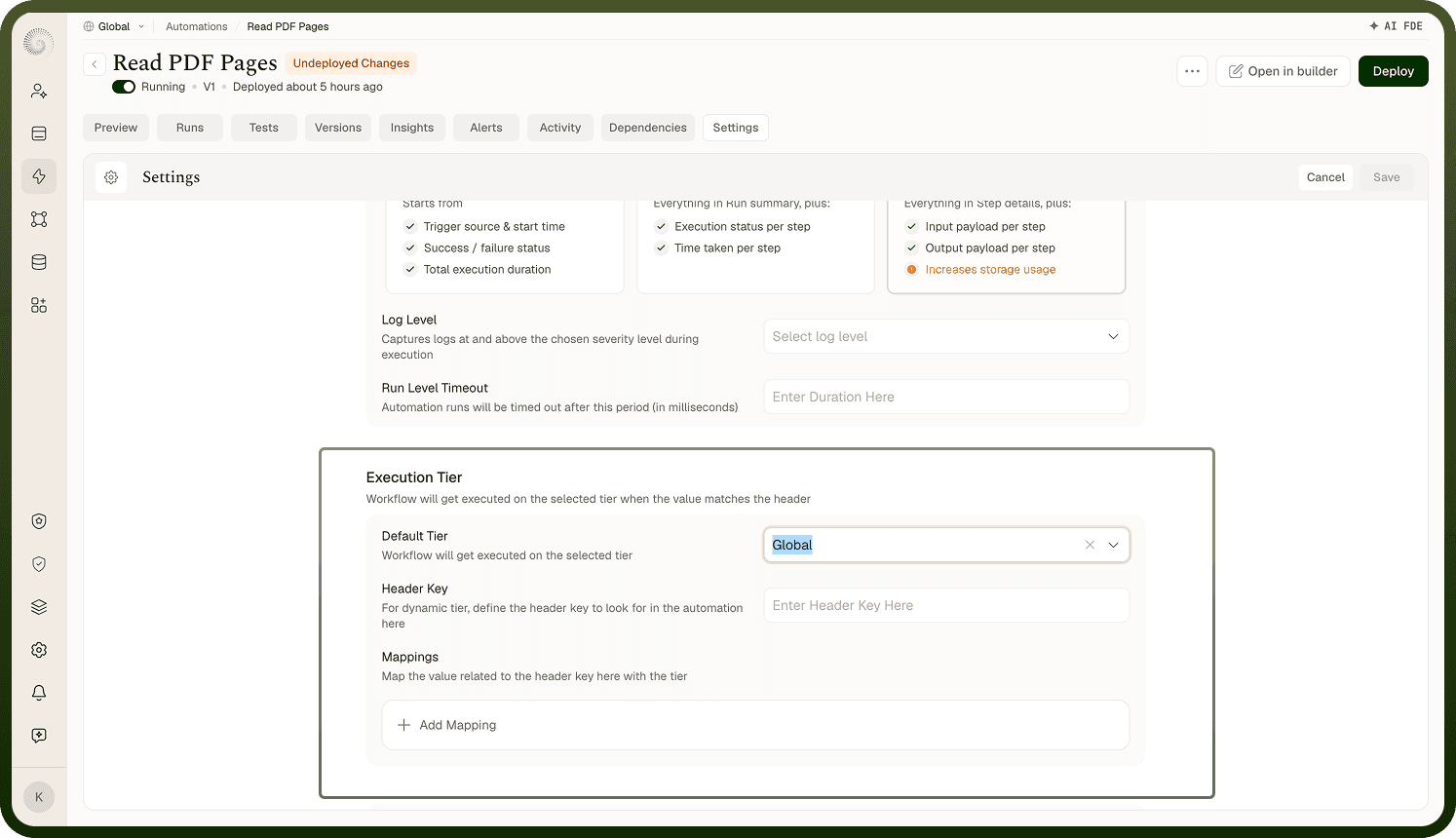
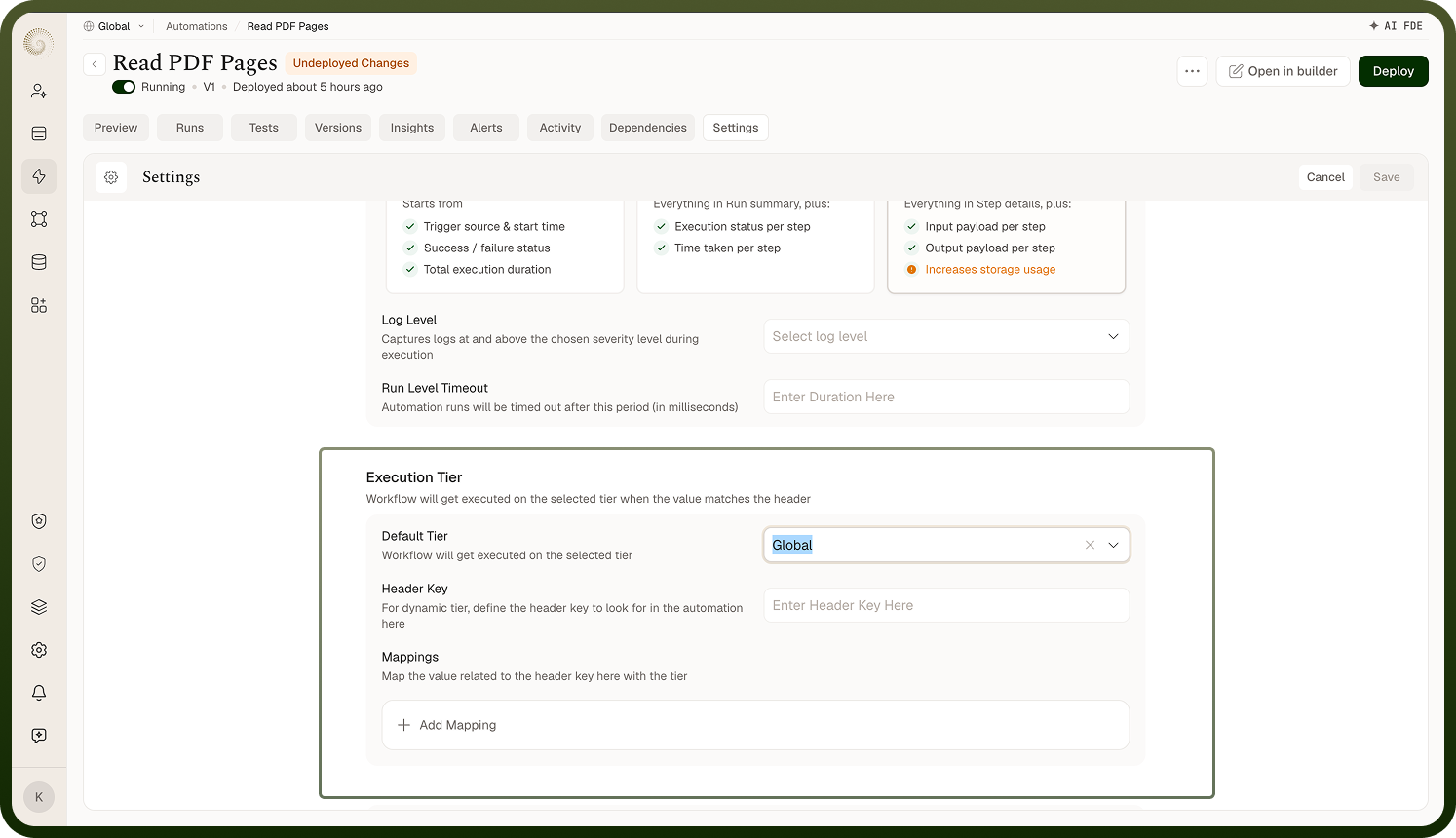
Execution tiers control the compute resources allocated to each run of an automation. You configure a default tier for all runs, and optionally add dynamic rules that assign a different tier based on a header value present in the trigger's request. Both settings take effect on the next deployment.
Overview
The Execution Tier setting lives in the Settings tab of the automation builder and applies to the automation as a whole — not to individual nodes. Configure the default tier first to match the automation's typical workload, then add dynamic rules only if the same automation needs to serve different environments or regions with different resource requirements.
Default Tier
The default tier is the compute tier assigned to all runs that do not match any dynamic rule. Select the tier appropriate for the automation's typical workload. Every run receives the default tier unless a dynamic rule overrides it.
Set the default tier before the automation goes to production — changing it later requires a redeploy, which takes the new tier live on the subsequent run.
Dynamic Tiers
Dynamic tiers are additional rules that assign a different tier to a run based on a header value present in the trigger's inbound request. Each rule is a key-value pair matched against the request:
Field | Description |
|---|---|
Header key | The name of the request header to inspect (e.g., x-region) |
Header value | The value that triggers this tier assignment (e.g., eu-west) |
Tier | The execution tier to use when the header matches |
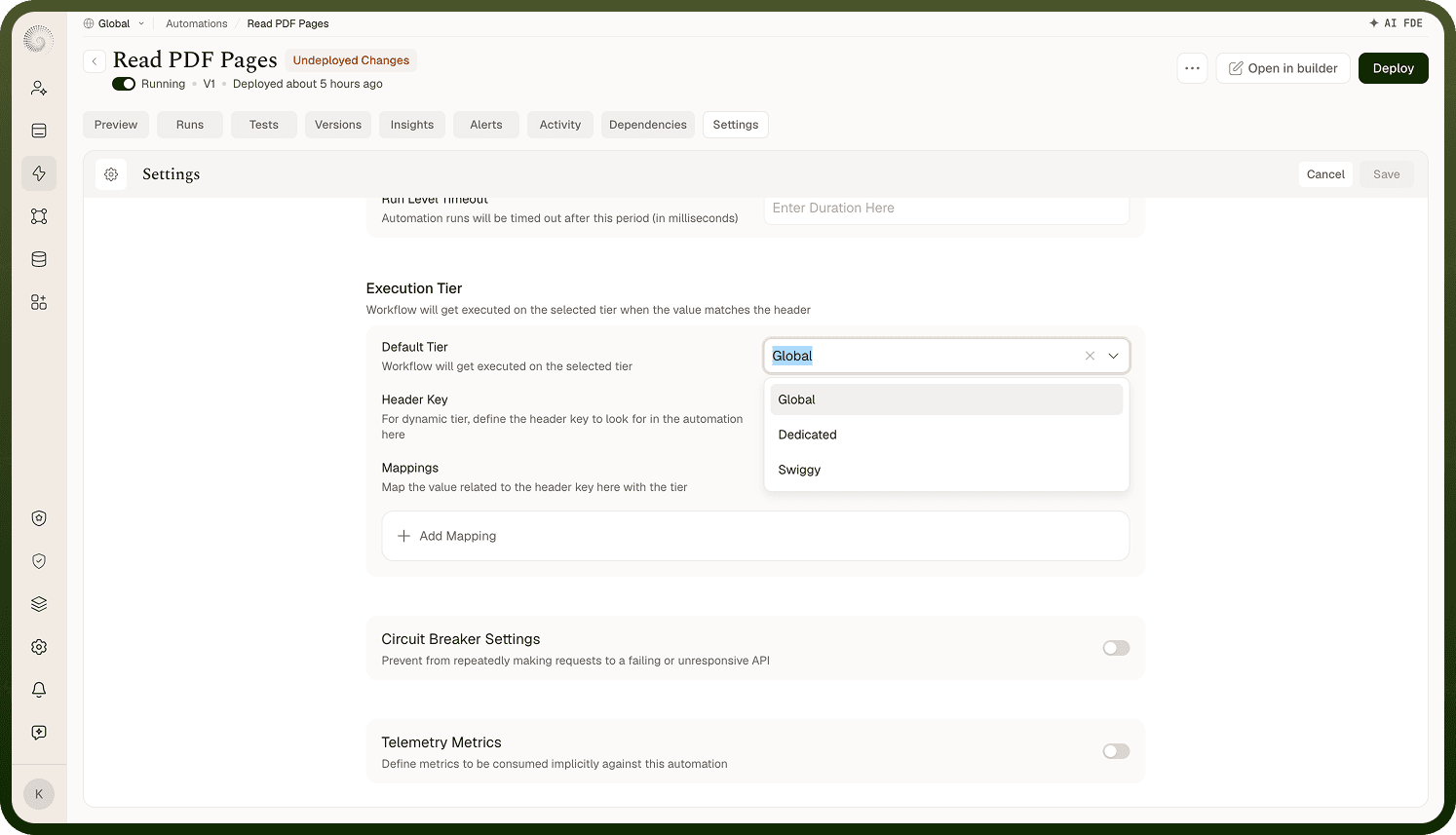
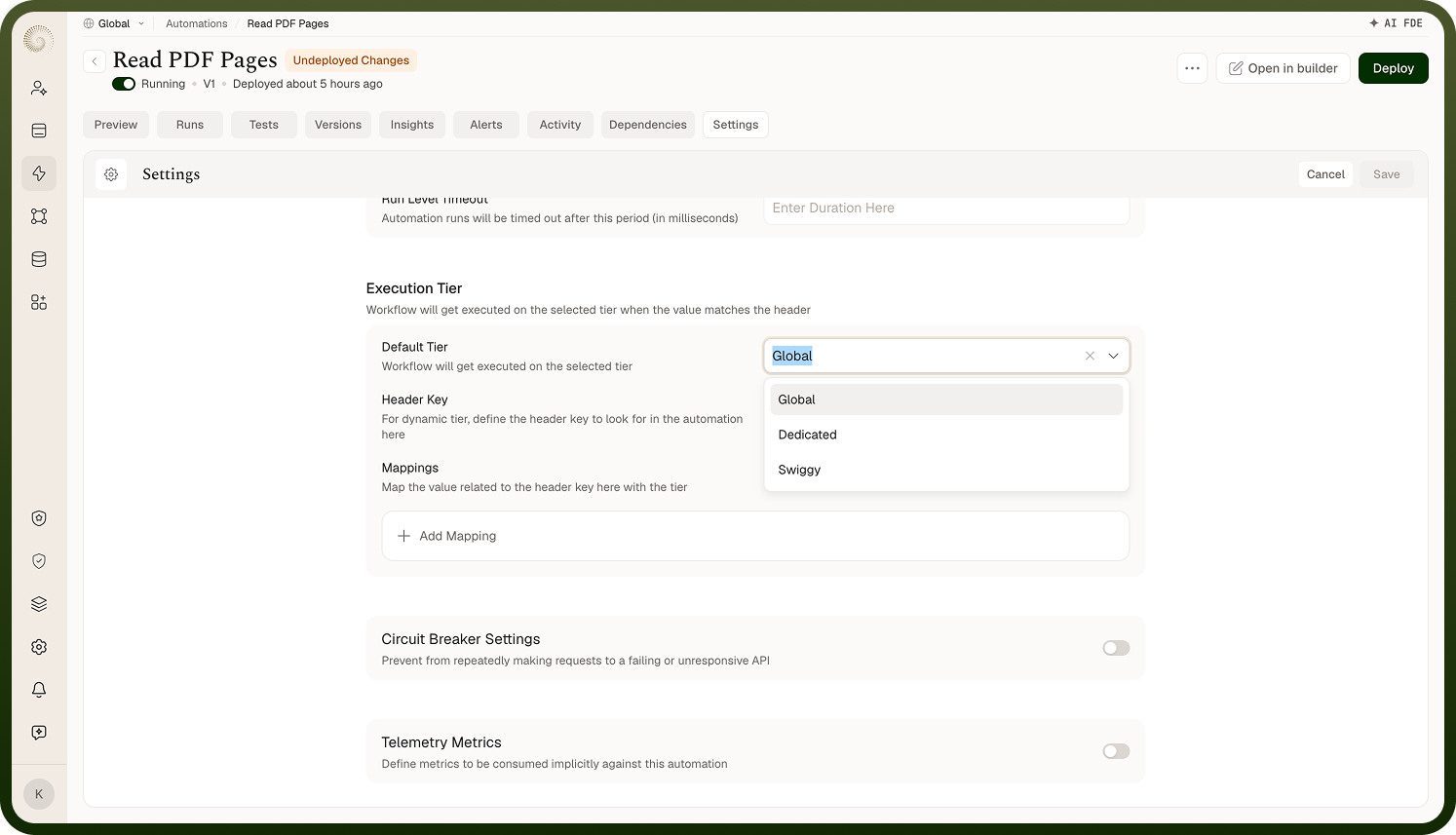
When an inbound request carries the configured header with the matching value, that run is assigned the specified tier. Runs that carry the header but do not match any rule fall back to the default tier.
Use dynamic tiers for multi-environment automations: Dynamic tiers are most useful when the same automation serves multiple environments or regions with different resource requirements — for example, assigning a higher tier to requests flagged as coming from a high-traffic region.
Notes
Execution tier is an automation-level setting that affects every run. Set it correctly before going to production.
Set the execution tier before going to production — changing it later causes a redeploy, which takes the new tier live on the next run.
Dynamic tiers are optional; configure them only when the same automation must serve workloads with meaningfully different resource requirements.
Runs that carry the dynamic-tier header but do not match any rule receive the default tier, not an error.
Dynamic tier rules are evaluated against the trigger's inbound request headers only — they do not apply to scheduled or manually triggered runs that carry no headers.
Execution tier takes effect on the next deployment; a change does not apply to runs that have already started.
Document the reason for any non-default tier selection in the automation's description so that future reviewers understand the resource requirements.