


Run-level settings in the Automation Settings tab control behavior that spans the entire execution of a run — not individual steps. The execution tier is the primary run-level resource control: it governs the compute resources allocated to every run of the automation, which directly bounds what each run can do and for how long it can sustain that work.
Overview
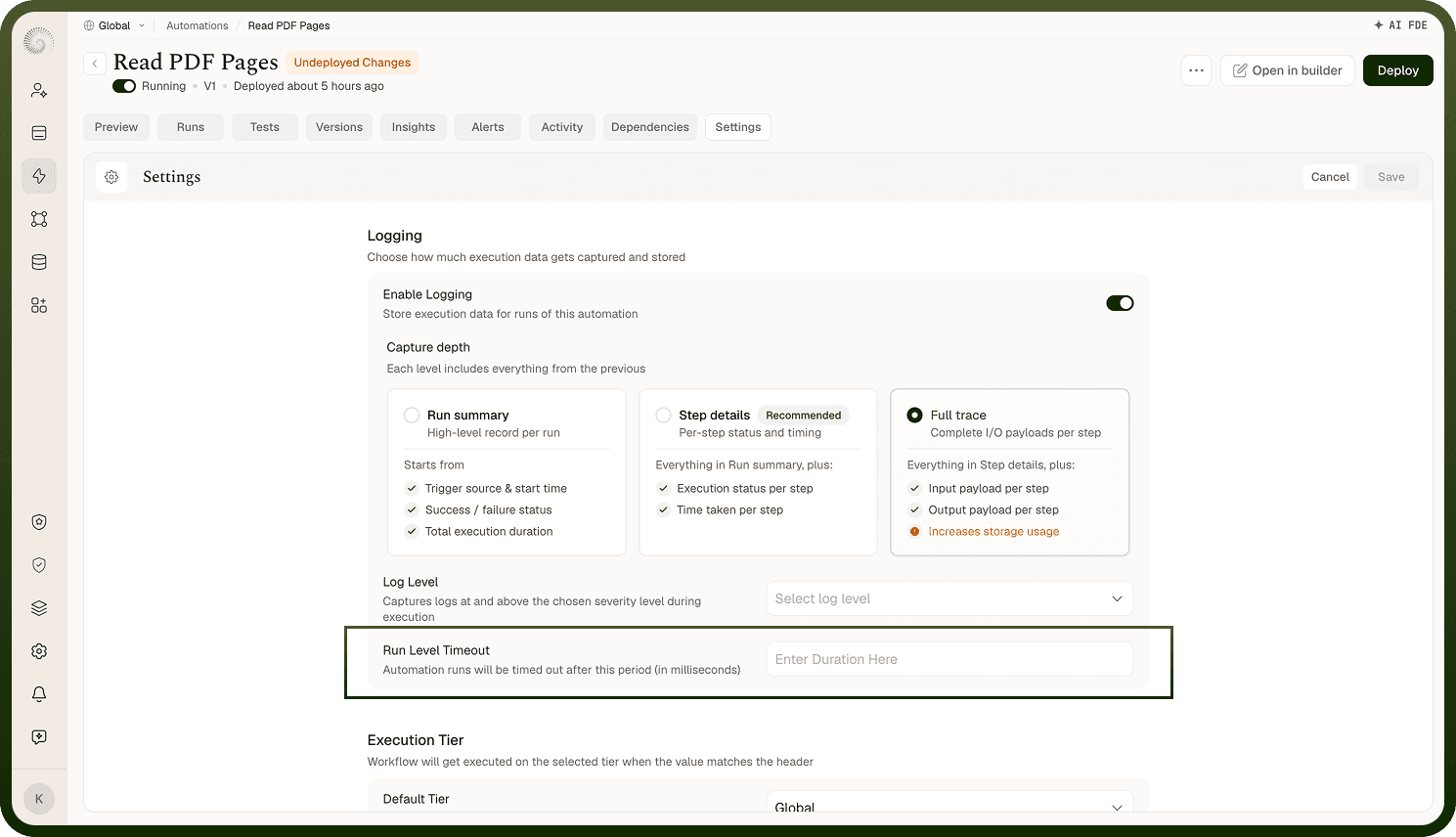
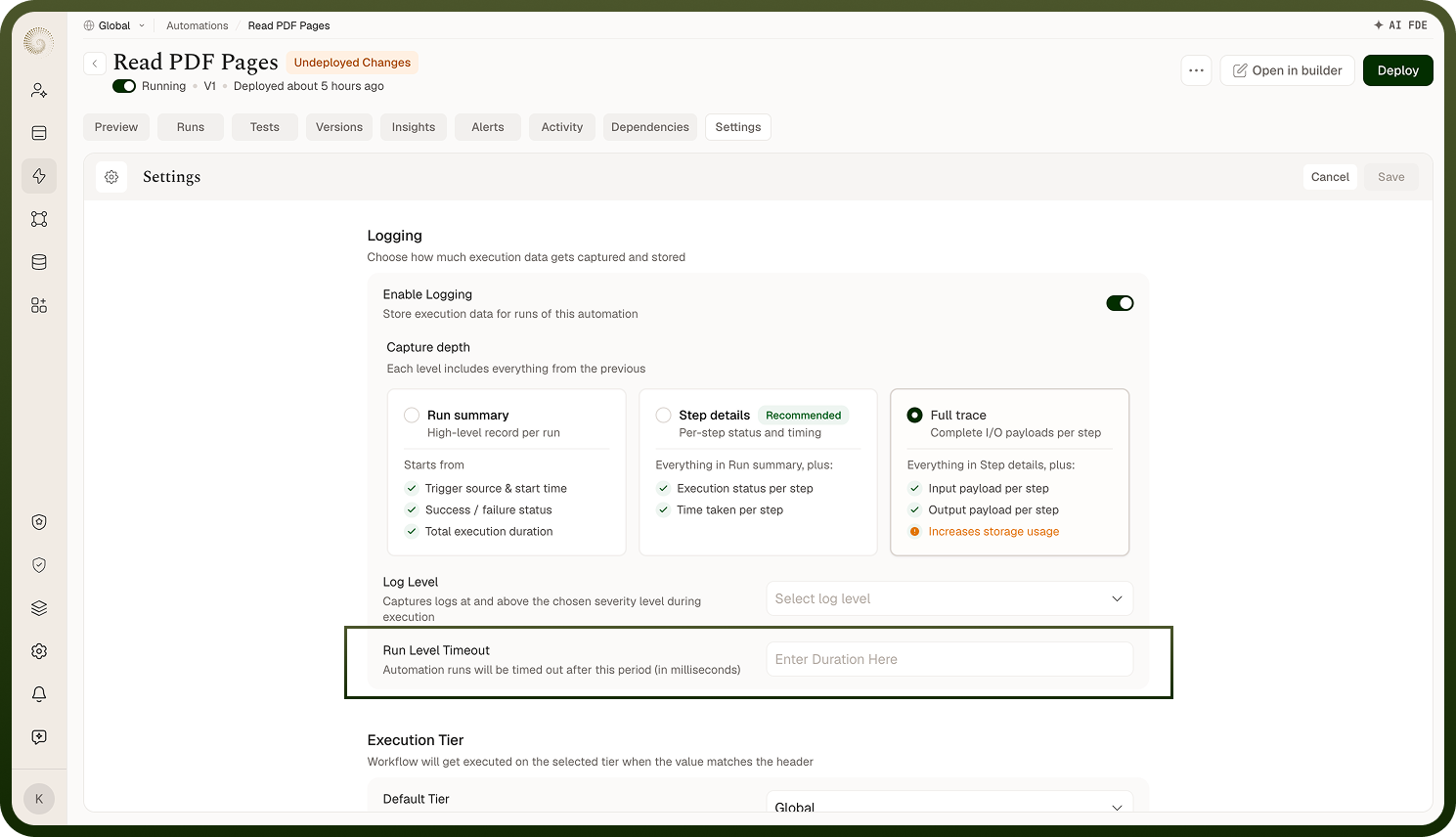
The Settings tab provides configuration that applies to the automation as a whole, rather than to individual nodes. Two settings are available: Execution Tier and Data Management. Both settings take effect on the next deployment and remain in force for every subsequent run until changed and redeployed. Understanding these as run-level controls — distinct from the node-level settings on individual steps — is what lets you reason correctly about how to configure them.
Execution Tier as a Run-Level Resource Control
Execution tiers control the compute resources allocated to a run. The tier you select determines the resource ceiling for every run of the automation — a higher tier means more compute headroom; a lower tier constrains what a run can do within that execution. This is a run-level decision because it affects the entire run from start to finish, regardless of which nodes execute.
Two sub-settings govern how the tier is assigned:
Default tier — the tier assigned to all runs that do not match a dynamic rule. Set this to match the automation's typical workload before going to production.
Dynamic tiers — optional rules that assign a different tier to runs whose trigger carries a specific header key and value. This lets a single automation serve workloads with different resource requirements without creating separate automations.
Set the tier before production: Changing the execution tier after an automation is live requires a redeploy. Size it correctly for the expected workload before the first deployment.
Data Management at the Run Level
The Data Management setting also operates at the run level — it controls what is captured in run logs across the entire execution, not per step. Two options are available, both enabled by default:
Traversed path — the sequence of nodes executed in the run.
I/O of each node — the input and output data for every node in the run.
Disabling either option takes effect across all nodes for every subsequent run — it is a run-wide instruction, not a per-node one. Node-level logging provides finer control if you need to restrict logging for specific steps without affecting the whole run.
Notes
Run-level settings govern behavior that spans every node in the run. Changes here are broad by design — that scope is intentional.
Both Execution Tier and Data Management are run-level controls — they apply to the automation as a whole, not to individual nodes.
Both settings take effect on the next deployment; they do not apply to runs already in progress.
Set the execution tier before going to production — changing it later causes a redeploy.
Leave Data Management at full logging during development; restrict it only for production automations that process personal or confidential data.
Document any Data Management restriction in the automation's description — future reviewers will not be able to tell why logging was disabled without that context.
Because run-level settings affect every run of the automation, review them as part of any pre-production checklist before deploying.