Unify Logo Footer.svg
Platform Tools
Logo
Connections overview

Connections overview

Logo

3 mins READ

What a connection is and how you manage it across the platform.

Overview

A connection is your authenticated link to an external app — a saved, named instance of a connector with the credentials it needs to act on your behalf. The connector is the app template (Salesforce, Slack, a database, or a custom connector you built); a connection is your specific, authorized access to that app, for example "My Salesforce Account". You create a connection once, and then automations, apps, and AI agents reuse it whenever they need to talk to that system — they reference the connection, and the platform supplies its stored credentials. You manage all of them in the Connections area.
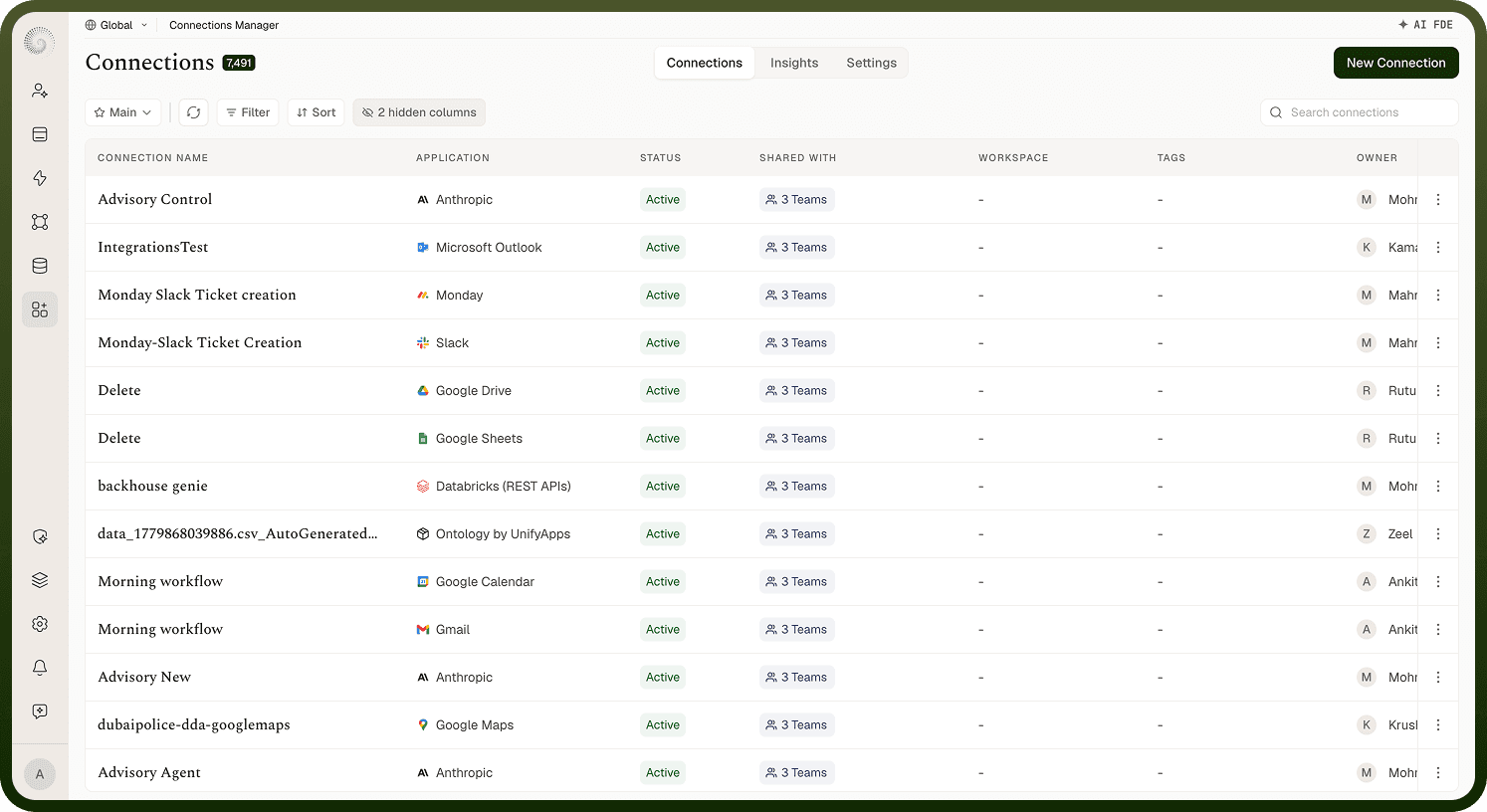
Screenshot_2026-09-02_at_12.13.18_PM_1.png

Connections area

The Connections manager is where you:

  • Create a connection by picking an app and authenticating.

  • See and search all your connections, with each one's app and status (Active / Inactive).

  • Edit a connection (rename, re-authenticate) and configure its behavior (rate limiting, circuit breaker, telemetry).

  • Clone a connection, share it with others, and view what depends on it before changing or deleting it.

  • Monitor connection health and usage, since the platform keeps testing connections to make sure they still work.

Most of your time is in the list and the create flow; the rest is there for when you need to manage, troubleshoot, or hand off a connection.

FAQs

What's the difference between a connector and a connection?

  • A connector defines how to talk to an app — its authentication options, actions, and triggers. There's one connector per app type (built-in, or one you build with the Connector SDK).

  • A connection is an authenticated account on that connector — a real login/credential for a specific tenant or user. You can have several connections to the same connector (a production Salesforce and a sandbox Salesforce), each with its own credentials.

So you pick a connector to create a connection, then use the connection wherever you need that app. The connector is the type; the connection is the instance.

What happens to a connection over time?

A connection isn't static. After you authenticate it, the platform periodically tests it to confirm the credentials still work, marks it Active while it's healthy, and flips it to Inactive if tests keep failing (so you know to reconnect). For apps that use expiring tokens (OAuth), it refreshes the token automatically as it expires, so the connection keeps working without you re-authenticating. When a connection does break — a revoked token, a changed password — you re-authenticate it and it's healthy again. The health and troubleshooting screen covers this lifecycle in detail.