


The list screen for automation (callable) interfaces — named input/output contracts that automations implement and call.
Overview
An automation interface — also called a callable interface — is a named contract: a Setup Schema (the inputs a call provides) and a Result Schema (what comes back). Automations implement the interface by using it as their trigger, and other automations (or platform features) call the interface without knowing which automation answers. That decoupling lets you swap or add implementations — even route between several — without touching the callers.
Where: Automation Interfaces
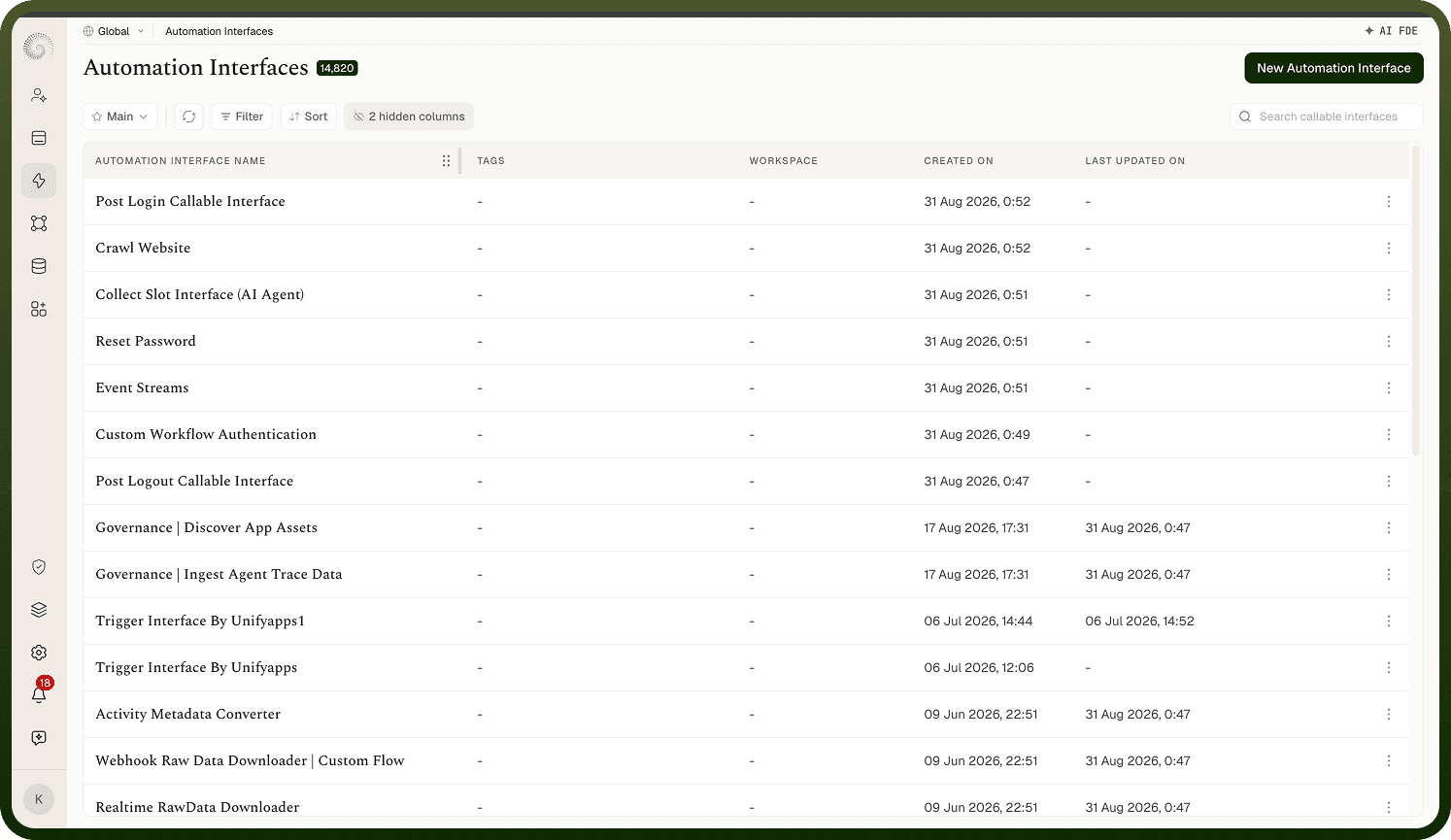
Automation Interfaces screen
The Automation Interfaces list shows every interface you can access with a count pill. Columns: Automation Interface Name, Tags, Workspace (only when viewing across all workspaces), Created On, and Last Updated On (with a hover audit tooltip; a hidden Last Updated By column is available from the columns menu). Search ("Search callable interfaces") matches on name and views can be saved. Clicking a row opens the interface's editor. With none yet, you'll see "Setup your new automation interface" with a create button. You can also drag a column heading sideways to reorder the columns; that order is remembered for you personally and survives switching between saved views — it isn't part of a view's definition and doesn't change what anyone else sees.
Where: Automation Interfaces list
Creating an interface
Click New Automation Interface (requires create permission) to open the full-page editor where you name it and build its Setup and Result schemas (covered in the defining doc). Create saves and returns you here.
Where: Automation Interfaces › New Automation Interface
Row's action menu
Each row offers Edit, Share, and Delete, each shown only with the matching permission. Deleting asks — Delete Automation Interface? "Are you sure you want to delete the automation interface '…'? This action cannot be undone." Delete carefully: automations triggered by the interface and steps calling it both depend on it.
Where: Automation Interfaces list, row actions