Seeing what uses a connection and how it has changed.
Overview
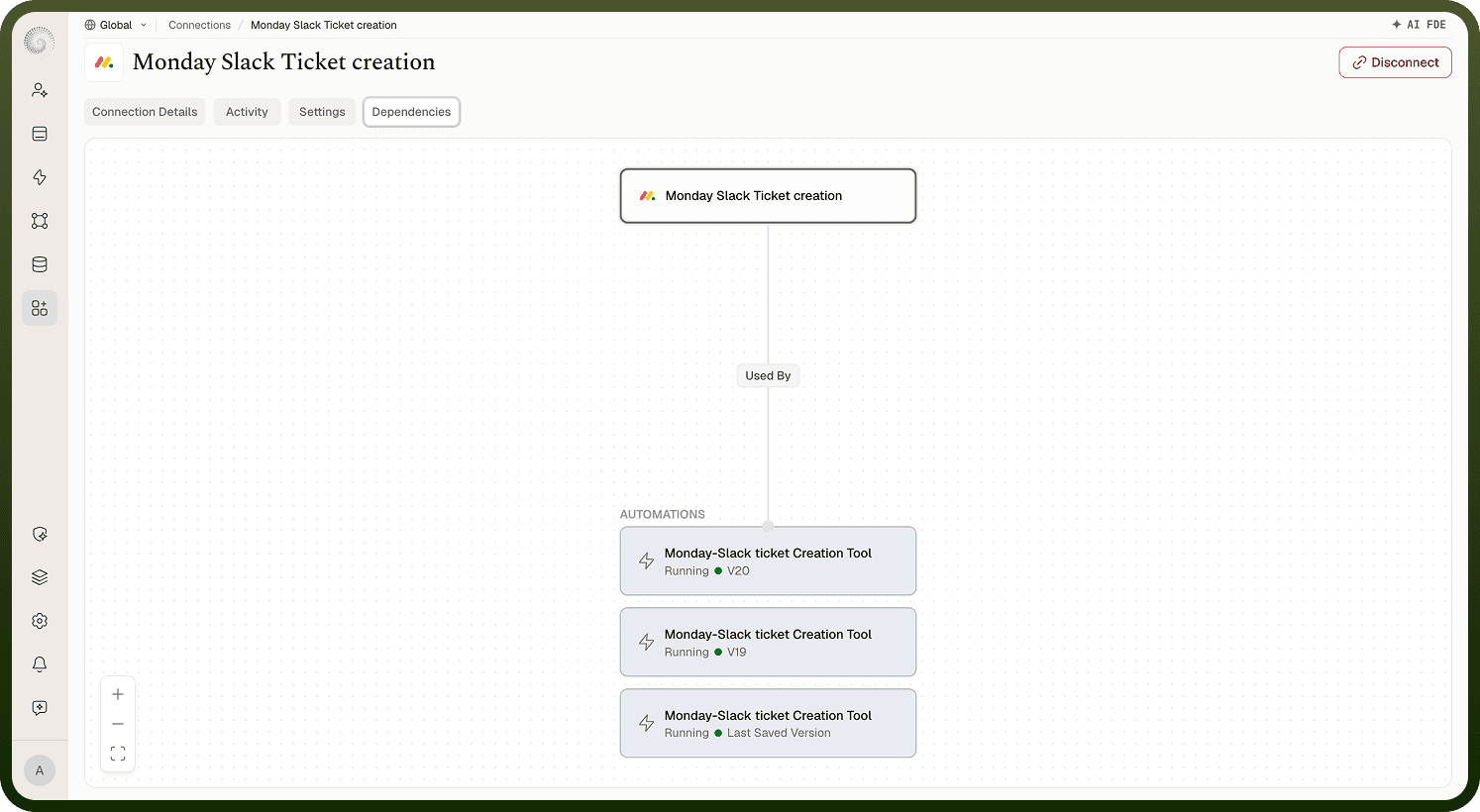
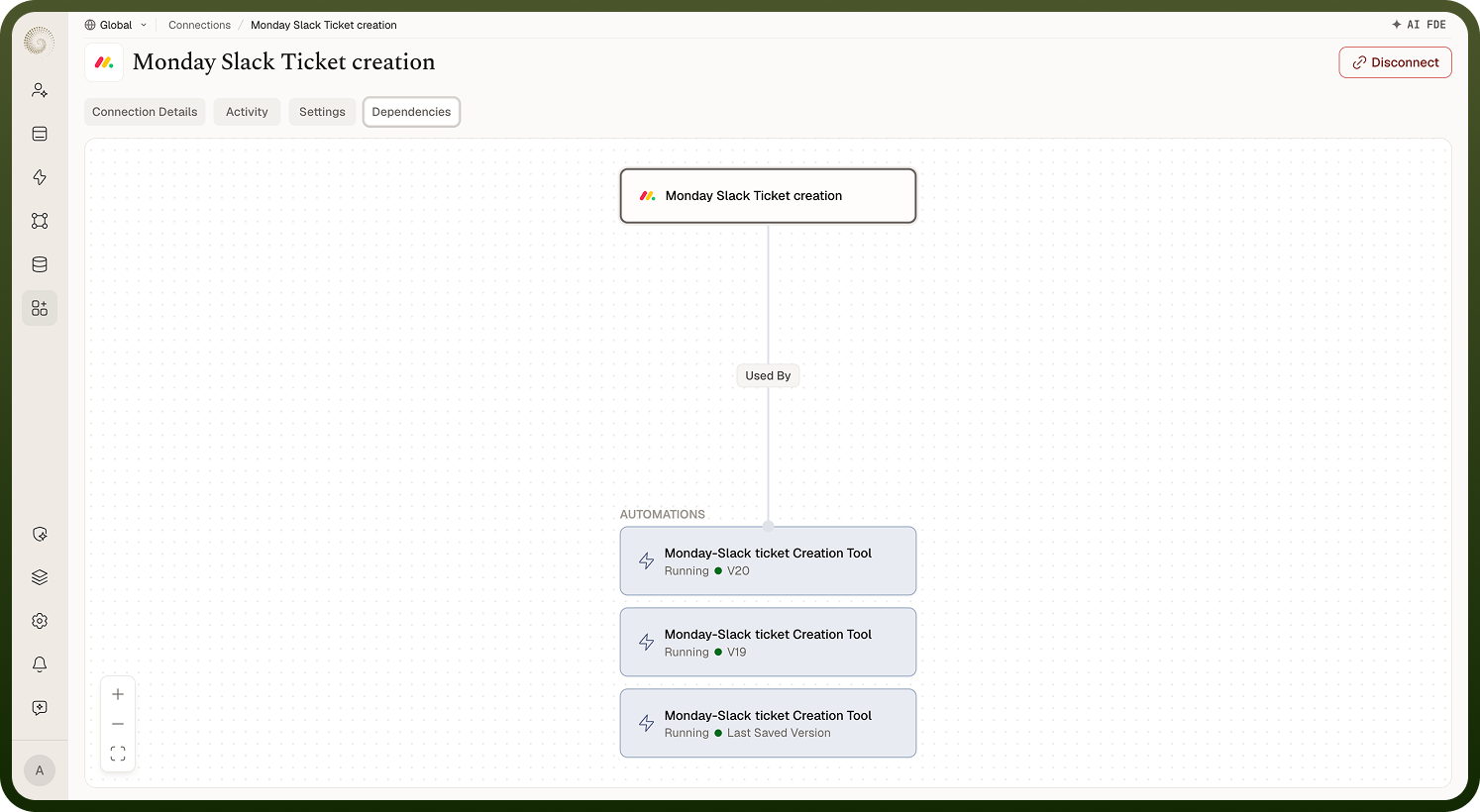
A connection's Dependencies tab shows everything that uses it, as a visual dependency graph — the connection in the middle with a Used by branch listing the automations, apps, and other assets that rely on it to reach the app. It's a map of impact: before you change a connection's credentials or delete it, this tells you exactly what would be affected, and you can open each dependent asset from the graph to review or update it. Check this whenever you're about to make a disruptive change, so you don't unknowingly break a running automation that depends on the connection.
Knowing if it's safe to delete a connection
Open its Dependencies tab first. If automations or apps still use the connection, deleting it will break them — so the safe sequence is: see what depends on it, move those automations to another connection (or retire them), and only then delete. The delete confirmation itself also warns you how many assets will stop working. If you're unsure, a gentler option than deleting is to leave the connection in place (or Disconnect it) until you've confirmed nothing relies on it. The dependencies view is there precisely so a delete is an informed decision rather than a surprise outage.
Finding which automation is using a connection
Use the connection's Dependencies tab — it lists the automations (and other assets) that reference the connection, and you can click through to each one. This is the quick answer to "what will break if I touch this connection?" and to tracing a failing automation back to a connection that recently changed. Rather than searching automations one by one, start from the connection and read off what depends on it.
Activity tab
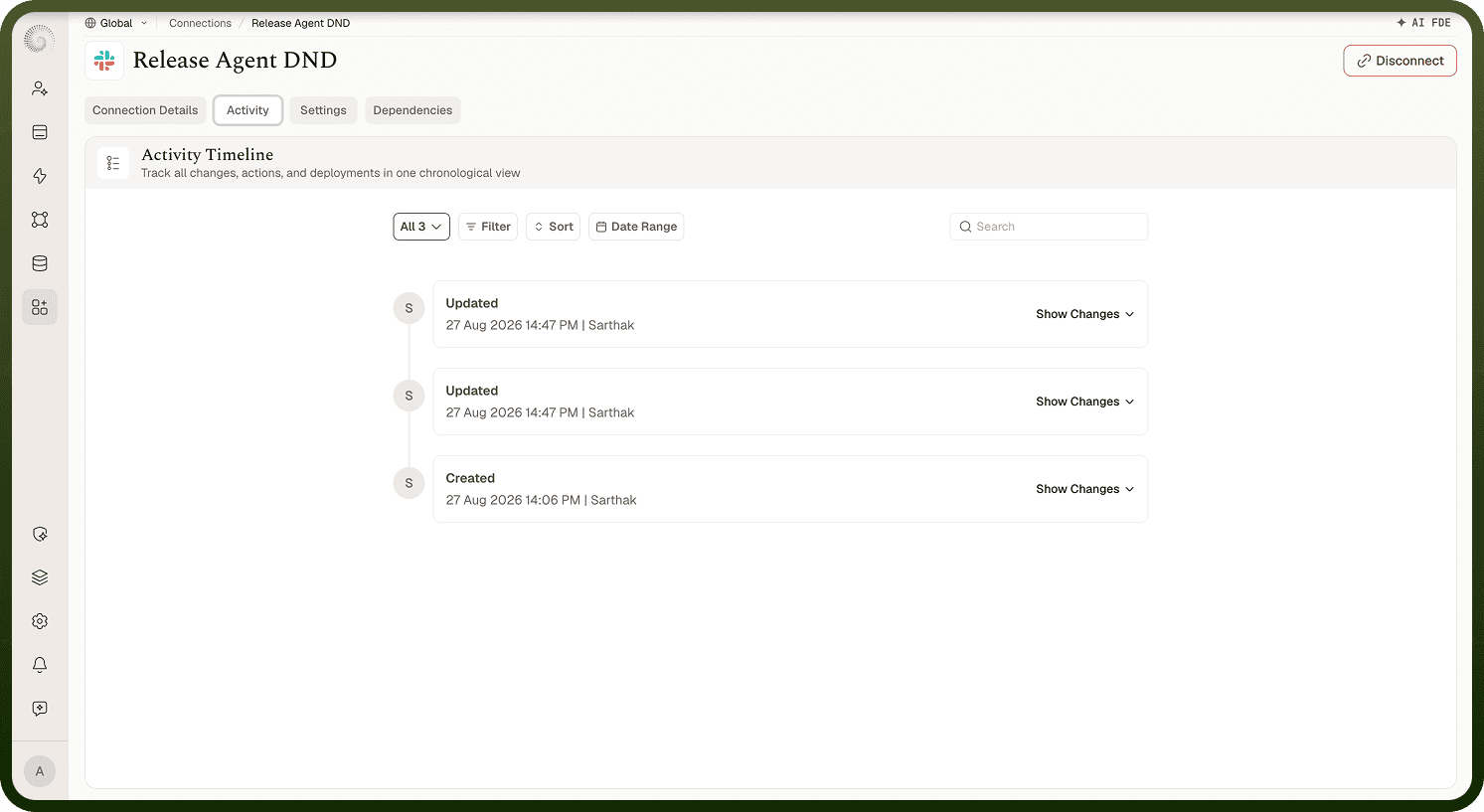
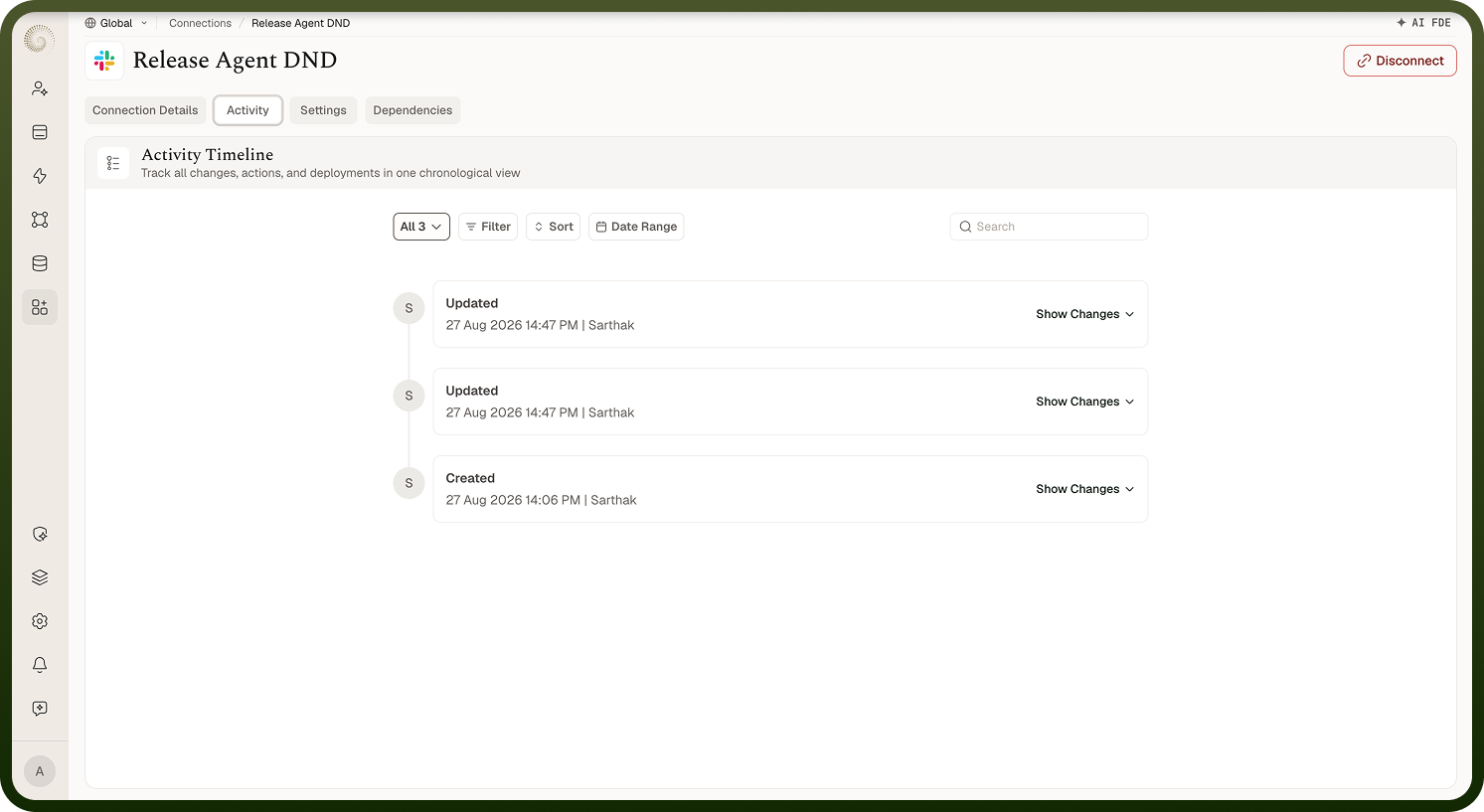
A connection's Activity tab is its change history — who did what to it and when: created, edited, re-authenticated, shared, disabled. It's the audit trail for the connection, useful for understanding how it got to its current state, who has been maintaining it, and when a change might explain a recent problem (for example a re-authentication or a settings change just before automations started failing). Anyone with access to view the connection can read its activity.