Unify Logo Footer.svg
Platform Tools
Logo
Testing a decision table

Testing a decision table

Logo

3 mins READ

Running sample inputs against a decision table from its editor.

Overview

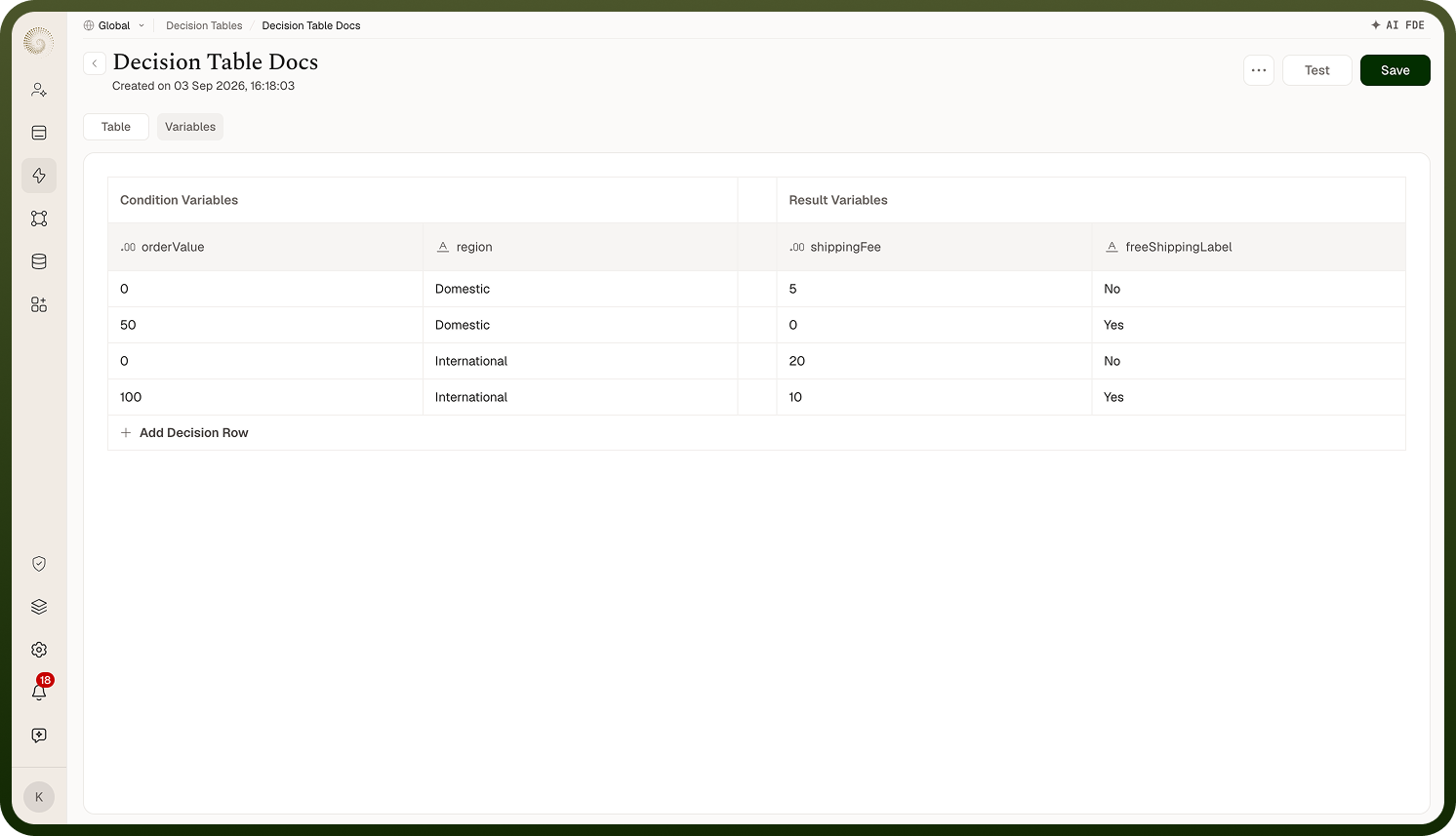
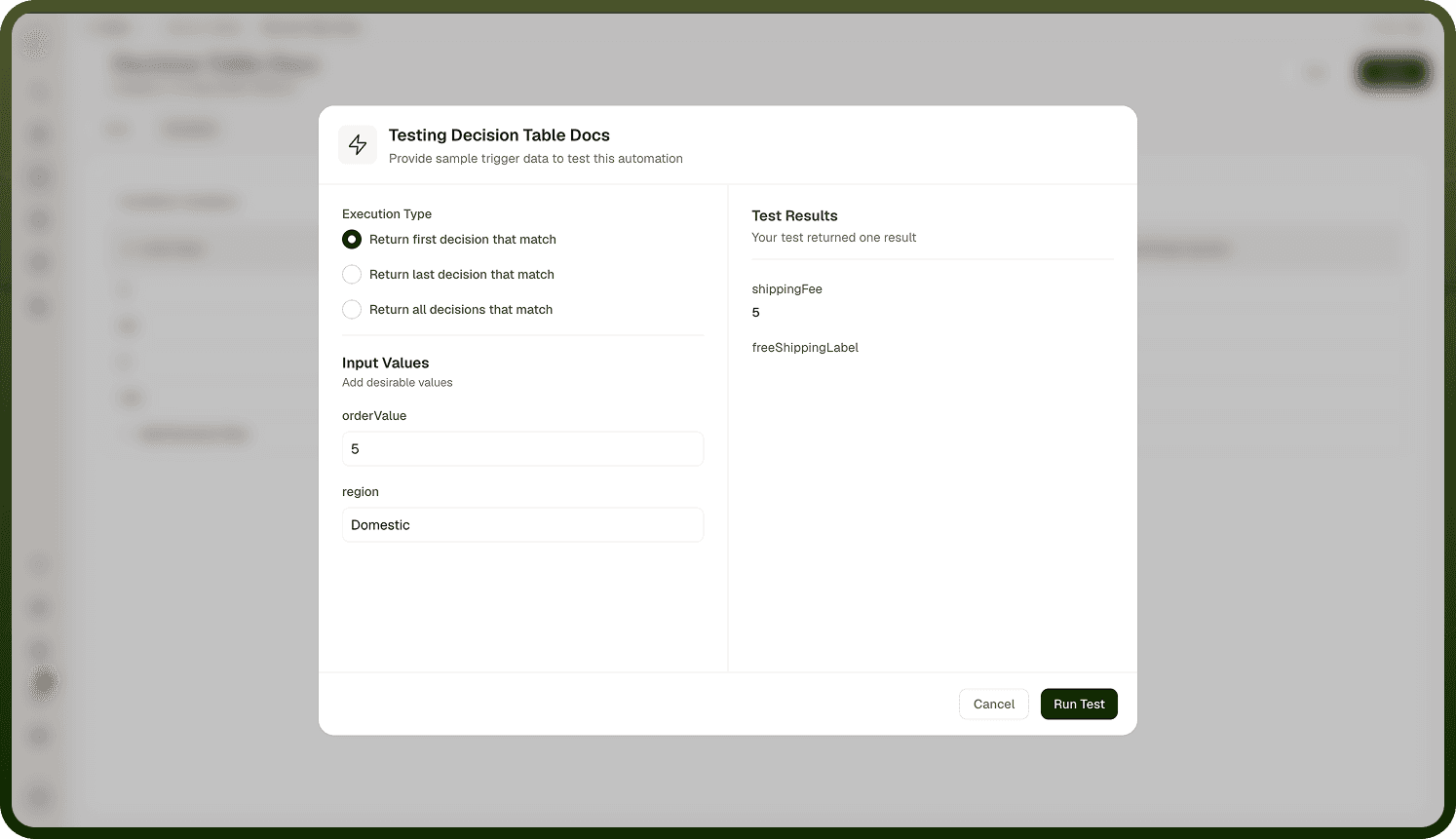
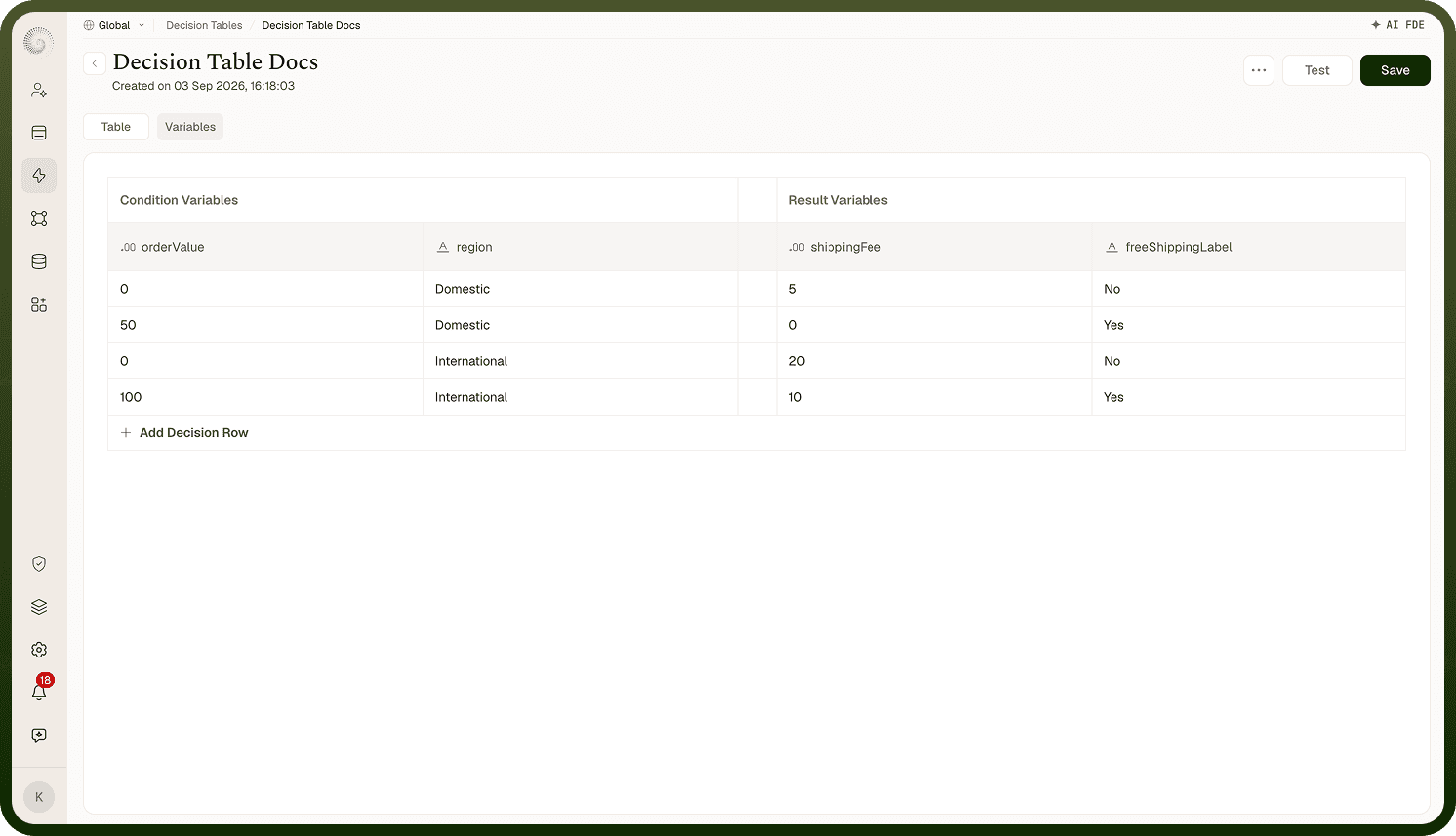
Open the table and click Test in the header. The Testing {name} dialog appears with inputs on the left and results on the right. Fill in the left side and click Run Test:

  • Execution Type — "Return first decision that match" (default), "Return last decision that match", or "Return all decisions that match".

  • Input Values ("Add desirable values") — one field per condition variable.

The test runs against the table as saved, using the same engine your automations call.

Where: Decision table › Test
Screenshot 2026-09-03 at 16.33.31 1.png
Screenshot 2026-09-03 at 16.34.42 1.png

Reading the test results

The right pane shows Test Results with each result variable and its returned value. The summary tells you how many rules matched — "Your test returned one result" or "Your test returned N results." — and with all matches and multiple hits you page through them (Result 1Result 2, …). If nothing matched and your result variables have no defaults, you'll see No test results with a hint to adjust your inputs and run again; an execution error shows Test Failed.

Where: Decision table › Test, results pane

FAQs

Why is the Test button disabled?

Test is only enabled while you're on the Table tab. Switch from the Variables tab back to Table to run a test.

Where: Decision table header, Test

Why does my automation return a different row than my test?

The Test dialog defaults to first match, but the automation step Execute a Decision Table defaults to Final matched result (last match). When several rows match the same inputs, the two surfaces pick opposite ends of the table unless you align the mode. Re-run the test with "Return last decision that match" (or change the step's setting) to compare like-for-like.

Where: Decision table › Test, Execution Type

Does testing change anything?

No records or automations are touched — the test just evaluates inputs against the saved table and shows what would come back. But note it uses the saved table: unsaved variable or row edits in your browser aren't part of the test until you click Save.

Where: Decision table › Test