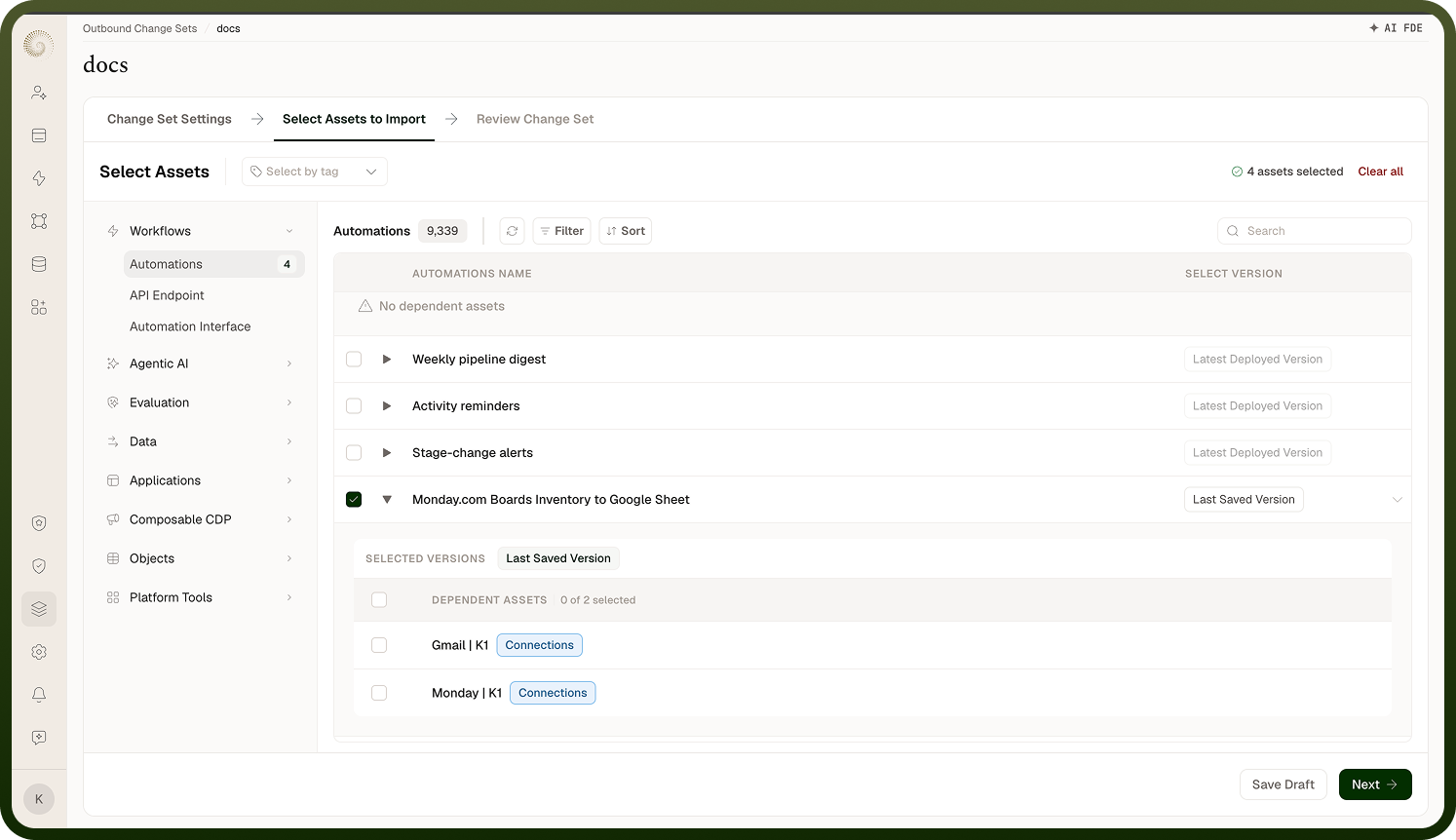
Why a change set includes more than what you picked, and how versions are chosen.
Overview
Most assets don't work alone — an automation needs the connections it calls, the templates it uses, and the environment variables it reads; an app needs the objects behind it. These are its dependencies. When you add an asset to a change set, the platform automatically finds and includes those dependencies, so the bundle is complete and will actually work in the destination. This is the whole point of a change set: you select what changed, and the platform makes sure everything that change relies on travels with it, rather than you discovering a missing connection only after the import fails.
Where: Outbound change set › select assets (dependencies)
FAQs
How deep does dependency resolution go?
It's transitive — it follows the whole chain. If you add an automation that uses a connection, and that connection needs other configuration, those are pulled in too, and so on down the tree. Each asset type knows how to report what it depends on, and the platform walks the dependencies of the dependencies until the set is complete. In the asset selection screen you can open a dependency view and drill down level by level to see exactly what each asset brings along, so there are no surprises about what's in the bundle.
Where: Outbound change set › dependency view
Which version of an asset gets included?
For assets that have versions (such as automations), you choose which version to ship:
Last deployed — the version currently live in this environment.
Last saved — the latest saved version, even if it isn't deployed yet.
a specific version you pick.
The default is the last deployed version for assets that are deployed, and the last saved version otherwise. The platform resolves your choice to a concrete version when it packages the change set, so the destination gets an exact snapshot — not a moving target. If you ask for the last deployed version of something that was never deployed, it falls back to the last saved version. Assets that aren't versioned are simply taken as they currently are.
Where: Outbound change set › asset version
Can I see everything that will be included before I submit?
Yes — that's what the dependency view and the review step are for. Before submitting, expand an asset to see its dependencies (and theirs), so you know the full contents of the change set. Reviewing this matters because the bundle is what the destination receives: anything missing means a broken import there, and anything unnecessary just adds noise. Confirm the set is complete and intentional, then submit.