


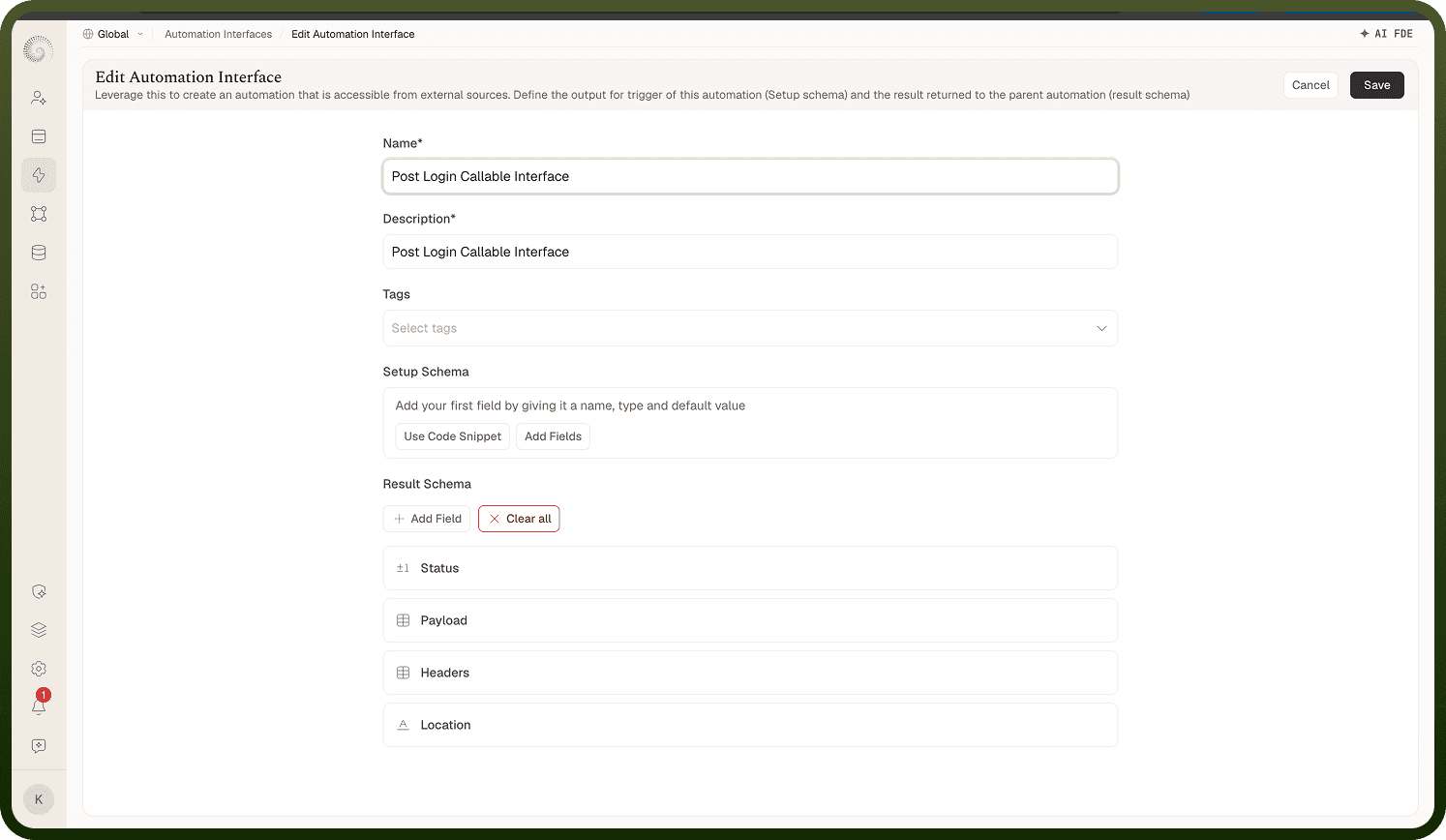
The interface editor — name, description, and the Setup/Result schemas that form the contract.
Overview
The editor's own description sums it up: "Leverage this to create an automation that is accessible from external sources. Define the output for trigger of this automation (Setup schema) and the result returned to the parent automation (result schema)." The form has:
Name — required.
Description — required. Write it for the people picking interfaces in a dropdown later.
Tags — pick or create labels.
Setup Schema — the input fields a caller supplies; these become the trigger's output inside implementing automations.
Result Schema — the fields an implementation returns to the caller.
Create / Save persists; Cancel goes back. Without edit permission an existing interface opens read-only.
Where: Automation Interfaces › New / Edit Automation Interface
Building the Setup and Result schemas
Each schema starts as No fields added ("Add your first field by giving it a name, type and default value") with two paths:
Add Fields — define fields one by one in the Add a field dialog.
Use Code Snippet — derive the fields from a sample payload or an existing snippet.
Repeat until the schema mirrors the data you expect in (Setup) and out (Result).
Where: Interface editor, Setup Schema / Result Schema