Building a change on its own branch, reviewing it, and moving a chat between branches.
Overview
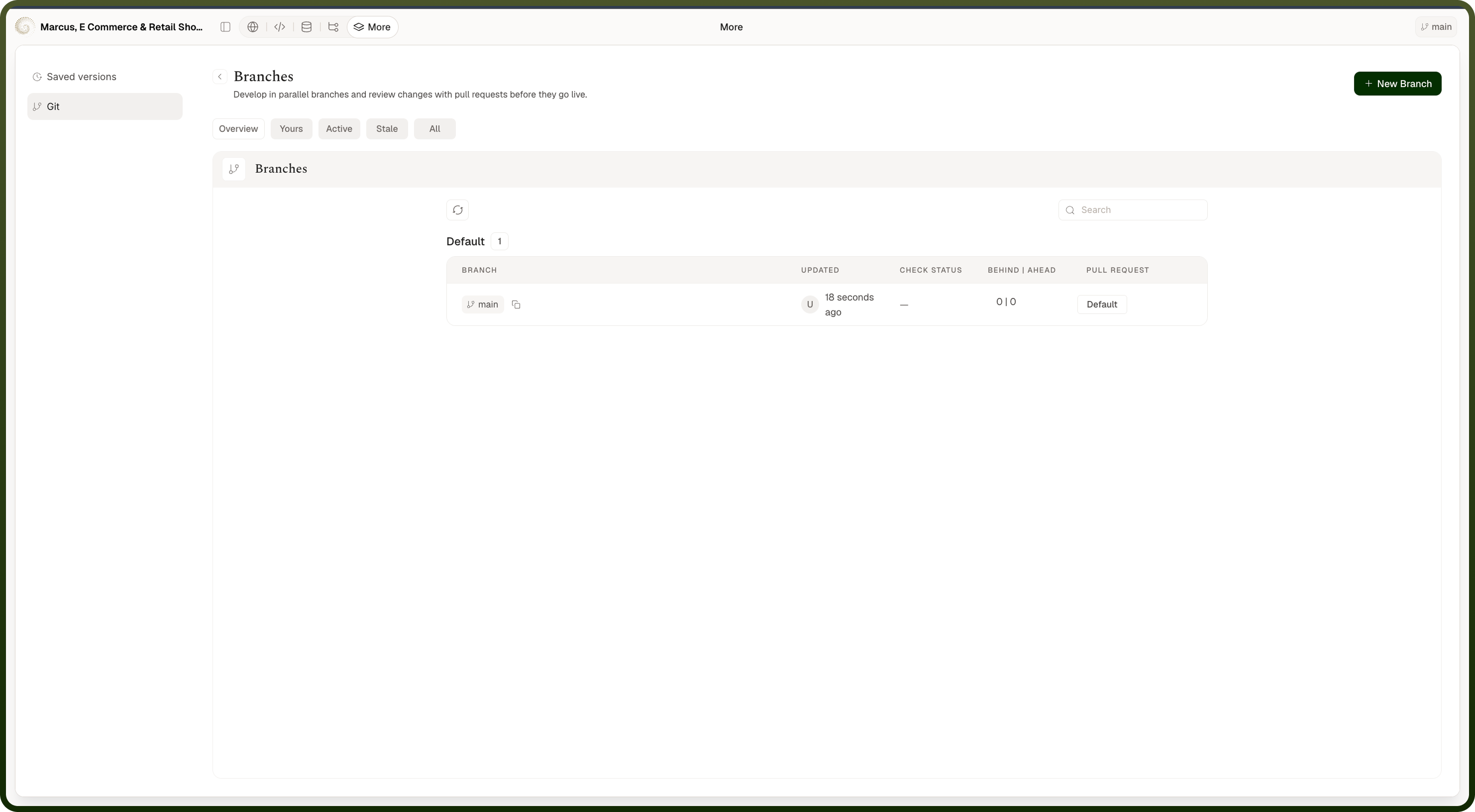
More › Git › Branches — the row that reports how many branches there are opens the table. The branch tools only appear once the app is linked to a repository; without one there is a single branch and nothing to choose between. The current branch is also named in the builder header, and above the composer as a switcher you can click.
Where: Code Builder › More › Git › Branches
How the branch table is organised
Five chips sit above it:
Overview (where you land) — three short sections: the Default branch, Your branches, and Active branches, each with a count. When a section holds more than it's showing, View more branches opens that scope's own full table.
Yours — branches you created.
Active — as its empty state puts it, "Branches with activity in the last few days will show up here."
Stale — "Branches with no activity for a while will show up here."
All — every branch.
The four full tables page ten rows at a time with Page … of …. Switching chips clears the search, filter and sort you had applied, so each one starts fresh.
Where: Code Builder › More › Git › Branches
Creating a branch
New Branch on the branch screen, or Create branch at the bottom of the branch switcher above the composer. Both open the same dialog:
Branch name — required. The hint is "Use letters, numbers, slashes and dashes.", and that's literal: letters, digits, dots, slashes and hyphens only — underscores are not allowed. A name can't start with - or /, can't end with / or a dot, and can't contain ... A name already in use gives "A branch with this name already exists"; anything else invalid gives "Not a valid branch name".
Create from — which branch to start from, defaulting to the one your chat is on. It has its own search ("Find a branch…", "No branches found" when nothing matches).
Description — optional, "What are you building on this branch?"
Create Branch cuts the branch and moves your current chat onto it, so the preview and the file tree switch with you. While it's being created the dialog can't be dismissed at all — closing it midway would strand work already underway.
Where: Code Builder › More › Git › New Branch
Moving a chat to another branch
Use the branch switcher above the composer. It searches ("Find a branch…"), marks the branch you're on, and pages through the rest with Load more; Create branch at the bottom starts a new one. Picking a branch rebuilds the preview onto it and refreshes the file tree, and takes you back to the Preview tab so you can see the result. Anything you selected in the preview, and any edits you hadn't applied, are dropped — they belong to the branch you left. If nothing matches your search you'll see "No branches match "…""; with no branches at all, No branches yet. Note you can't type a new name here to create one — use Create branch.
Where: Code Builder › chat › branch switcher
FAQs
What's in each row, and how do I narrow the list?
Columns are Branch, Updated, Check status, Behind | Ahead and Pull request. A row's name can be copied with one click; the default branch is tagged Default. Clicking a row opens that branch — except the default branch, which isn't openable. Every non-default row also carries a Branch actions menu with Rename branch (the rename stays disabled until you type a different, non-empty name) and a red Delete branch — deleting warns "This permanently deletes \"{name}\" and any work only on it, locally and on the remote. This cannot be undone." A refusal (for example, chats still parked on the branch) is shown as the error message; the default branch offers neither action. The toolbar above the table gives you a search box (matching branch names), a refresh, a Filter on the full tables, and a Sort on All. You can filter by Created by me or User email — matched against the branch's owner: whoever created it, or failing that the author of its latest commit, so plain-git branches surface under their real author. A branch that no longer exists on the connected repository wears a Local only pill ("This branch no longer exists on the connected repository. It is kept because a chat is still on it."). Re-opening a branch refreshes its Changes and Commits, so that's the reliable way to see work pushed from a clone.
What do the empty states mean?
Opening a row replaces the branch list with that branch on its own. The header names it, tags it Active or Stale, and where the information exists reads "Created from …", "by …" and "updated …". Two tabs follow:
Changes — the files that differ from the branch's base, listed on the left with Added / Modified / Deleted and a count ("… files changed"), and the difference itself on the right with a Unified / Split toggle. With nothing to show: No changes on this branch yet — "This branch matches its base. Edits you make on it will show up here as changes."
Commits — the branch's history, each entry reading "committed by … · …" with a short reference you can open on the provider or copy in full. With nothing to show: No commits on this branch yet.
Each tab loads only when you open it. The back arrow returns you to the list. Where: Code Builder › More › Git › a branch Why can't I switch branch right now? Because moving the code out from under a turn would break it. The switcher is disabled with the reason spelled out:
"Can't switch branch while the agent is working" — a turn is running.
"Can't switch branch mid-session — wait for the agent to complete the session" — a turn is paused on you, waiting for a plan approval or an answer to a clarifying question.
"Can't switch branch while you have a message waiting to send" — your message is queued behind whoever holds the branch.
The same conditions disable New Branch ("Can't create a branch while the agent is working" / "… mid-session — wait for the agent to complete the session") and restoring a saved version.
Does publishing work from any branch?
No. Publishing deploys the app's default branch, so from anywhere else Publish is disabled and explains: "Can't publish from this branch — switch to … to publish". Merge your work into the default branch on the provider, switch back, and publish from there.