


Wiring automations to an interface: triggering from it, calling it, and returning results.
Overview
Create an automation with the Trigger interface trigger and pick the Callable Interface it implements. The interface then defines both ends for you: the trigger's output pills are the interface's Setup Schema fields, and the automation is expected to return data matching the Result Schema. Several automations can implement the same interface — that's what makes routing possible on the calling side.
Where: Automation builder › Trigger interface
Calling an interface from another automation
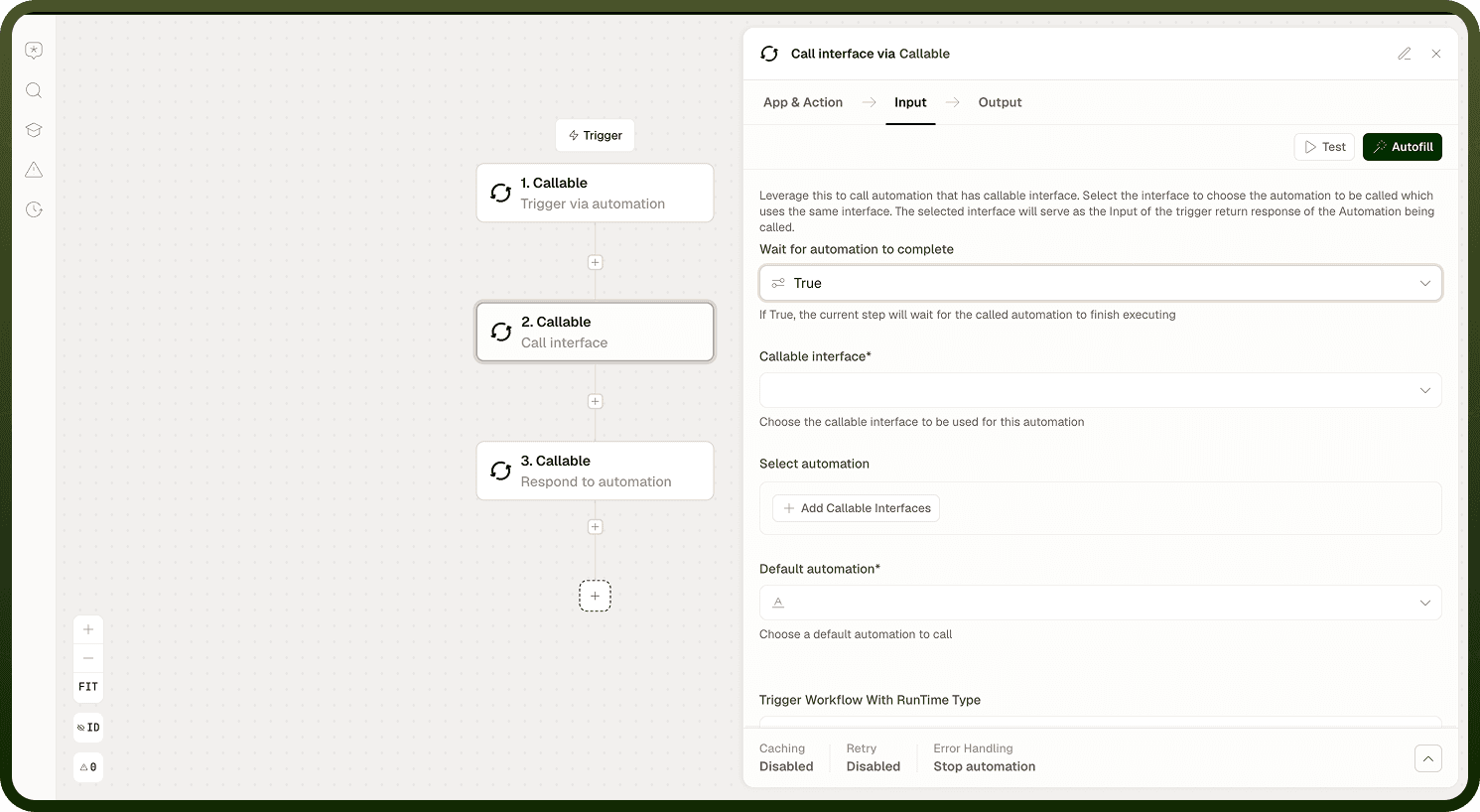
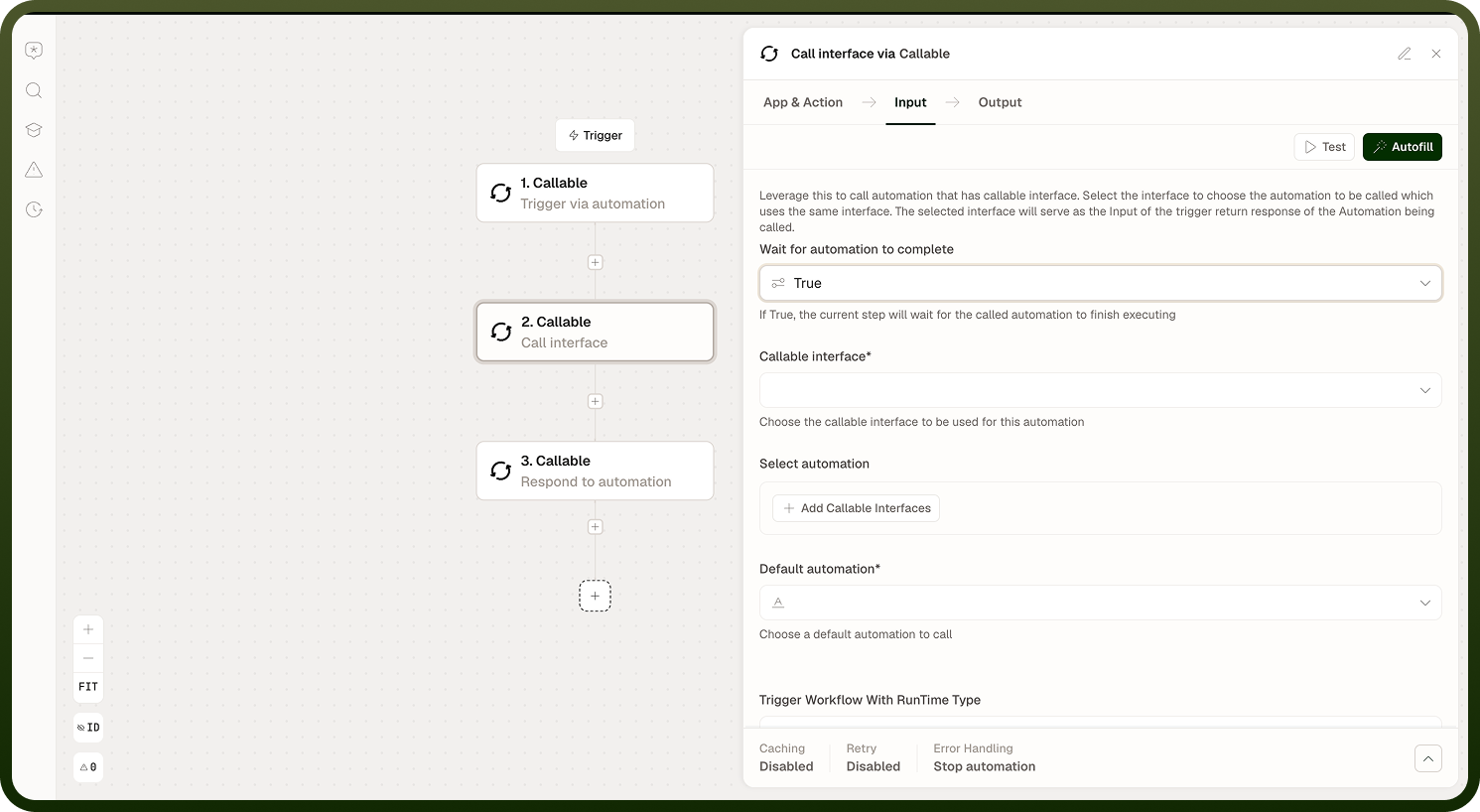
Add the Call interface step and configure:
Callable interface — which contract to call.
Input fields — generated from the interface's Setup Schema; map values from earlier steps.
Wait for automation to complete — "If True, the current step will wait for the called automation to finish executing" and the interface's result fields become available to later steps; off means fire-and-forget.
Where: Automation builder › Call interface
Routing a call between multiple implementations
When more than one automation implements the interface, the Call interface step can choose at runtime:
Under Select automation, add entries pairing a Filter (conditions on the call's data) with Select automation to call — the first matching filter picks that implementation.
Set a Default automation as the fallback when no filter matches.
This keeps the routing logic with the caller while each implementation stays a plain automation.
Where: Call interface step, Select automation / Default automation
Where else interfaces show up
Interfaces are the platform's generic "pluggable automation" mechanism, so several features invoke your automations through one — for example post-login/post-logout hooks, password reset, and event-stream processing each call a designated interface. If a feature asks you to "attach an automation", it usually means: implement that feature's interface with a Trigger interface automation.
Where: Platform features that call interfaces