


Changing a connection's name and credentials, and what you can change when.
Overview
Open a connection to its Details tab. What's editable depends on its status:
While the connection is Active, only its name, tags, and workspace are editable — the credential fields are locked, because live automations depend on them. Confirm with Save (on OAuth connections the button reads Re-authorize, which also re-runs the app's consent flow).
While it's Inactive, the credential fields are unlocked too, so you can enter new credentials and Authorize (or re-run the OAuth flow).
Saving updates the connection in place, so everything that already uses it keeps pointing at the same connection with the new details. The edit page also has Settings, Dependencies, and Activity tabs, and for some apps a Refresh Connection button that re-pulls the latest configuration from the app.
Where: Connection › Details
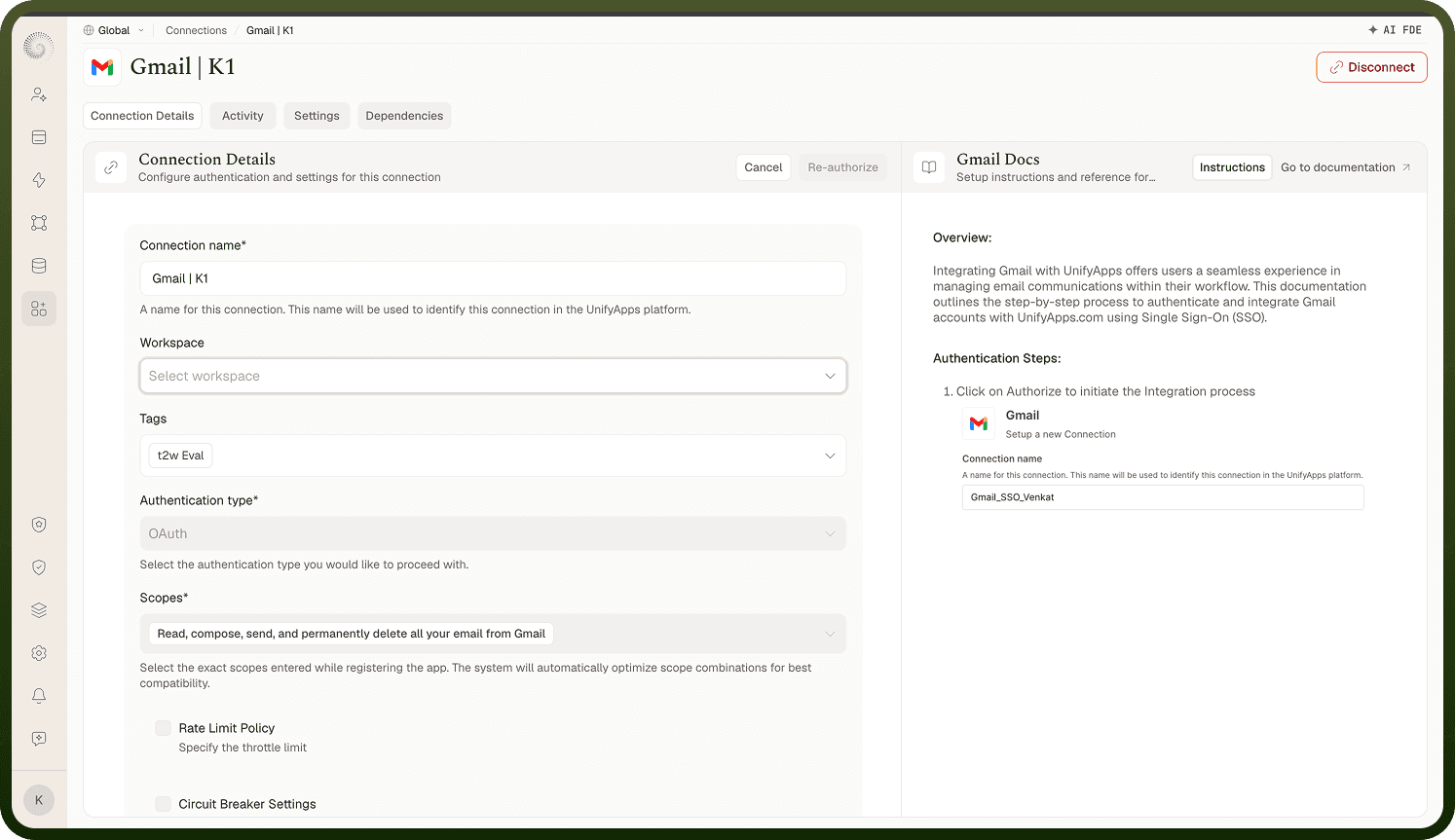
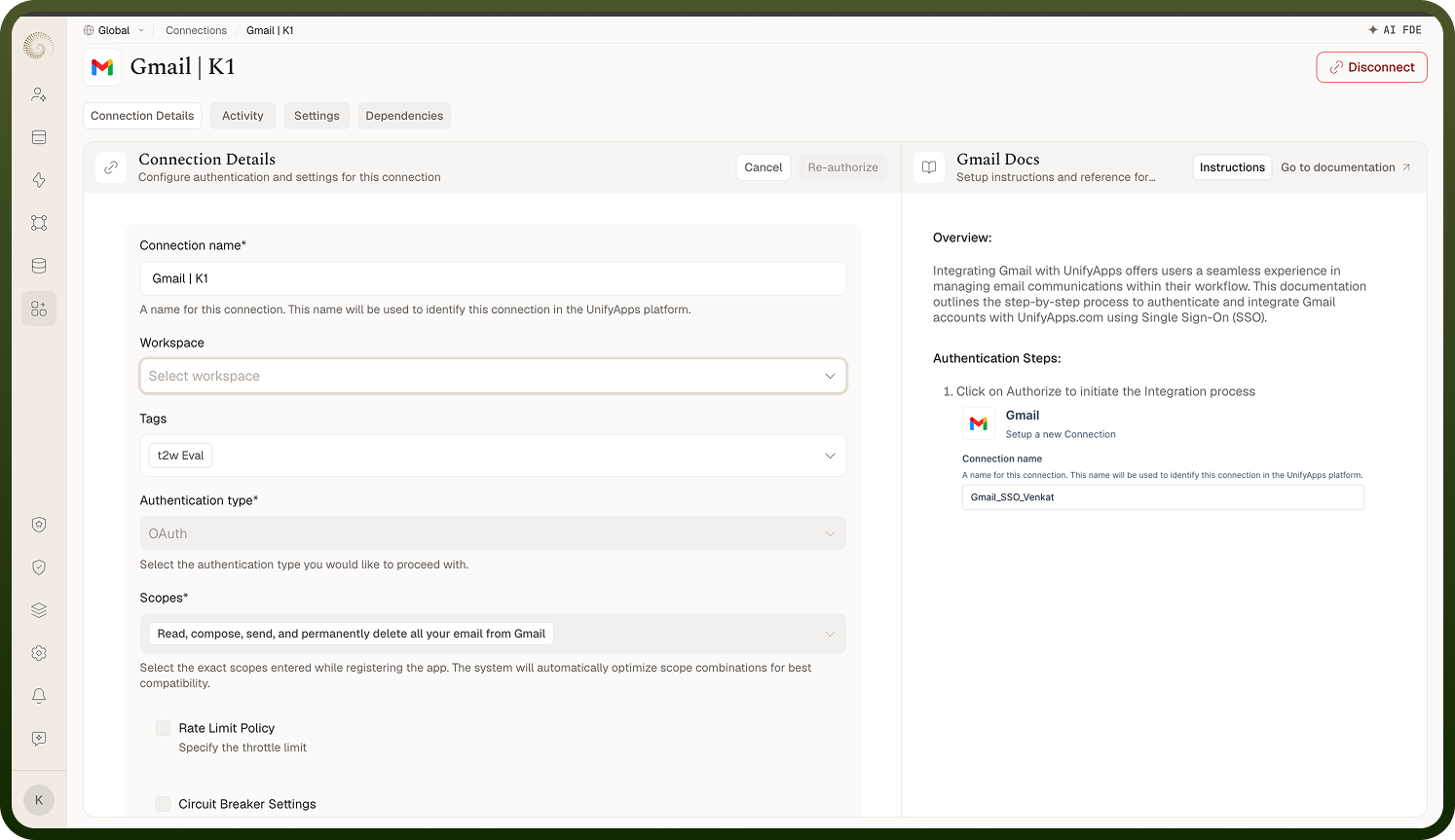
Updating credentials when they change
When an app's credentials change — a rotated API key, a new password, a revoked OAuth grant — the flow depends on the connection's status:
If the connection is still marked Active, click Disconnect on its edit page first. This clears the authentication and flips it to Inactive (the confirmation warns how many assets depend on it).
With the connection Inactive, its credential fields unlock: re-enter the key/password and click Authorize (the platform tests the new credentials and only saves on success), or for OAuth run the Authorize / Re-authorize flow.
On success the connection returns to Active without you recreating it or touching the automations that use it. This is the normal maintenance for a long-lived connection — do it as soon as you know credentials changed, so dependent automations don't fail in the meantime.
Where: Connection › Details (Disconnect › re-enter › Authorize)