


The Snippet Manager list — creating, cloning, sharing, and deleting reusable code snippets.
Overview
A code snippet is a reusable, named piece of code or data definition stored on the platform. Snippets come in two groups:
Code — JSON, JavaScript, XML, Python, Java, Groovy, XSD.
Definition — JSON Schema.
Executable snippets (JavaScript, Python, Java, Groovy) run inside automations via the Execute custom code snippets step; data snippets (JSON, XML, XSD, JSON Schema) are reused wherever the platform asks you to supply a sample payload or schema — the Use Code Snippet option in schema-setup dialogs pulls from this same library.
Where: Snippet Manager
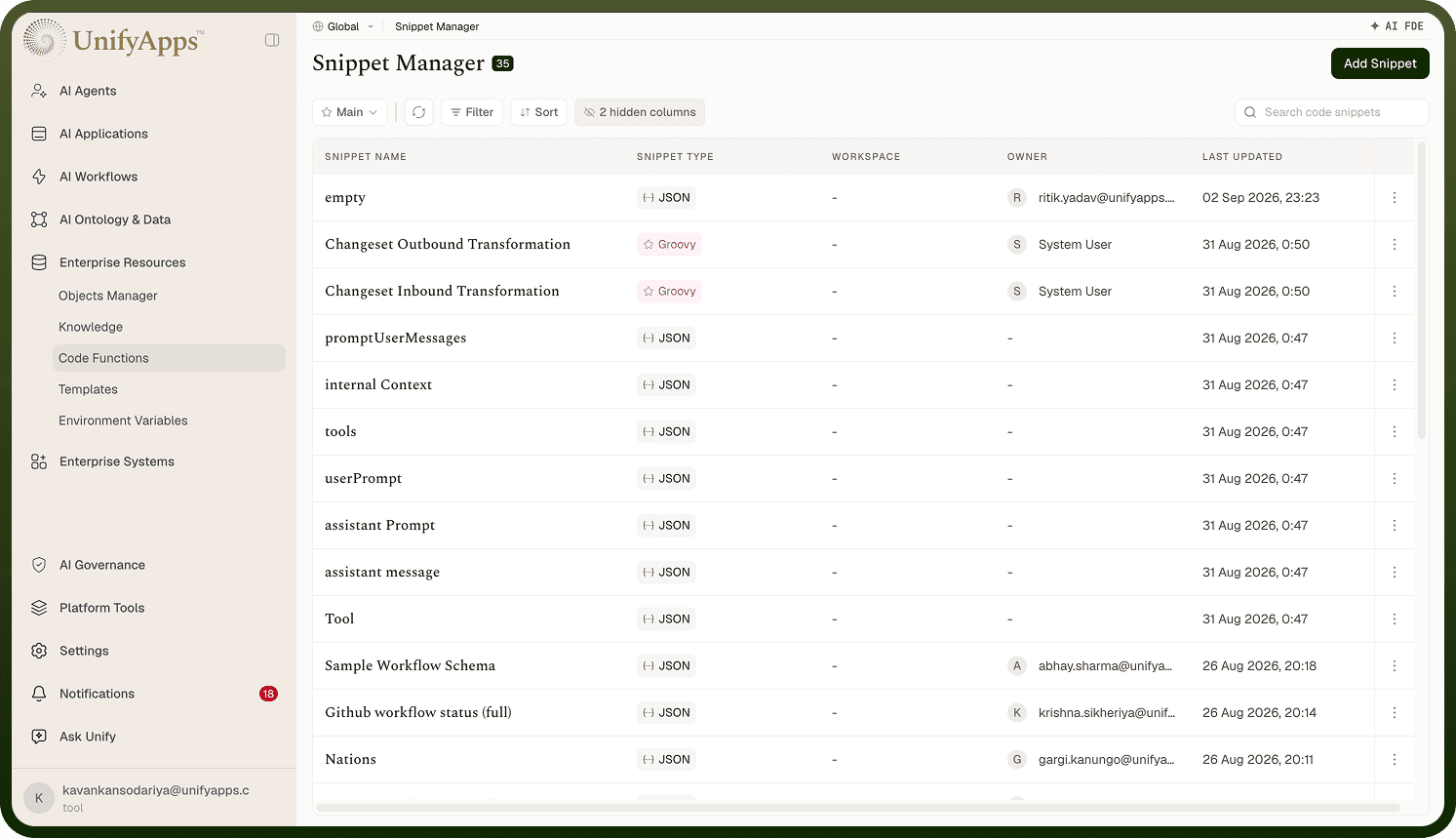
Snippet Manager screen
The Snippet Manager lists every snippet you can access with a count pill. Columns: Snippet Name, Snippet Type (a colored tag with the language icon), Workspace (only when viewing across all workspaces), Owner, and Last Updated (newest first). Last Updated carries a hover audit tooltip, and the columns menu offers hidden-by-default Created On and Last Updated By columns (remembered per user). Search ("Search code snippets") matches on name, views can be saved, and clicking a row opens the snippet's editor. With no snippets yet you'll see No Code Snippet and a New Code Snippet button. You can also drag a column heading sideways to reorder the columns; that order is remembered for you personally and survives switching between saved views — it isn't part of a view's definition and doesn't change what anyone else sees.
Where: Snippet Manager list
Creating a snippet
Click Add Snippet (requires create permission). This opens the full-page New Snippet editor where you set the name, type, code, and — for executable languages — input/output schemas (covered in the snippet editor doc). Saving returns you to the manager with "Code Snippet saved successfully."
Where: Snippet Manager › Add Snippet
Row's action menu
Each row offers Edit, Share, Clone, and Delete, each shown only if you have that permission. Clone opens a small Clone {name} dialog asking for the copy's Name; on submit ("Code Snippet cloned successfully") you land in the clone's editor — handy for making a variant without touching the original. Delete asks "Are you sure you want to delete this code snippet?"; anything still referencing the snippet (an automation step, a schema) will break, so check usage first.
Where: Snippet Manager, row actions