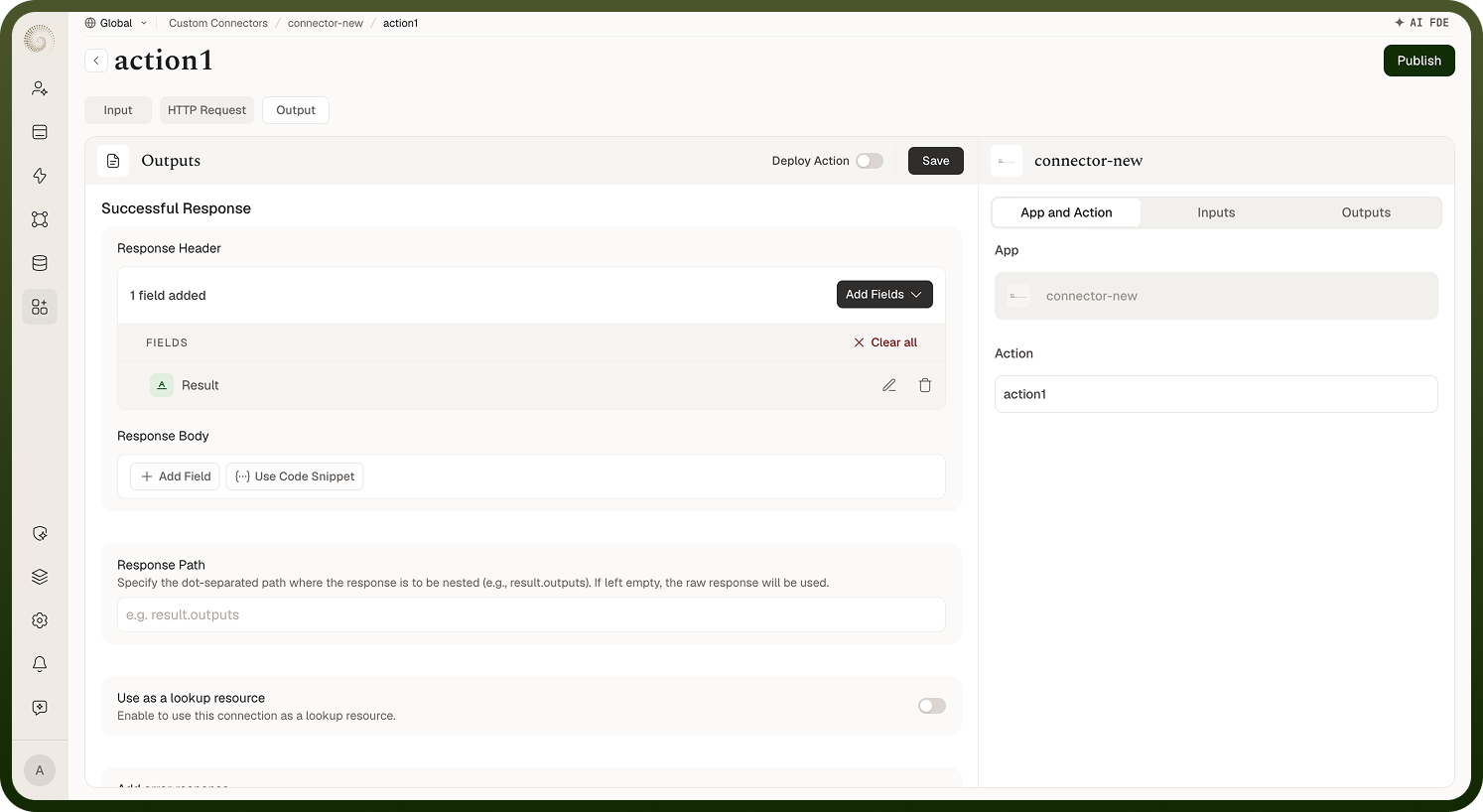
Turning the API's response into the action's outputs. Overview When an action runs, the platform takes the API's HTTP response and turns it into the action's outputs based on what you declared on the Output tab: the Successful Response section defines the response body fields (each with a key, label, and type, nestable for structured data) and any response headers you want exposed. The platform fills this schema from the real response each run, so a "Create record" action can return the new record's id from the response body, and a later automation step can reference it. Where: Action › Output › Successful Response Screenshot TODO — Mapping a response to outputs Handling a response where the data is nested APIs often wrap the useful data inside an envelope — for example the records sitting under a nested path. Set the Response Path — the dot-separated path where the useful response lives (for example a path like the envelope's inner field) — and the action's outputs operate on that data rather than the wrapper. Left empty, the raw response is used. Pointing the connector at the nested data is what gives downstream steps clean fields to work with, instead of the whole envelope. Where: Action › Output › Response Path FAQs How are errors from the API represented? Turn on Add error response to define a structured failure shape: choose the Status Code it represents (400, 401, 403, 404, 500, 502, 503, 504, or 505) and declare the error's response body and response header fields. When the API fails with an error status, the action surfaces that structured shape — so an automation can branch on the failure or show a meaningful message rather than a generic error; without one, the raw error body comes through. (Whether a given status fails, retries, or refreshes credentials is handled automatically — see the error-handling screen.) Where: Action › Output › Add error response Does the response have to be JSON? No. JSON is the primary case and what the output schema maps most naturally, but the connector runtime also parses XML responses (including SOAP-style envelopes) against your declared schema, and can return a file — a binary download is stored and handed to the automation as a file reference — where the API serves one. The action's outputs reflect the real shape of what the API returns.