


A data source doesn't fetch on every render — its last result is cached and reused, and blocks keep showing it until something causes a re-fetch. The refetch options control what that "something" is: a timer, the user returning to the page, a changed input, or an explicit trigger. While a re-fetch is in flight the old data stays on screen (isFetching is true, not isLoading), so refreshes feel seamless instead of flickering.
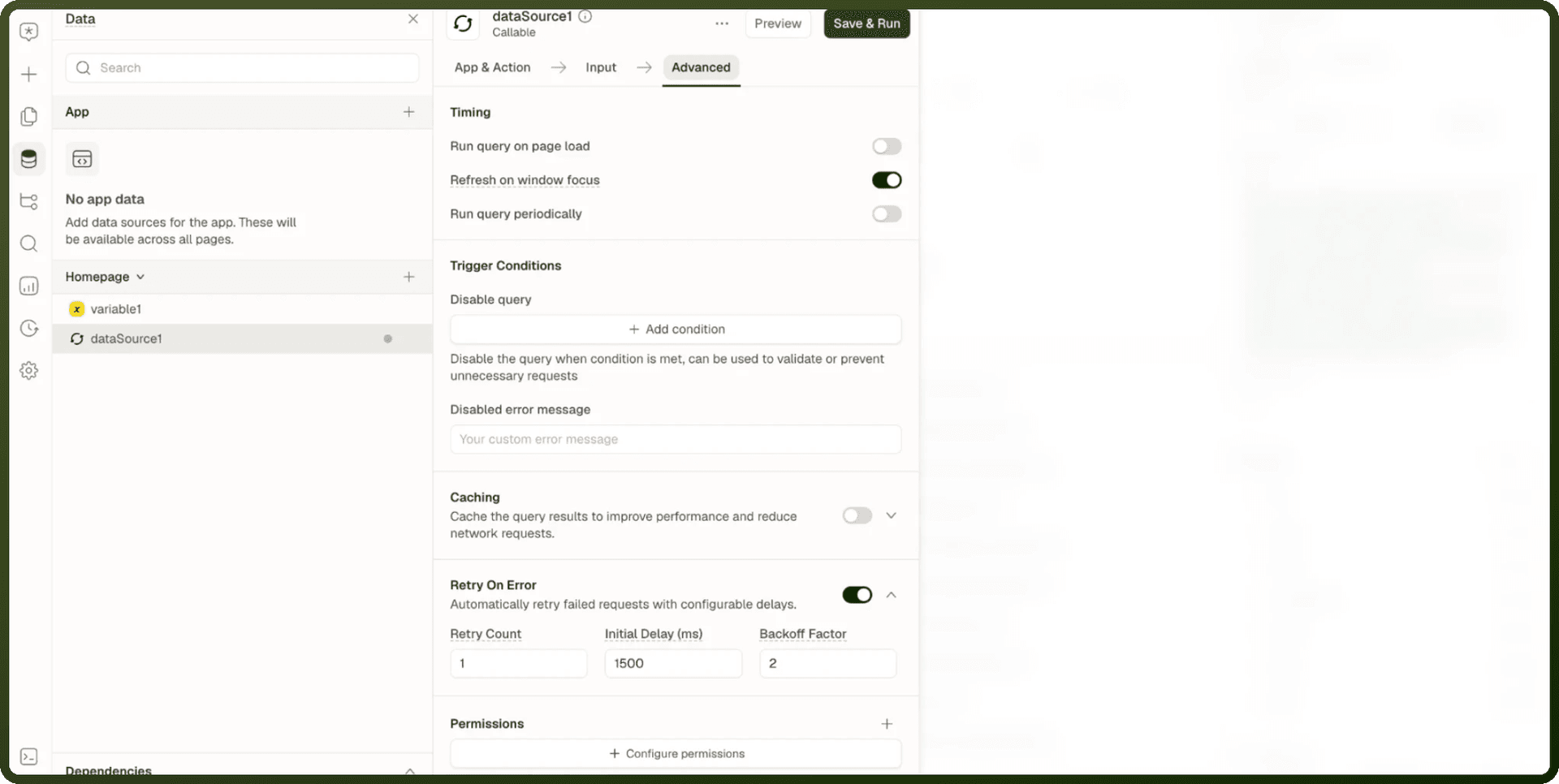
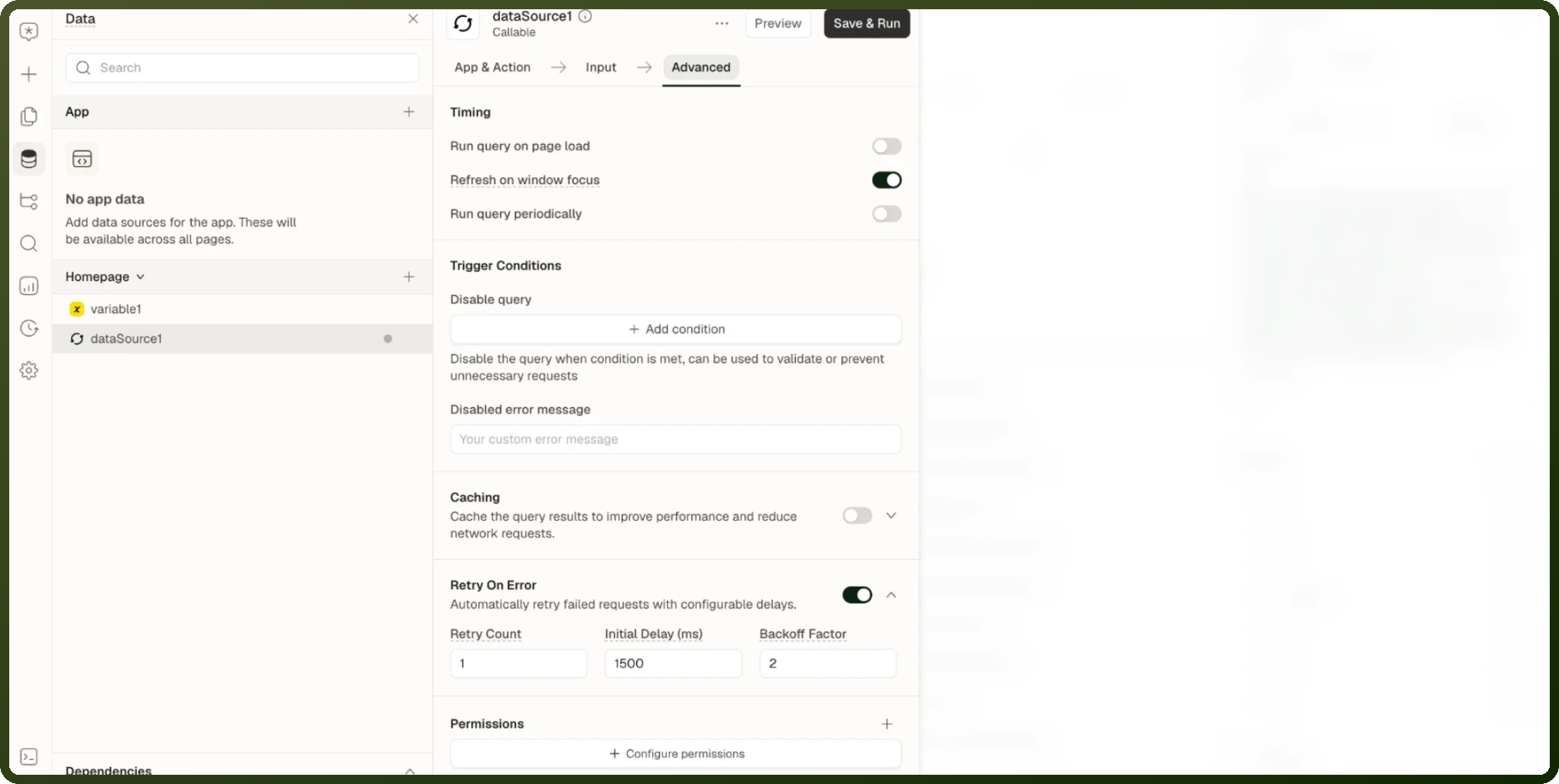
This built-in reuse of the last result is always on and lasts only while the page is open. It is separate from the opt-in Caching setting described below. The Advanced tab also holds Run query on page load, Trigger Conditions and other run settings; see Run Behavior & Triggering.
Polling: Run Periodically
Turning on Run query periodically re-runs the data source on a fixed interval for as long as the page is open. Polling keeps running even when the window isn't the active tab — a dashboard left in a background tab keeps its numbers current.
| Option | Key | Type | Description |
| Run query periodically | runQueryPeriodically | boolean | Enable polling. Takes effect only with a positive interval. |
| Query Interval (ms) | runQueryPeriodInterval | number | Milliseconds between polls. An interval of zero or absent means no polling. |
Warning: Unlike focus-based refetch, polling ignores whether the window is active. A polling data source keeps hitting the server even when the tab is in the background. Don't leave short intervals on data that only matters while the user is looking at it — it wastes server resources.
Example — Dashboard that refreshes every 30 seconds
// Advanced tab settings: Run query periodically: ON Query Interval (ms): 30000 // The data source re-runs every 30 seconds, even if the tab is in the background. // While re-fetching, isFetching = true and old data stays visible.
Refetch on Window / Screen Focus
A data source can re-fetch when the user returns to it, so data that went stale while they were away refreshes on its own. The default behavior differs significantly between web and mobile.
| Platform | Default | Behavior |
| Web | On | Returning to the browser tab re-fetches by default. Turn it off per data source when a refresh on every tab-switch is unwanted (e.g. an expensive report). |
| Mobile | Off | Returning to a screen re-fetches only data sources where you explicitly turned it on. Mobile keeps screens alive when the user navigates away; the first visit doesn't count as "coming back". |
Use the Refresh on window focus toggle (Refetch on page focus in mobile apps) under Timing on the Advanced tab. It applies only to Automatic data sources — Manual data sources don't show it.
Warning: Web refetches on tab focus unless you turn it off; mobile only refetches on screen focus if you turn it on. An app relying on the web default will show stale data on revisited mobile screens until the setting is explicitly enabled there.
Retries on Failure
When a fetch fails, the data source can retry before reporting an error. The retry configuration lives on the Advanced tab under Retry On Error.
Default Retry Behavior
| Run behavior | Default retries | Reasoning |
| Automatic | 1 retry (after ~1.5 s, backoff ×2) | Background work the user didn't explicitly ask for — one quiet retry beats an instant error flash. |
| Manual | No retry | A deliberate user action — its failure should surface immediately. |
| Legacy | No retry | Retry-by-default applies only to sources explicitly set to Automatic. |
Retry Configuration Options
| Option | Key | Type | Default | Description |
| Retry on Error | retryEnabled | boolean | — | true to retry on failure, false to surface the error immediately. |
| Retry Count | retryCount | number | 1 | How many retry attempts before reporting failure. |
| Initial Delay (ms) | retryDelay | number | 1500 | Wait this many milliseconds before the first retry. |
| Backoff Factor | retryBackoffFactor | number | 2 | Multiply the delay by this factor after each failure. The wait between attempts is capped at 30 seconds regardless. |
Note: While retries are in flight the data source still reports itself as loading. The failure event and error state only land after the last retry fails — which means an automatic source that fails shows the loading indicator for about 1.5 extra seconds before the error appears. If immediate failure visibility is important, set retryEnabled: false.
Caching Query Results
The Caching section on the Advanced tab caches the query results to improve performance and reduce network requests. Unlike the built-in reuse above, this cache is applied by the platform when the query runs, keyed by the Cache Key, and it lasts until its time-to-live ends or you clear it. Turn on its toggle to show these settings.
Option | Description |
|---|---|
Cache Key | A unique identifier for the cache, used to store and retrieve cached data. |
Time-To-Live (s) | How long a cached result stays valid, in seconds. After this time, the cache is invalidated and the data is fetched from the source again. |
Only cache when | A condition. Results are cached only when it is met. |
Clear all cache | Clears every cached result for this data source, so the next run fetches fresh data. |
Example: set Cache Key to orders_{{ status_select.value }} so each status gets its own cached result, Time-To-Live (s) to 300 to keep results for five minutes, and Only cache when to a condition such as status_select.value is present, so an empty selection is never cached.
Refresh Driven by Other Actions
Beyond timers and focus, a refresh can be pushed from the outside. The Trigger Data Source action marks an automatic data source's cached result stale so it re-fetches. This is the standard pattern for refreshing a list right after a create, update, or delete operation.
Example — Refresh a list after creating a record
Button onClick:
Trigger data source:
save_order(manual — runs the save).
save_order On Success:
Trigger data source:
orders_list(automatic — invalidates cache, re-fetches).Show notification: "Order saved".
Navigate to:
/orders.
orders_list re-fetches and the table updates automatically, because its cached result was marked stale.
isLoading vs isFetching
Both expose loading state but mean different things:
| State key | True when | Old data visible? | Use for |
| isLoading | The very first fetch is in flight and no cached data exists yet. | No | Showing a skeleton/spinner on initial load. |
| isFetching | Any fetch is in flight, including re-fetches and polls. | Yes (old data stays) | Showing a subtle "refreshing" indicator without blanking the screen. |
Gotchas
Gotcha | Details |
|---|---|
Legacy sources don't get default retries | The retry-by-default logic applies only to sources explicitly set to Automatic. Legacy sources (mode not set) fail without retrying. |