


Overview
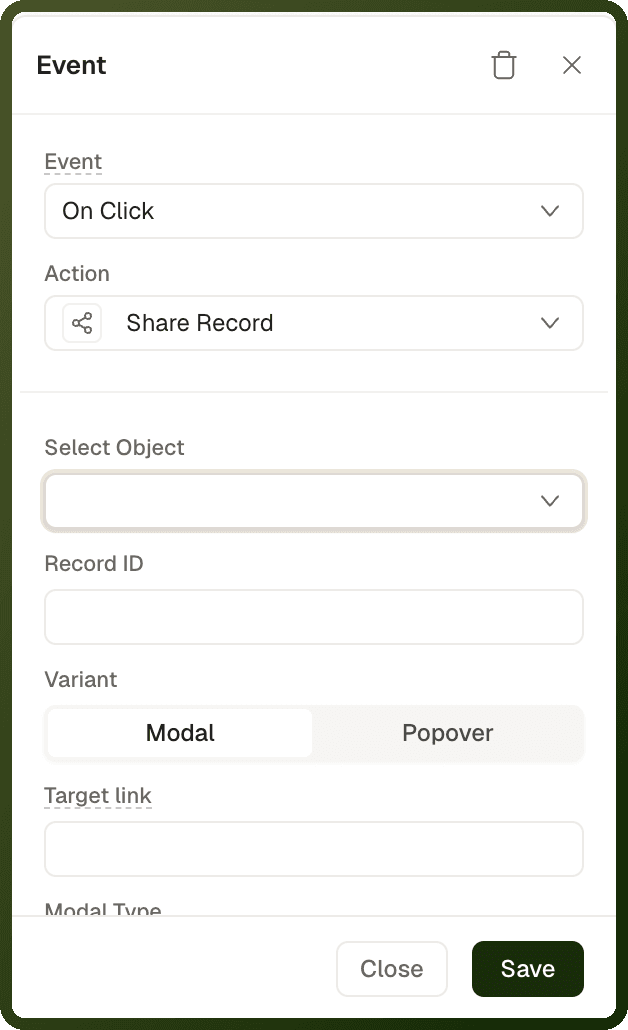
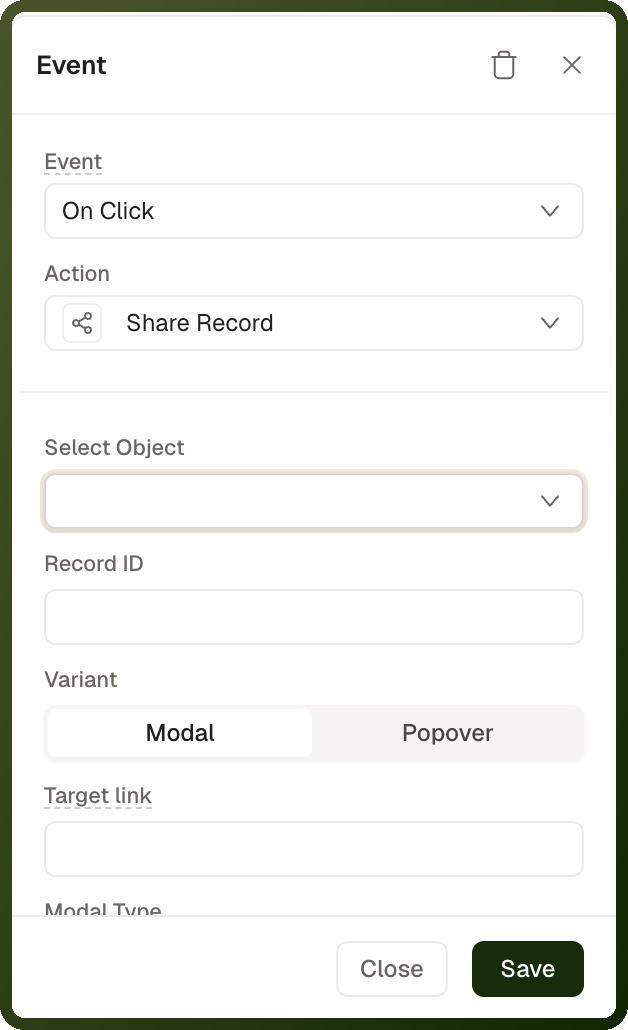
The shareEntityRecord action (Share Record in the action picker) opens UnifyApps' share dialog for one object record. In the dialog, the user grants other users, teams or roles access to that record. Any access granted there is a real permission change — it changes who can see the record.
Note: To share a link or an image through the device's share sheet instead, use the Open Share Dialog action. Share Record does not open the OS share sheet or copy a link.
Parameters
Field | Required | Description |
|---|---|---|
Select Object ( | Required | The object the record belongs to, picked from the object lookup. It is saved as the object's ID (for example et_project), so pick it rather than typing a name. If empty, the action does nothing. |
Record ID ( | Required | The ID of the record to share. Accepts bindings, for example the selected row's ID. If empty, the action does nothing. |
Variant ( | Optional | Modal (default) opens a centered dialog. Popover opens a panel attached to a block. |
Modal Type ( | Optional | Modal only. Invite only (default) invites named users and teams. General access also offers access levels (restricted, everyone in a space, anyone with the link) and reads Title, Space ID, Default Role and Allowed Roles. |
Anchor Block ( | Required for Popover | The block the popover attaches to, such as a share icon. Without it, the plain modal opens instead and the popover fields are ignored. |
Title ( | Optional | Popover or General access only. The heading of the dialog. Defaults to "Share". |
Space ID ( | Optional | Popover or General access only. The space ID passed to the share dialog. |
Default Role ( | Optional | Popover or General access only. The role pre-selected for new invitees. |
Allowed Roles ( | Optional | Popover or General access only. Limits which roles can be assigned in the dialog. Pick the roles from the list. |
Target link ( | Optional | The page and parameters the shared link opens. Leave empty to link to the current page. |
Limit users to ( | Optional | Popover or General access only. Entity type and Permissions (for example VIEW, ALL) limit which users can be picked in the share dialog. Leave both empty for no limit. |
How It Behaves
The Invite only modal ignores the role settings. Title, Space ID, Default Role and Allowed Roles apply only to the Popover and to the General access modal. To restrict roles without a block to attach to, use Modal with Modal Type set to General access.
What chained actions wait for depends on the platform. On web, actions chained after it run after the first successful share or when the dialog closes, whichever comes first. Closing the dialog without sharing still counts as success; only an error counts as failure. On mobile, they run as soon as the share sheet opens, so a refetch in On Success will not see changes made in the sheet.
On mobile apps, the share UI opens as a bottom sheet for both variants, and it opens even if the object or Record ID can't be resolved.
Step-by-Step Usage Guide
Add a share button: On a record page, or inside a Table or Repeatable row, add a button or icon button with a share icon. In its click event, add a Share Record action.
Choose the record: Set Select Object to the record's object and Record ID to a binding that returns the record's ID.
Choose how it opens: Leave Variant as Modal, or choose Popover and set Anchor Block to the share icon.
Choose the Modal Type (Modal only): Keep Invite only to invite named users and teams, or choose General access to also offer access levels. The role settings in the next step apply to a modal only when Modal Type is General access.
Limit the access users can grant (optional): For a Popover or a General access modal, set Default Role and Allowed Roles.
Set the link (optional): In Target link, enter the page and parameters the shared link should open. Leave it empty to link to the current page.
Test it: Preview the app and click the share button. The share dialog (or the popover next to the anchor block) opens for that record. Share it with a test user, then sign in as that user and check that they can open the record.
Examples
Share a project from a popover attached to a share icon
{ "actionType": "shareEntityRecord", "payload": { "entityType": "et_project", "entityId": "{{ pageInputs['projectId'] }}", "variant": "POPOVER", "anchorBlockId": "b_shareIcon", "title": "Share project", "defaultRoleId": "ROLE_ID", "allowedRoleIds": ["ROLE_ID"] } }
Share a row's order in the General access modal
{ "actionType": "shareEntityRecord", "payload": { "entityType": "et_order", "entityId": "{{ currentRow['id'] }}", "variant": "MODAL", "modalVariant": "GENERAL_ACCESS", "targetLink": "/order-details?orderId={{ currentRow['id'] }}" } }