


Infinite loading turns a data source's response from one fixed window into an append-only list: the first run fetches a page, and consuming blocks ask for the next page when the user scrolls to the end, with each new page added below the ones already shown. The user sees one continuously growing list; behind it the data source issues one request per page.
Which Data Sources Load Infinitely
Infinite loading is not a toggle on the data source. Two things must both be true: the data source's operation must be a supported type (table below), and a block that consumes it must ask for it. On its own, a supported operation is fetched once like any other data source.
Operation type | Supports infinite loading | Note |
|---|---|---|
Storage → Fetch Records with multiple records ( | Yes | Switching to |
Audit queries | Yes | Always supported. |
Standard entity fetches | Yes | Always supported. |
Analytics query reports | Yes | Always supported. |
Call automation (any) | Yes | Always supported, whatever the automation returns. |
Any other operation, or a single-record fetch | No | Returns one response. Use the operation's limit/offset inputs to page by replacement. |
Turning it on
A supported data source loads infinitely only when a consuming block requests it:
Timeline — always requests infinite loading.
Table, Repeatable or Image Grid — set the block's Pagination add-on to Scroll based (a new Pagination add-on starts as Page based). Then bind the data source's limit and offset inputs to the block's page size and offset (for a Repeatable,
{{ repeatable1.pagination.pageSize }}and{{ repeatable1.pagination.offset }}), and bind the block's Total Records to the same data source's total count. For a Storage → Fetch Records source, turn on Include count of records matching query and bind Total Records to{{ orders_list.data.total }}.
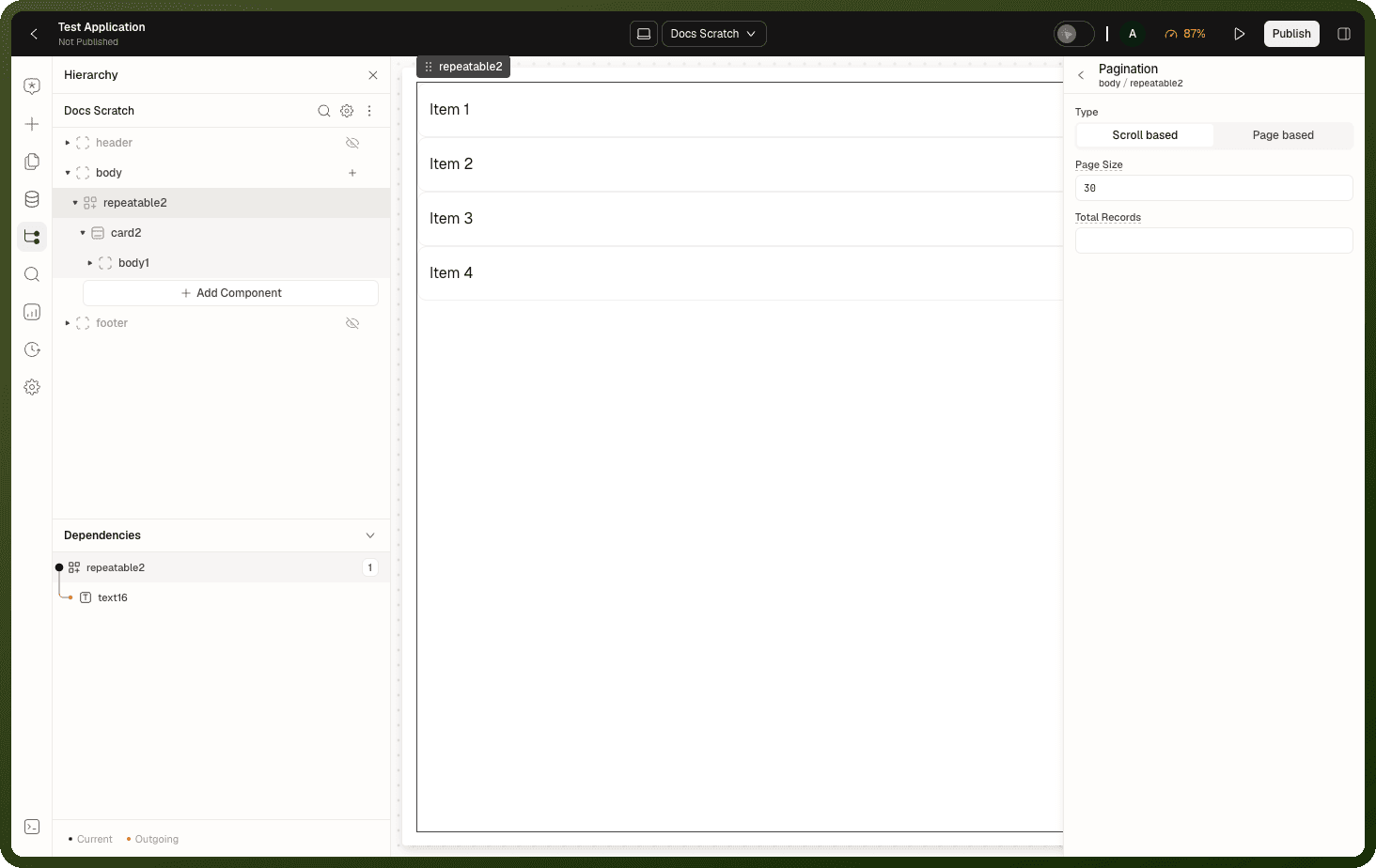
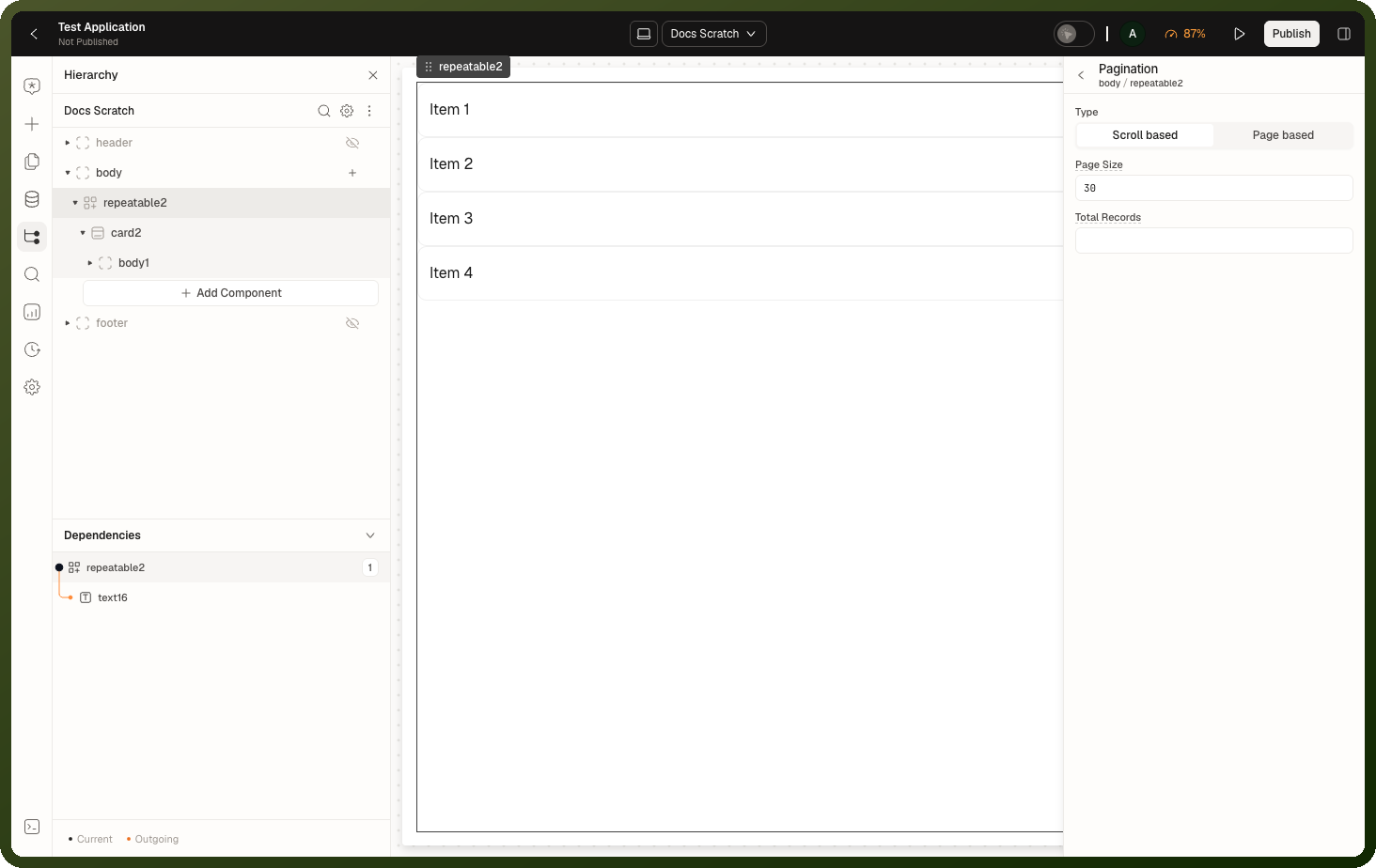
If any of these wires is missing, the data source is fetched once and the list never grows.
How Paging is Wired
An infinite data source's pagination is described by a handful of paging signals that tell the platform where paging information lives in the request and response.
Paging signal | Table, Repeatable, Image Grid | Timeline |
|---|---|---|
Items array | The block's data binding. |
|
Page size | The block's Pagination page size (30 by default), passed through the data source's limit input. | The data source's limit input. |
Offset | The block's page offset, passed through the data source's offset input. Advances by page size after each fetch. | The data source's offset input. |
Has-more signal | Not used. |
|
Total count | The block's Total Records binding. More pages exist while the total is greater than offset + page size. | Not used when a has-more path is set. |
Has-Next-Page Decision Logic
The "is there more?" decision follows a strict precedence:
Has-more path — if a has-more path is configured, its value in the response decides. If the value is missing from the response, loading stops; the platform does not fall back to the total count. Only Timeline uses a has-more path.
Total count — otherwise, more pages exist while the total count is greater than the current offset plus the page size. Table, Repeatable and Image Grid always use this.
Neither available — loading stops after the current page with no error. The list simply never grows.
What Consuming Blocks See
Blocks bound to an infinite data source read one combined response, not a stack of pages.
Exposed state key | Description |
|---|---|
data.objects | Every fetched page's items combined into one flat array, in order. New items append as pages load. |
isLoading | True during the very first page fetch. |
isFetching | True during any fetch — first page or subsequent pages. |
isFetchingNextPage | True specifically while a next-page fetch is in flight. Use this to show a "loading more" indicator without hiding the already-loaded items. |
hasNextPage | True while more pages exist. Use it to show or hide an end-of-list message. |
error | Present when the last page fetch failed. |
Note: Timeline, and a Table, Repeatable or Image Grid set to Scroll based, request the next page themselves when the user reaches the end. There is no action that fetches the next page: Trigger Data Source refreshes from the first page, so a "Load More" button can't be wired. Pages load on scroll only.
Binding Example
Example — Binding an infinite data source to a repeatable list
Data source:
orders_list(Storage → Fetch Records, Number of records to fetch: Multiple, Include count of records matching query on)Repeatable: Pagination add-on → Type = Scroll based
orders_listlimit input:{{ repeatable1.pagination.pageSize }}orders_listoffset input:{{ repeatable1.pagination.offset }}Repeatable's content property:
{{ orders_list.data.objects }}Repeatable's Total Records:
{{ orders_list.data.total }}Loading-more indicator:
{{ orders_list.isFetchingNextPage }}End-of-list message visibility:
{{ !orders_list.hasNextPage && !orders_list.isLoading }}
When Inputs Change
Changing a bound input (filter, sort, search) starts the list over: the new inputs define a new result set, so paging restarts from the first page rather than appending mismatched results. The previously loaded list stays visible while the fresh first page loads — the block doesn't blank out during the switch.
Tip: You don't need to manually reset pagination state when a filter changes. The infinite data source detects the input change and automatically resets to page 1 on the next render cycle.
Transforms and Infinite Loading
A response transform on an infinite data source runs per page. The transformed pages' item lists are combined — but the has-more flag and total count are read from the transformed response, not the raw one. If your transform returns only the items array and discards the paging signals, the list silently stops after the first page.
Warning: When using a transform on an infinite data source, preserve the hasMore flag (and/or total count) in whatever shape your transform returns. Dropping them causes the first page to look like the last.
Offset Paging vs Infinite Loading
Behavior | Offset paging | Infinite loading |
|---|---|---|
New pages replace or append? | Replace — shows a different window | Append — grows the list downward |
How configured | Limit/offset inputs of the data source operation, bound to the block's page size/offset, with Pagination set to Page based | A supported operation type, plus Pagination set to Scroll based (or a Timeline) with the limit/offset and Total Records wires |
Scroll-to-load behavior | Not automatic — users move between pages | Built in to the consuming block |
Binding path |
|
|
For page-based paging and the Filters block, see Filters, Sorting & Pagination. For transforms on paged sources, see Response Transforms.
Gotchas
Gotcha | Details |
|---|---|
No paging signal = one page, silently | If the response exposes neither a has-more flag nor a usable numeric total, loading ends after the first page with no error — the list just never grows. |
A transform that drops paging signals | Returning only the items array from a transform strips the has-more flag or total count. The list stops after page 1 with no error or warning. |
Non-list fields show the latest page only | Any per-page metadata (such as a page-scoped count) reflects the last fetch, not the accumulated total. Binding a "total shown" label to such a field will look wrong after page two. |
A supported operation alone is not enough | The data source pages only when a consuming block asks for it (Timeline, or Pagination set to Scroll based with the limit/offset and Total Records wires). Without that, the same source is fetched once. |