


Warning: Mostly mobile-only. Control Device Permissions, Control Push Notifications, Control Biometrics and Mobile Utils appear in the action picker only in mobile apps. If one of them runs in a web app anyway (for example, on a page copied from a mobile app), Control Device Permissions, Control Push Notifications and Mobile Utils do nothing, and Control Biometrics fails, so its On Failure actions run. Control User Location (Update Geolocation) and Send MQTT Event work in both web and mobile apps.
Overview
These actions use the device: permissions, push registration, location, biometric sign-in, image preloading and MQTT messages. Each section below lists the action's fields and what it writes.
Actions at a Glance
Action Type | Builder Label | Platform | Use When |
|---|---|---|---|
controlDevicePermissions | Control Device Permissions | Native mobile | Request or check OS permissions (camera, mic, location, notifications) |
controlPushNotifications | Control Push Notifications | Native mobile | Register the device for push notifications |
controlUserLocation | Control User Location → Update Geolocation | Web + Mobile | Capture device GPS location on demand |
manageBiometrics | Control Biometrics | Native mobile | Enroll, revoke, or verify biometric (fingerprint/face) login |
mobileUtils | Mobile Utils | Native mobile | Preload images for the next screen |
sendMQTTEvent | Send MQTT Event | Web + Mobile | Publish a message to one of your app's MQTT topics |
controlDevicePermissions — Control Device Permissions
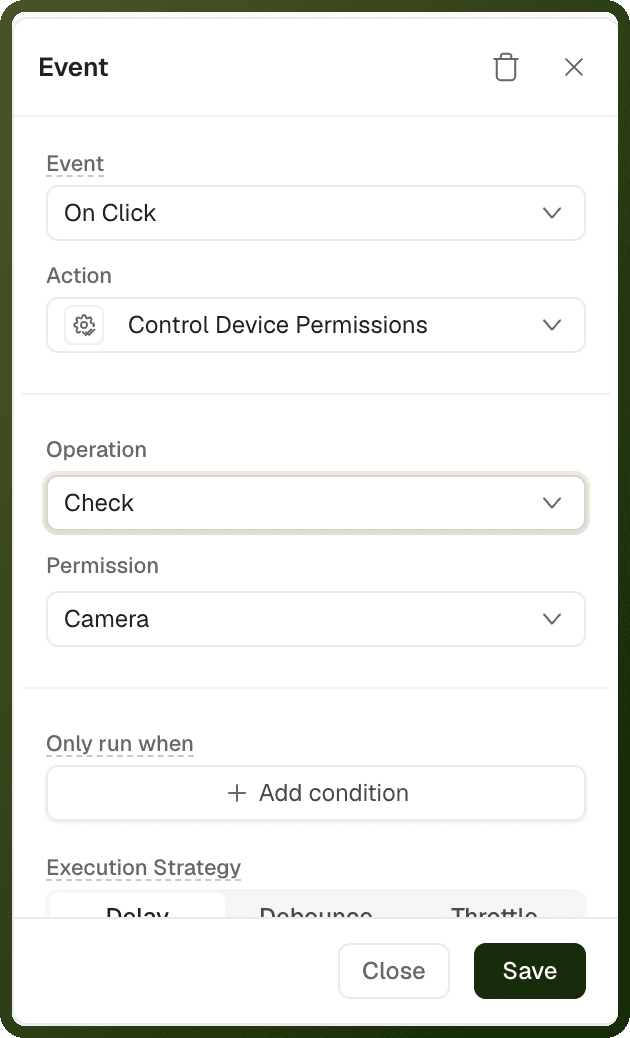
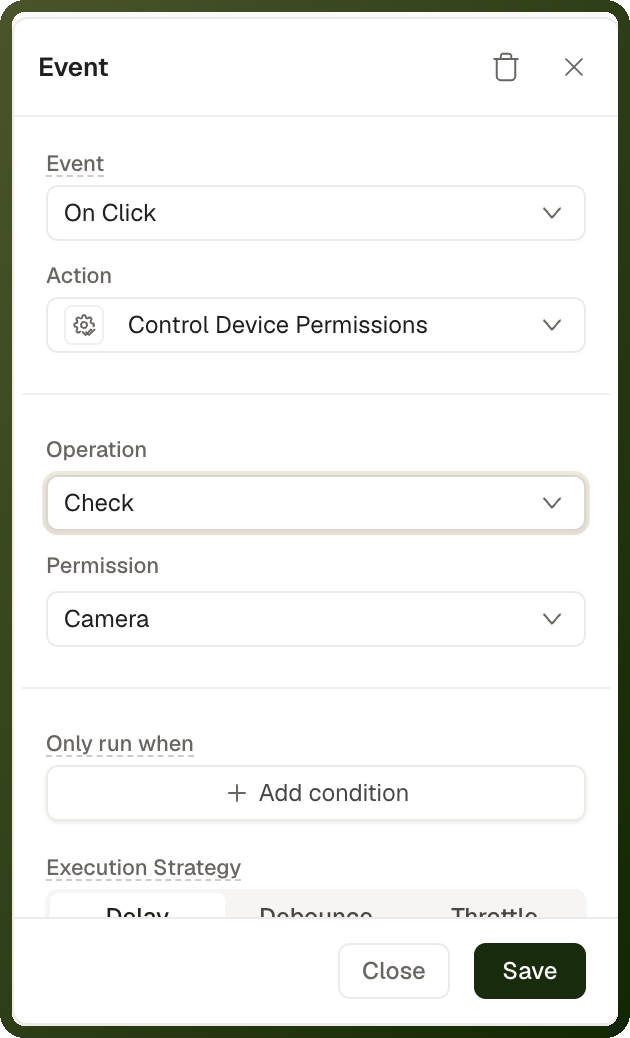
Checks or requests an OS-level permission on a native mobile device. The result is written to device context under deviceContext.permissions.<type>.allowed — read it via a binding, not a return value. The entry exists only after the action has run for that permission.
Parameters
| Parameter | Type | Required | Default | Description |
| operation | "check" | "request" | Optional | "check" | check reads the current OS state silently (no dialog). request shows the OS permission prompt. Once permanently blocked, request shows a "Go to Settings" alert instead of a prompt. |
| permissionType | "CAMERA" | "MICROPHONE" | "LOCATION" | "PUSH_NOTIFICATIONS" | Optional | "CAMERA" | Which OS permission to act on. |
Output — Device Context Keys
permissionType | Stored under | Read via binding |
|---|---|---|
CAMERA |
|
|
MICROPHONE |
|
|
LOCATION |
|
|
PUSH_NOTIFICATIONS |
|
|
Tip: Pattern: Request a permission first, then bind the dependent feature's visibility to the result in device context. Bindings re-evaluate as soon as the result is written.
Examples
Request camera permission before scanning
{ "actionType": "controlDevicePermissions", "payload": { "operation": "request", "permissionType": "CAMERA" } } // Then bind the scanner's visibility: // visibility conditions → {{ deviceContext.permissions.camera.allowed }} EQUAL true
Check location permission silently
{ "actionType": "controlDevicePermissions", "payload": { "operation": "check", "permissionType": "LOCATION" } }
controlPushNotifications — Control Push Notifications
Registers the current native device for push notifications: requests OS notification permission, obtains the device's push token, and saves it to the backend so the device can receive server-sent pushes.
Parameters
| Parameter | Type | Required | Default | Description |
| operation | "registerPushNotifications" | Optional | "registerPushNotifications" | The only supported operation — register this device for push notifications. |
Warning: Silent no-op conditions: The action does nothing, and shows no message, when:
It runs in a web app.
Push notifications are not enabled for the app. There is no builder setting for this; ask the UnifyApps team to turn push on for your app.
The app is a public app (push targets signed-in users).
The device's push token can't be fetched.
The only case that shows anything is a permanently blocked permission: the user sees an alert offering Go to Settings.
Register for push after the user opts in
{ "actionType": "controlPushNotifications", "payload": { "operation": "registerPushNotifications" } }
controlUserLocation — Update Geolocation
Reads the device's current GPS coordinates once and writes them to device context under deviceContext.location. Works on both web (browser location API) and native mobile. Requires Enable Location Tracking to be on in Settings → Advanced Settings → Location Tracking.
Parameters
This action takes no configurable inputs. In the builder, add Control User Location and set User Action to Update Geolocation. It is saved as action type controlUserLocation with "userControlAction": "updateGeolocation". For continuous background tracking with the same action, see Track Live Location.
Output — Device Context
Field | Type | Description |
|---|---|---|
deviceContext.location.status | string |
|
deviceContext.location.coordinates.latitude | number | Latitude when status is GRANTED |
deviceContext.location.coordinates.longitude | number | Longitude when status is GRANTED |
deviceContext.location.isMocked | boolean | Mobile only: true if the GPS is spoofed/mocked |
Warning: Fails when location tracking is disabled. The action checks the interface's location tracking setting first. If disabled, it fails with "Location tracking is not enabled" without reading any position. Also fails if permission is denied — but still writes the denied status to device context before failing.
Capture location for a nearby search
// Action: Control User Location → Update Geolocation // (no payload fields needed) // Then bind to the coordinates: {{ deviceContext.location.coordinates.latitude }}, {{ deviceContext.location.coordinates.longitude }}
manageBiometrics — Control Biometrics
Enrolls, revokes, or verifies biometric (fingerprint/face) login for the current user on a native mobile device. In a web browser it fails, so its On Failure actions run.
Parameters
| Parameter | Type | Required | Default | Description |
| method | "enroll" | "revoke" | "verify" | Optional | "enroll" | enroll: Prompts biometric auth, generates a key pair in the secure enclave, registers the public key with the backend. revoke: Deregisters the device, deletes the key pair — the user must re-enroll to use biometrics again. verify: Prompts biometrics, signs a challenge with the private key, and sends it for backend verification. |
Result and Failure
The action returns no value to the page. Use its On Success and On Failure actions to react to the result.
verify: On Success runs only after the user passes the biometric prompt and the signed challenge is accepted. If biometrics aren't available, the user cancels or fails the prompt, or the check is rejected, the action fails and On Failure runs. Gate the next step of a biometric login on On Success.
enroll and revoke also fail, and run On Failure, when biometrics aren't available on the device.
Examples
Enable Face ID / fingerprint login
{ "actionType": "manageBiometrics", "payload": { "method": "enroll" } }
Verify biometrics on login
{ "actionType": "manageBiometrics", "payload": { "method": "verify" } }
mobileUtils — Mobile Utils (Preload Media)
Preloads a list of image URLs into the device's cache so the next screens render instantly without visible loading delays. Only available in mobile apps.
Parameters
| Parameter | Type | Required | Default | Description |
| operation | "preloadMedia" | Required | — | The operation type. Currently only preloadMedia is supported. |
| urls | string[] | Required | — | Array of image URLs to prefetch. Supports bindings. Non-image URLs are skipped with a warning. An empty resolved list counts as success — safe to use with conditionally-empty lists. |
Note: Use case: Fire this on onPageLoad of a landing or list screen, passing the image URLs of the next screen's hero images. Navigation to that screen will then render images immediately.
Preload hero images for the next screen
{ "actionType": "mobileUtils", "payload": { "operation": "preloadMedia", "urls": "{{ ds_products['data'].map(p => p.imageUrl) }}" } }
sendMQTTEvent — Send MQTT Event
Publishes a message to one of your app's configured MQTT topics. Choose the topic in MQTT Topic and fill in Event Message using the fields of the topic's message schema. The platform manages the MQTT connection, so you don't set up a broker yourself. For topic setup, message schemas and receiving messages, see Realtime & MQTT.
Common Patterns
Permission Gate Pattern
The canonical pattern for permission-gated features:
Request the permission: Wire
controlDevicePermissionswithoperation: "request"to a button click event.Read the result from device context: Bind the feature's visibility to
{{ deviceContext.permissions.camera.allowed }}(or the relevant key). Bindings re-evaluate automatically once the result is written.Handle the denied case: Add a visibility condition for the "permission denied" message bound to
{{ deviceContext.permissions.camera.allowed }} EQUAL false.