


Overview
The sendCustomEvent action (Send Custom Event in the action picker) records a named analytics event when the block event you attach it to fires. You pick one of the custom events defined for your app and fill in its attributes; the action sends the event's name and those attributes to your app's analytics.
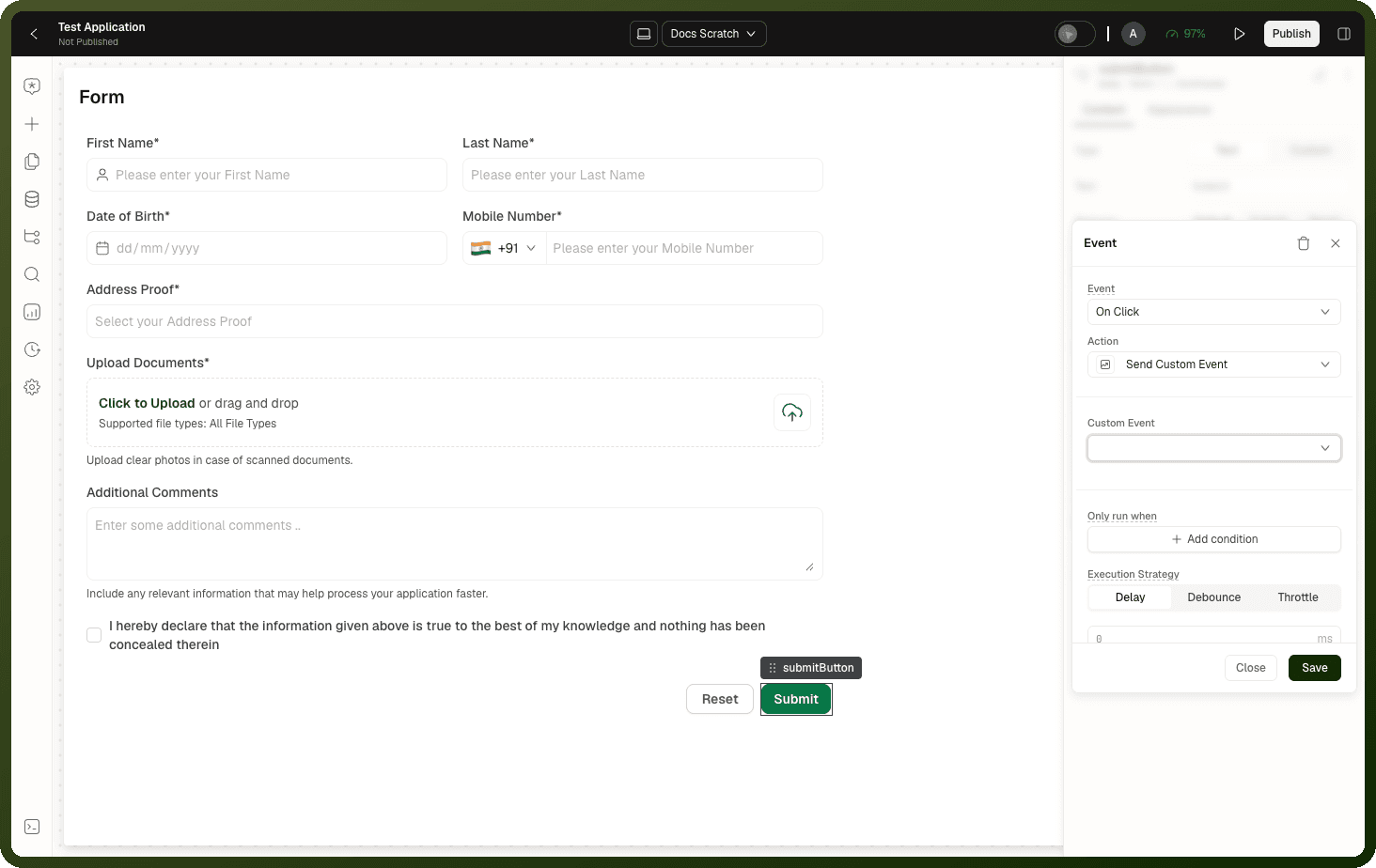
Use it to track moments that standard screen and navigation tracking doesn't capture — a button click, a funnel step, a feature being used.
Note: Send Custom Event is for analytics only. Nothing in the app can listen for a custom event, so it can't trigger other blocks or actions. To signal between blocks on a page, use the Emit Page Event action (see the action catalog in Events & Actions Overview).
Prerequisites
Go to Settings → Advanced Settings → Analytics and turn on Enable Analytics. Custom events can be configured only after analytics is on.
Under Custom Events, click Add Event. Enter an Event Name and, in Event Schema, declare each attribute the event carries (String, Number, Integer, Boolean or Object).
Parameters
Parameter | Type | Required | Description |
|---|---|---|---|
Custom Event ( | string | Required | The custom event to send, chosen from the events defined in the app's Analytics settings. If it doesn't match a defined event (for example, the event was deleted), the action sends nothing and logs an error to the browser console. It doesn't fail, so the actions after it still run. |
Event Payload ( | object | Optional | One field per attribute declared in the selected event's schema. Each value can be static or a binding, and is resolved when the action runs. |
How It Behaves
Undeclared attributes are dropped. Only attributes declared in the event's schema are sent. Any other keys are removed without warning, and an event with no schema is sent with no attributes.
The event is recorded under its Event Name. Analytics receives the name you gave the event, so renaming it changes what is recorded.
Fire and forget. The action doesn't wait for the send, and a failed send doesn't show an error. If analytics isn't set up where the app runs, the event is silently dropped.
Unknown events send nothing. If the selected event no longer exists, nothing is recorded and an error is logged to the browser console. The action still counts as finished: the actions after it run, and its On Failure actions don't. Reselect the event in Custom Event to fix it.
Step-by-Step Usage Guide
Define the event: In Settings → Advanced Settings → Analytics, add a custom event (for example,
Plan upgraded) and declare its attributes (for example,plan).Add the action: On the block event that marks the moment — for example, a confirm button's click — add a Send Custom Event action.
Choose the event: Set Custom Event to the event you defined.
Fill in the payload: In Event Payload, set each attribute, for example bind
planto the selected plan.Check it ran: Open Dev Tools → Pulse and trigger the block event to confirm the action ran. The recorded events appear in the app's Analytics.
To view the recorded events, see App Analytics.
Examples
Track a plan upgrade with the chosen plan
{ "actionType": "sendCustomEvent", "payload": { "eventId": "PLAN_UPGRADED_EVENT_ID", "eventPayload": { "plan": "{{ select_plan['value'] }}" } } }
In the builder you pick the event by name; the stored payload holds its ID.