


What Is a Slot?
A slot is a named insertion point: a spot inside a block or a template that is reserved for child blocks you — or someone reusing your work — drop in later. The block owns its layout; the slot is the hole in that layout deliberately left open.
Slots are what make a reusable piece configurable — the template author decides where outside content may go, and each person who uses it decides what goes there.
Two Flavors of Slots
1. Built-in slots on blocks
Some blocks reserve fixed regions for your content. These slots are part of using the block — no template involved:
Card — has a header area and a body area you fill with any blocks
Form fields — every form field carries a header and a footer region where you can add blocks around the input
You fill these directly on the canvas by adding blocks into the designated area.
2. The Slot block (in the block picker)
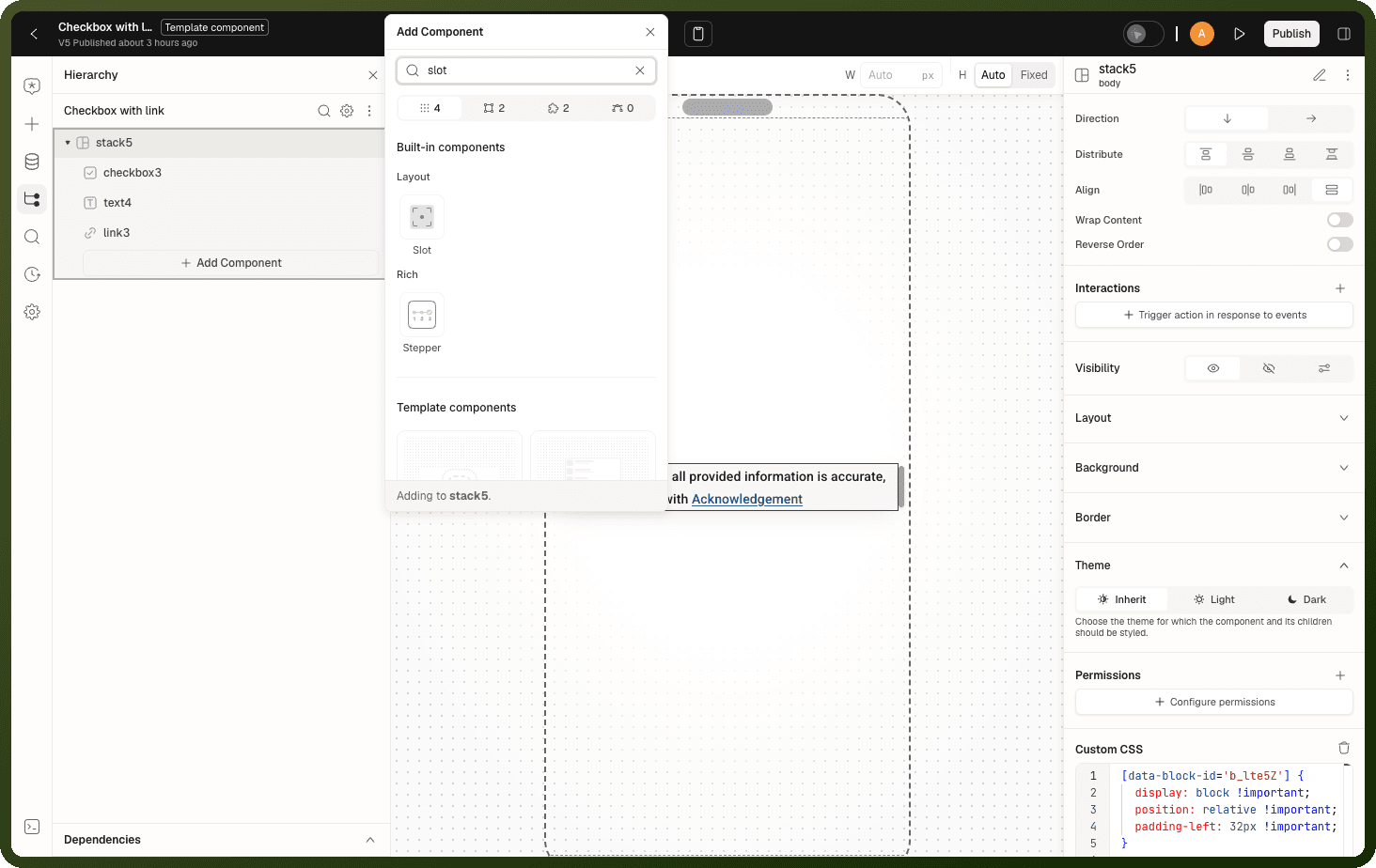
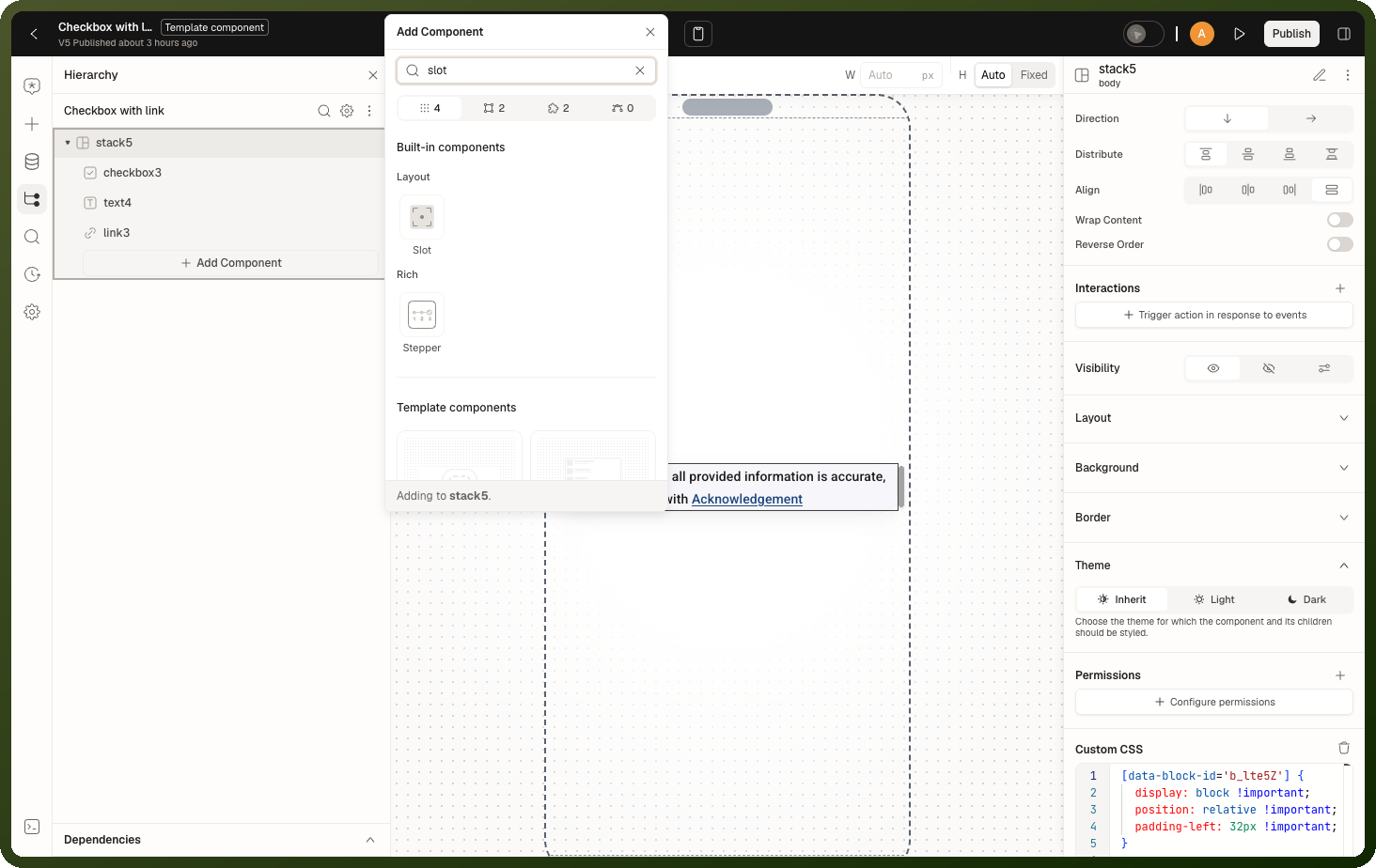
In the block picker's Layout category there is a block literally named Slot. You place it inside a template component while designing the template, to declare "content from whoever uses this template appears here." When someone later drops your template onto their page, each Slot you placed becomes a fillable area they populate with their own blocks.
Declaring a Slot in a Template (Author Side)
While editing a template component, drag a Slot block to the spot where consumer content should appear. Each slot carries:
Field | Where to set it | Description |
|---|---|---|
Key ( | Generated automatically, not shown | The stable, unique identifier placements bind their content to. You never type it and can't rename it. Deleting and re-adding the Slot block creates a new key, so content consumers placed in the old slot is lost. |
Label ( | Content → Label | The human-readable name consumers see for this area. Safe to rename anytime. |
Description ( | Content → Description | Optional hint consumers see when they add content to this slot on their page. Safe to change anytime. |
Context schema ( | Content → Context schema | Typed fields this slot publishes to the content placed in it. See Passing Values into Slot Content. |
Context value ( | Content → Context value | The actual values for the context schema fields, bound from the template's data. |
While editing the template, the slot shows a single add-block placeholder. It accepts exactly one block — once you pick one, the placeholder is gone. To stage a richer arrangement, make that one block a layout container and build inside it.
The Slot block has no events, no callable methods and no styling of its own. It is a render-transparent placeholder.
Filling a Slot (Consumer Side)
When a template component with slots sits on a page, each slot is a fillable area of that instance. You add blocks into it the same way you add blocks anywhere — the builder labels the destination with the slot's name so you always know which insertion point you're filling.
The blocks you put into a slot belong to your page — they keep your page's data bindings and can carry their own interactions. The template component doesn't own them.
How Slots Render
At runtime the slot is a pure pass-through:
If the consumer filled it → their blocks render at that spot, inside the template's layout
If they left it empty → the slot renders nothing — no placeholder, no empty frame, no reserved space
Note: A layout that looks balanced in the template editor can look different in an instance whose slots were left empty. Design the surrounding layout so it still reads well with the slot absent.
Passing Values into Slot Content
A slot can publish values to whatever gets placed inside it. The template author defines:
Context schema — a set of named, typed fields the slot exposes. Click Add context to add a field, or Use code snippet to describe them as code. Types include String, Number, Integer, Boolean, Icon, Date, Date Time, Object, Array, Single Select Dropdown and Multi Select Dropdown.
Context value — the actual values supplied from the template's own data, bound as expressions
Blocks dropped into the slot can then bind to those context values, so a template can hand each slot exactly the piece of data it needs — without the filler knowing anything about the template's internals. On the instance, the context is available as slot state:
{{ instanceId.slots.slotKey.context }}
For example, blocks that fill a slot named footer on an instance with the ID card1 read {{ card1.slots.footer.context }}. See Inputs, Slots & Overrides.
Slots Inside Repeated Content
When a template instance sits inside a repeating block (Repeat, table, stepper), the content you placed into its slots is rendered once per item — and each copy sees its own item's context values. You fill the slot once; the repetition and per-item scoping happen automatically.
Constraints and Rules
A slot outside a template renders nothing in the published app. Drop a Slot on a plain page and it only shows an editing area in the builder. In the live app outside a template, it is completely invisible.
You can't place a slot directly inside another slot. The builder hides the Slot block when you're already inside one.
Deeply nested templates hit a depth cap of 16. Past this level the deepest instance shows an error placeholder — the guard against circular component nesting.
Related Pages
Template Components Overview — where slots are most commonly used
Inputs, Slots & Overrides — declaring and filling slots on template components
Creating a Template Component — the author's workflow