


Overview
The Control Offline Mode action works with the offline database that a mobile app keeps on the device. Use it to sync that database with the server, or to clear it.
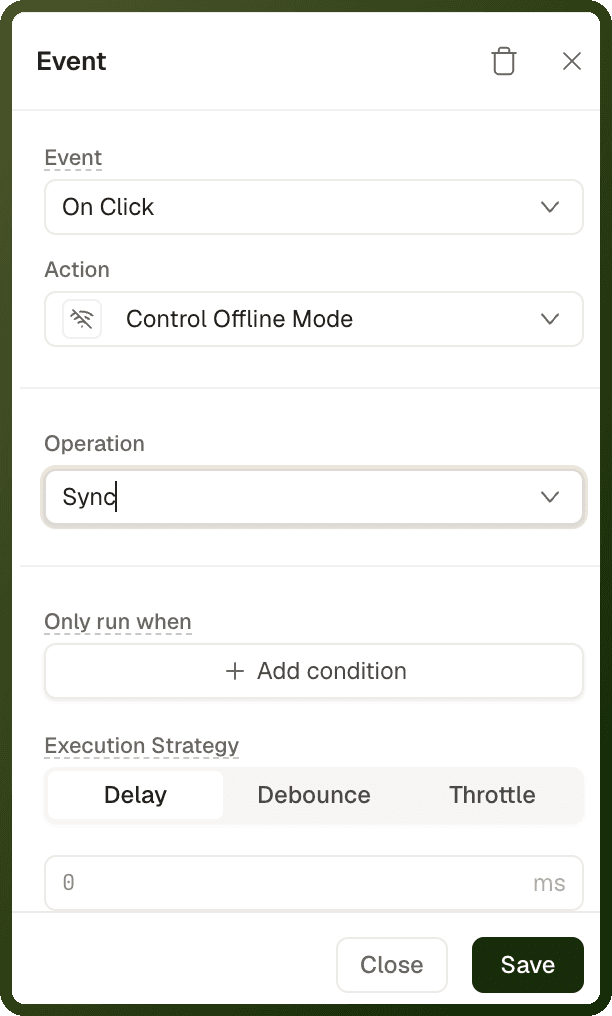
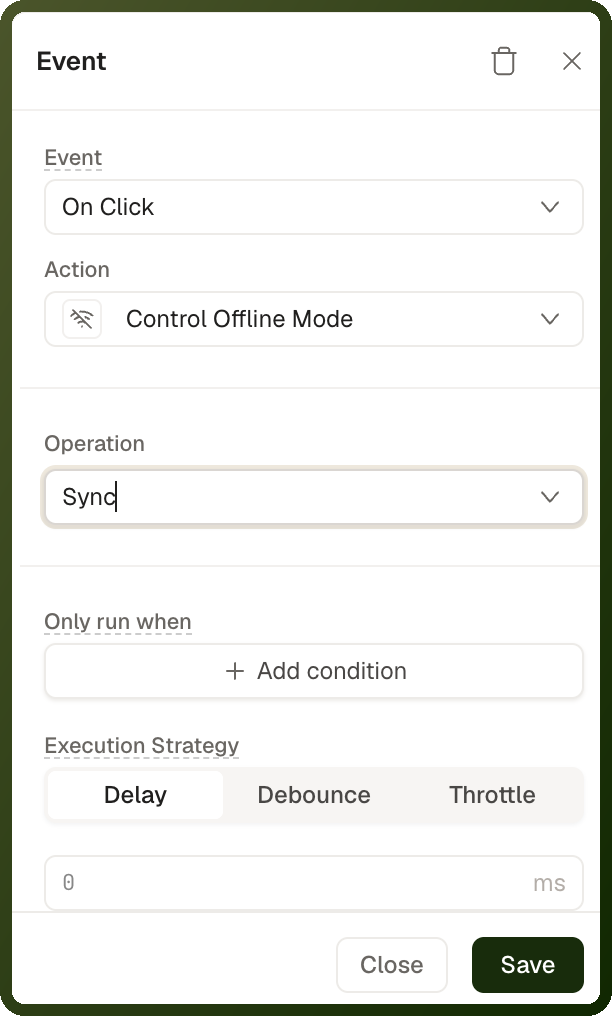
The action is available in mobile apps only, and it works only when offline mode is enabled for the app. If offline mode is not enabled, the action does nothing and shows no message. You can't turn offline mode on in the builder: there is no setting for it, so ask the UnifyApps team to enable it for your app. See Offline Mode for how it works.
Parameters
Field | Options | Description |
|---|---|---|
Operation | Sync (default), Reset | Sync exchanges changes between the device's offline database and the server. Reset deletes everything in the device's offline database. |
How it behaves
Reset deletes unsynced changes. Reset does not sync first, so any changes made offline that have not reached the server are lost. Run Sync before Reset if you need to keep them.
Reset fails during a sync. If a sync is running, Reset fails instead of clearing the database. Your On Failure actions run.
Quick repeated syncs run once. Tapping a Sync button several times in quick succession starts one sync. A sync that is already running is not queued again.
A failed sync does not fail the action. The sync retries on its own. If it still fails, the action is reported as successful, so don't rely on On Failure to detect a failed sync. Instead, bind a warning to
{{ deviceContext['offlineMode']['isSyncError'] }}, which is true after a sync failed, and show{{ deviceContext['offlineMode']['lastSyncTimestamp'] }}so users can see how fresh the data is. Offline Mode lists all the sync-status bindings.
Checking connectivity
This action does not switch the app online or offline. To check whether the device is offline, use {{ deviceContext['network']['isOffline'] }}.
Use Cases
Sync Now button
Give field users a Sync Now button that pulls the latest server data into the offline database when they know they are back online, instead of waiting for the automatic sync.
Clear offline data
Offer a Clear offline data button for troubleshooting or sign-out. Ask the user to confirm first, because Reset deletes changes that have not been synced.
Examples
Sync the offline database
{ "actionType": "controlOfflineMode", "payload": { "operation": "sync" } }
Clear the offline database
{ "actionType": "controlOfflineMode", "payload": { "operation": "reset" } }