


Everything between {{ and }} is an expression. There are two kinds — path bindings and full expressions — and the difference matters for how results are typed and when failures occur. A value with no {{ }} in it is plain text and is never evaluated.
Note: The content inside {{ }} is evaluated as real JavaScript against a context object where every entity on the page is already in scope by its name. This means all JavaScript operators, methods, and syntax work — and it also means name mistakes fail silently rather than showing an error.
Path Bindings
A path binding is a bare reference — a name followed by dots or brackets, with no spaces or operators inside the path itself. Spaces just inside the braces don't count: {{ user.name }} is still a path binding.
Valid path bindings
{{user.name}} {{items[0]}} {{data['key with spaces']}} {{orders_table.selectedRow.id}} {{orders_query.data.objects}}
Path bindings are the most common form. They preserve the referenced value's type — an array stays an array, an object stays an object.
Full Expressions
The moment the content has an operator, a function call or a space inside the expression itself (not just around it), it is evaluated as a full JavaScript expression. See Evaluation and Safety for how full expressions behave when a value in the chain is missing:
Full expression examples
// Arithmetic {{ order.qty * order.price }} // Ternary / conditional {{ status === 'open' ? 'Active' : 'Closed' }} // Template literal {{ `Order #${order.id} — ${order.status}` }} // Array method with arrow function {{ orders_query.data.objects.filter(o => o.total > 100).length }} // Optional chaining and nullish coalescing {{ order?.customer?.email ?? 'No email' }} // Utility helper {{ utils.formatDate(order.createdAt, 'dd MMM yyyy') }} // Object literal lookup {{ ({ open: 'green', closed: 'red' })[order.status] }}
Type Rules
A single binding preserves its type
When the entire value is one binding (possibly with surrounding whitespace), the result keeps the referenced type:
| Expression | Referenced type | Result type |
{{ orders_query.data.objects }} | Array | Array (can be used as Table data) |
{{ order.qty * order.price }} | Number (computed) | Number |
{{ is_active.value }} | Boolean | Boolean (can drive checkbox default) |
{{ user.name }} | String (leading/trailing spaces ignored) | String |
Mixing text and bindings always produces a string
The segments are joined with JavaScript's + operator, which coerces everything to a string:
Mixed text + binding
// This is a string, even though user.age is a number: "Age: {{ user.age }} years" → "Age: 32 years" // An object in mixed context is stringified: "Order: {{ order }}" → "Order: [object Object]" // ↑ Bind the specific field instead: "Order: {{ order.id }}"
Two adjacent bindings — the addition trap
Two bindings with no text between them are joined with JavaScript's + operator. If both resolve to numbers, they add rather than concatenate:
Adjacent bindings
// a = 1, b = 2: {{a}}{{b}} → 3 (numeric addition — probably not what you wanted) {{a}} {{b}} → "1 2" (string join — space between makes it text)
Bracket Notation vs Dot Notation
Both are valid JavaScript property access and both work in bindings. The builder writes bracket notation for paths it generates; you can use either:
| Notation | Example | When to prefer it |
| Bracket | {{ block['value'] }} | Keys that aren't valid identifiers (contain dashes, spaces, or start with a number). The builder writes this form when it generates a binding for you; you don't need to change it. |
| Dot | {{ block.value }} | Simple alphanumeric keys. Shorter to read. |
What's Not Valid
| You write | What happens |
{{}} or {{ }} | Renders empty — an empty expression is not valid JavaScript; failures are silent. |
{{ {{name}} }} | Renders empty — a binding nested inside a binding is not valid; braces-inside-braces is not valid JavaScript in an expression context. |
Hello {{user.name (unclosed) | Not a binding — the value must have a matching }}, so this stays literal text exactly as typed. |
{{ // my comment }} | Renders empty — line breaks inside {{ }} are removed before evaluation, so everything after // (including the expression) is commented out. |
{{ variables.myVar }} | Renders empty — there is no variables namespace. Reference the entity by its binding name: {{ my_var.value }}. |
Tip: An object literal {{ ({ open: 'green', closed: 'red' })[status] }} is valid — the builder tracks brace depth, so inner { } pairs belonging to your JavaScript are kept inside one binding segment. Only a nested {{ }} binding (a binding-inside-a-binding) is not allowed.
Supported JavaScript Syntax
The full range of JavaScript expression syntax is available inside {{ }}:
| Feature | Example |
| Optional chaining | {{ order?.customer?.email }} |
| Nullish coalescing | {{ order.total ?? 0 }} |
| Ternary | {{ active ? 'On' : 'Off' }} |
| Template literals | {{ `${order.id}: ${order.status}` }} |
| Array methods | {{ items.filter(i => i.qty > 0).length }} |
| Object spread | {{ ({ ...order, status: 'open' }).status }} |
| Math and string methods | {{ Math.round(total * 100) / 100 }} |
| Logical operators | {{ isAdmin && hasPermission }} |
| Comparisons | {{ order.status === 'open' }} |
Utility helpers (utils.*) | {{ utils.formatDate(order.createdAt, 'dd MMM yyyy') }} |
Silent Failures
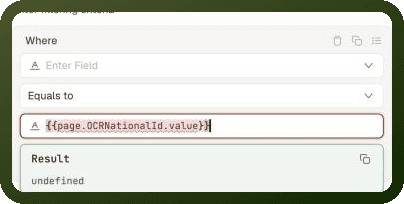
An expression that throws an error or evaluates to undefined produces an empty value — not an error screen. The page continues rendering. Common causes:
Referencing a name that doesn't exist in the page context
Calling a method on
undefinedwithout optional chainingA misspelled entity name
A data source that hasn't loaded yet (the path exists but the value is
undefined)
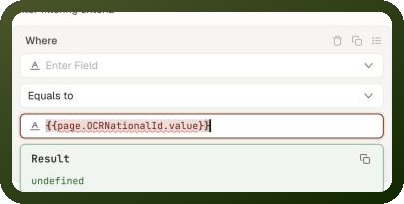
Tip: The quickest check is the Result preview under the field you're editing: it shows what the binding evaluates to right now, or the error. If that doesn't explain it, temporarily bind the whole data source object — e.g. {{ orders_query }} — to a Text block to see its full current state, or inspect the data source's Output panel after running it.
For the names you can reference, see Binding Context. For the utils helpers, see Built-in Utilities.