


The CSV node reads rows out of a delimited file. For large files, use batch (streaming) mode paired with a Loop so rows flow through without loading the entire file into memory at once.
Overview
The read side of the CSV node parses a delimited file into rows of named or positional fields. A header row is optional but recommended — when present, each row's values are keyed by the column name declared in the header, making downstream step configuration clearer. The node supports comma, tab, semicolon, pipe, colon, and space delimiters, and reads files as UTF-8 by default. For small files, in-memory reading is straightforward. For large files, streaming mode reads the file in chunks without loading it whole, and is designed to pair with a Loop node for row-by-row processing.
Operations
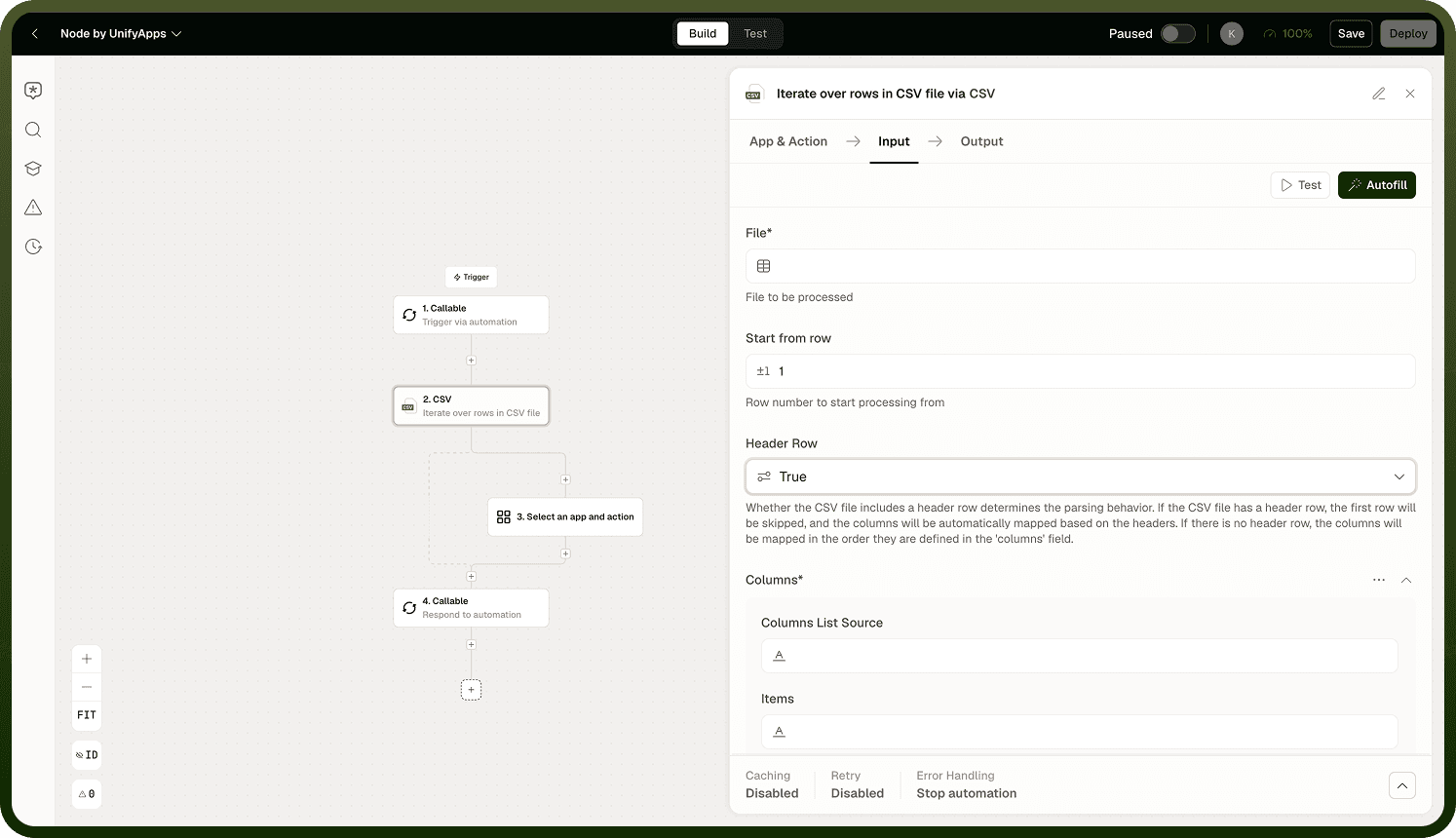
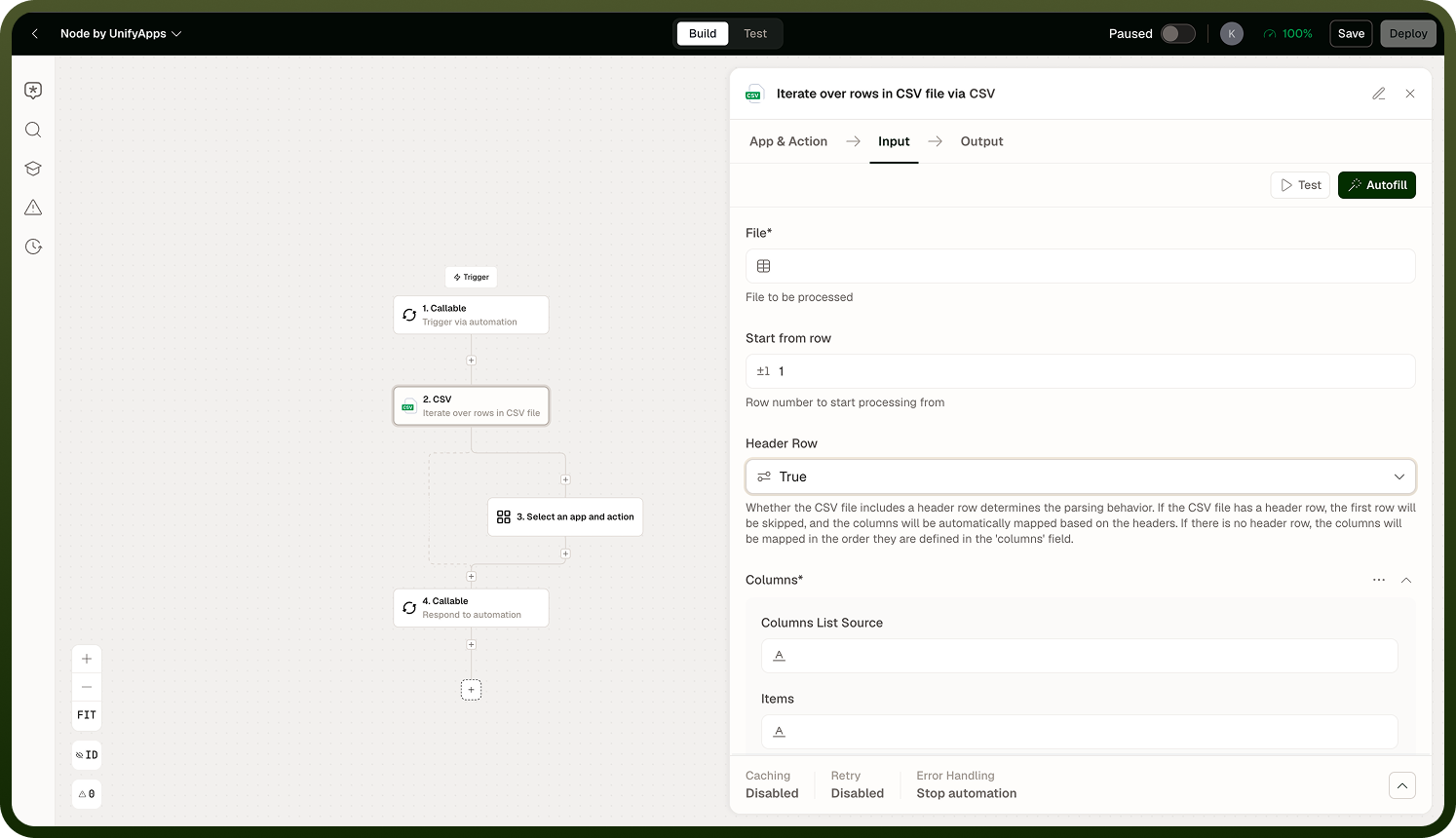
Read Rows (In-Memory): Loads the entire file into memory and returns all rows. The start row is configurable and counted from 1 — set it to 2 to skip a header row and begin with the first data row. Use for small files where memory usage is not a concern. For large files, prefer the batch (streaming) path.
Read Rows in Batch (Streaming): Streams the file in chunks rather than loading it whole, so very large files do not need to fit in memory. Pair this operation with a Loop node to process rows as they arrive in each chunk. Configure the start row (counted from 1) and whether a header row is present. For big imports, this is the recommended approach.
Header Row and Start Row
The start row setting controls where the CSV node begins reading data, counted from 1:
When a header row is present: the node reads column names from that row and exposes each data row's values as named fields. Set the start row to 2 to begin with the first data row after the header.
When no header row is used: values come through positionally. Set the start row to 1 to begin from the very first row.
Streaming + Loop for large files: The batch/streaming path reads the file in chunks, not all at once. Pair it with a Loop node — the Loop processes each chunk's rows as they flow through. For large imports this prevents memory exhaustion.
Notes
Keep the following in mind when reading CSV files.
Delimiter options: comma, tab, semicolon, pipe, colon, space. Set the delimiter to match the file's actual format.
Files are read in UTF-8 encoding by default.
When a header row is present, each row's values come through as named fields. When absent, values come through positionally.
The start row is counted from 1; set it to skip a header row or to begin reading from a specific line.
In-memory reads load the full file — fine for small files, risky for large ones.
Batch (streaming) mode reads in chunks and does not require the full file to fit in memory; pair it with a Loop node.
For large imports, prefer streaming + Loop; for small files, the in-memory path is simpler.
Before going to production with large files, test the streaming + Loop path on a file representative of the expected maximum size to confirm memory usage and processing time stay within acceptable bounds.