

A session variable is a named value that the entire automation can read and write while it runs. It lives from the first step of a run to the last — and no longer. When the run ends, all session variables are discarded.
Overview
The Variable node creates session variables. Every step in the same run can access the same session variable by name — a regular variable created with Create Variables is also readable inside a loop, so loop access on its own is not what sets session variables apart. The main reason to reach for a session variable instead is to pass a value downstream to a later step without keeping a direct data-pill connection back to the step that set it — for example, supplying it as an input when calling another automation further along in the same run. A new run of the automation starts with an empty set; values left behind by a previous run are not accessible. If data needs to outlast a single run, write it to a Storage record instead. Sub-automations get their own isolated variable set and do not share state with the parent unless values are passed explicitly.
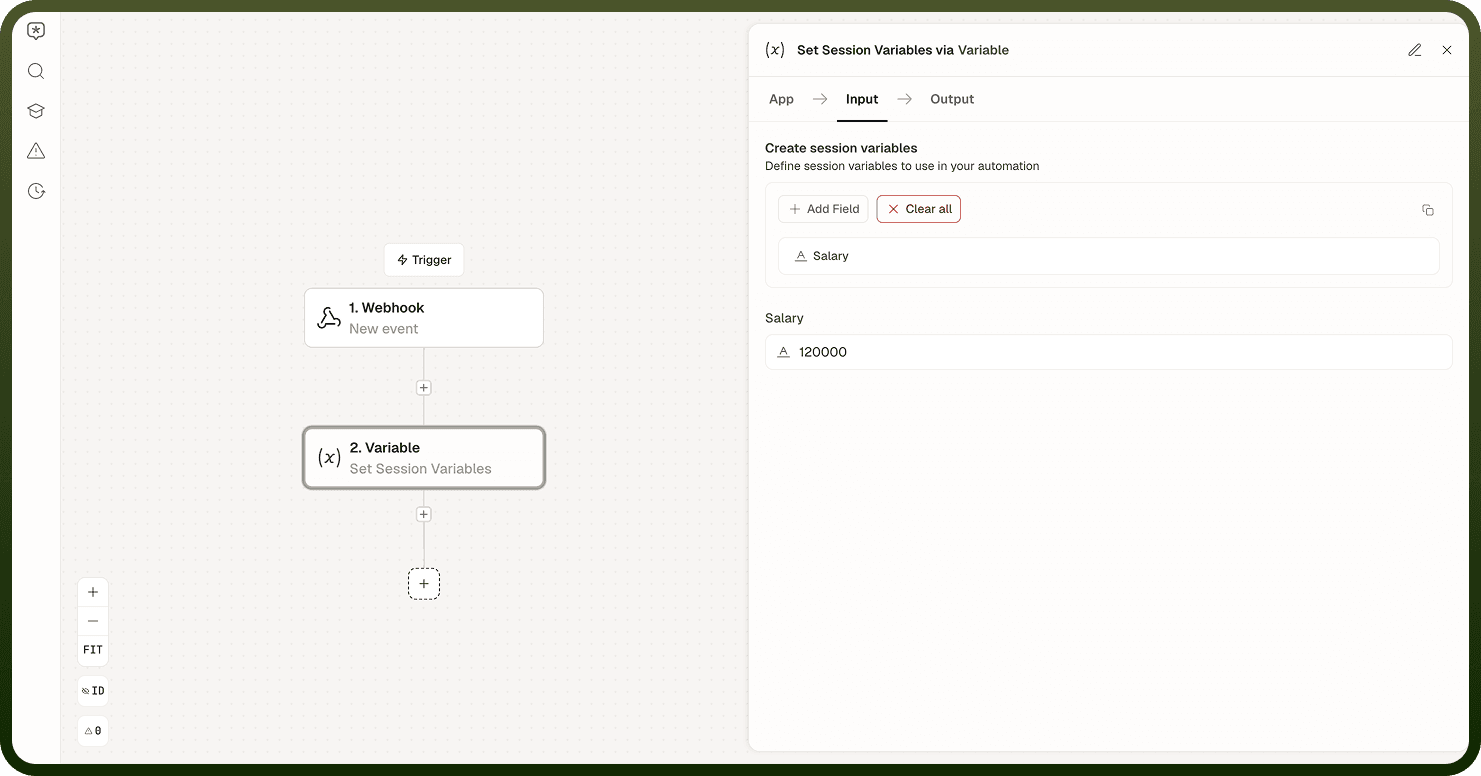
Set Session Variables
Creates or updates one or more session variables that any step in the same run can then read by name.
Input Fields:
Name — Unique name for the session variable
Field type — Data type of the variable (String, Number, Integer, Boolean, Object, Array)
Array type — Item type for the variable, shown only when Field type is Array
Nest under — Optional parent variable to nest this variable under
Use "Add Session Variable" to define more than one variable in the same step.
Get Session Variables
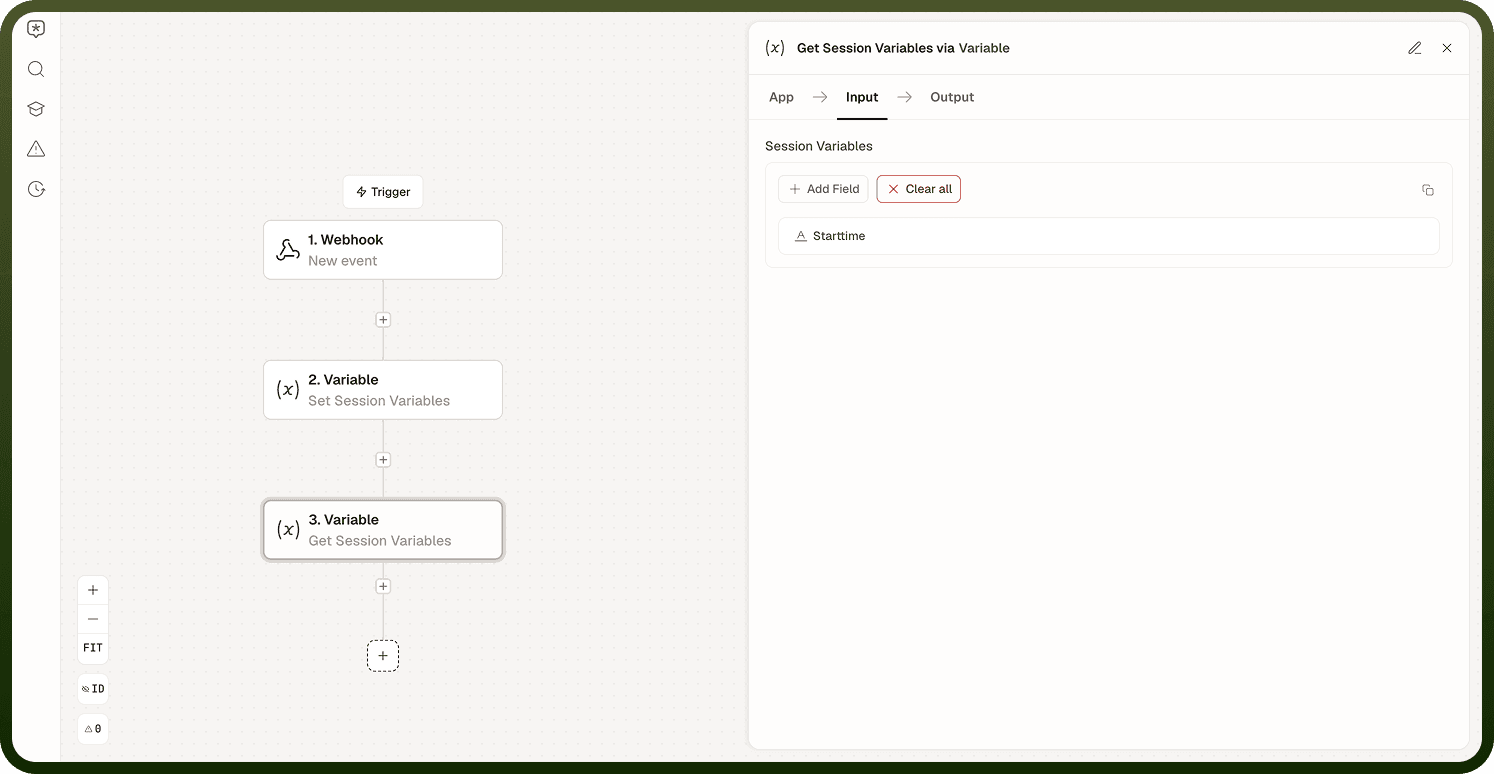
Reads back the current value of one or more session variables that were previously set earlier in the same run.
Input Fields:
Name — Name of the session variable to read
Type — Data type of the variable being read
Add multiple entries under Session Variables to retrieve several variables in one step.
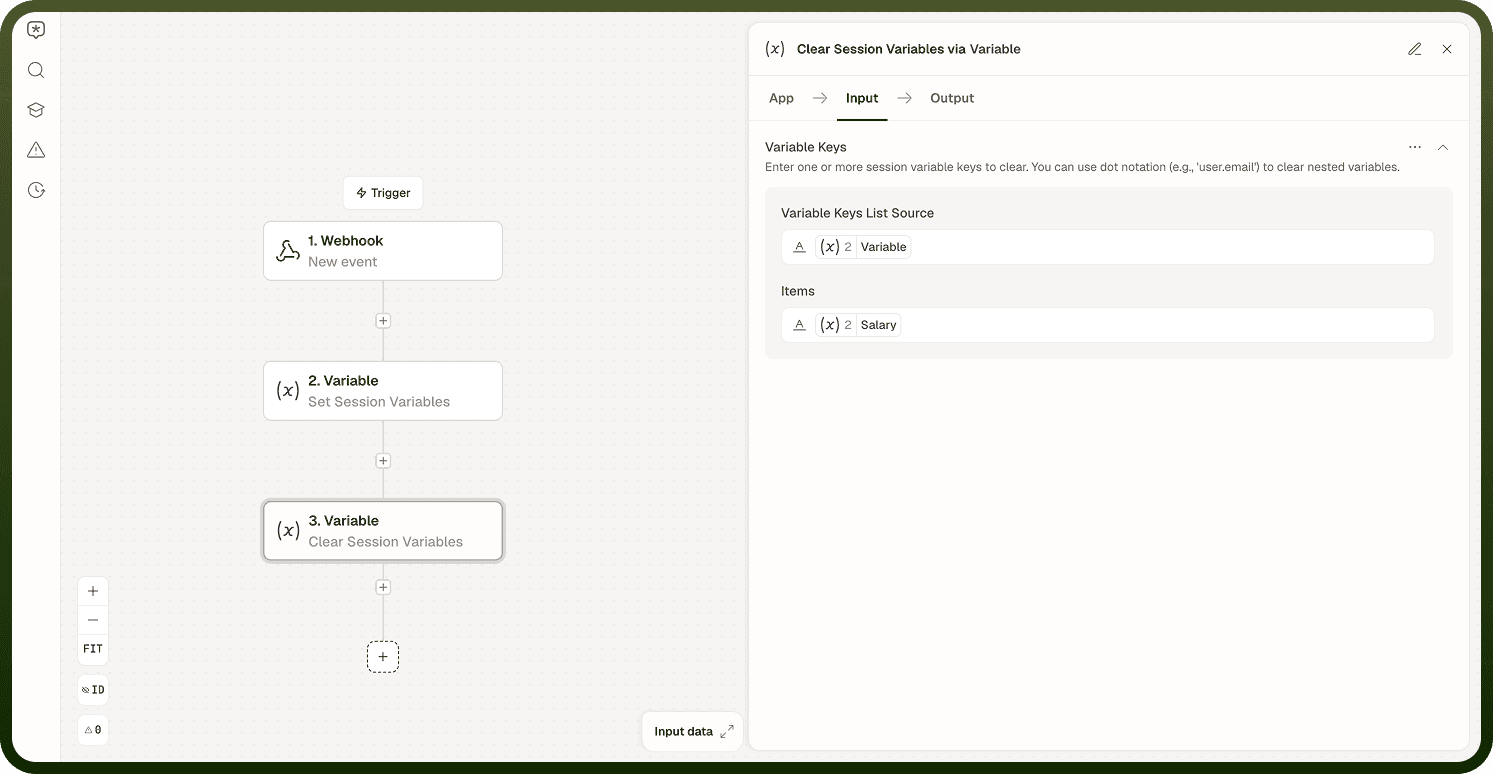
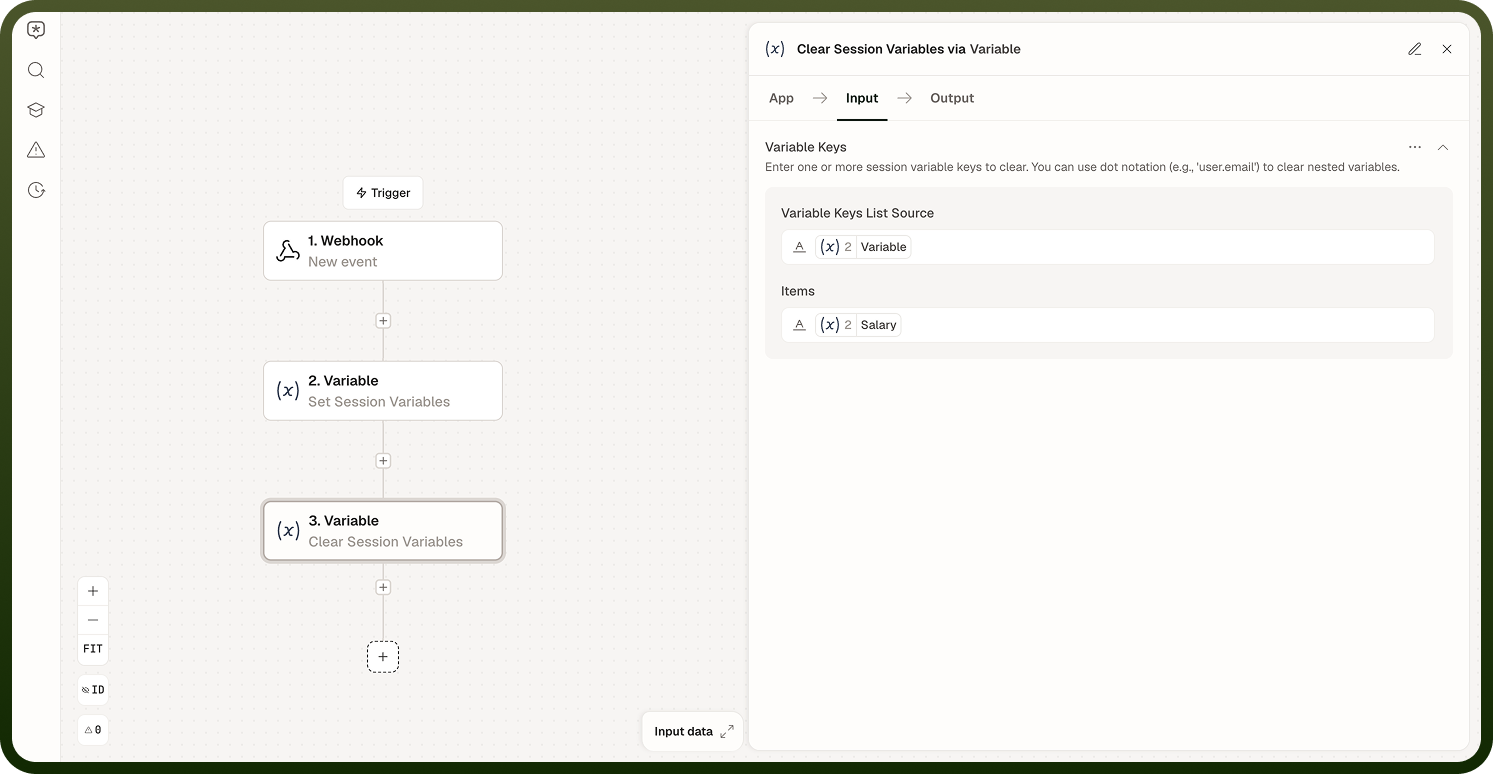
Clear Session Variables
Removes one or more variables from the session, freeing the names for the rest of the run.
Input Fields:
Variable Keys — One or more session variable keys to clear; supports dot notation (for example, user.email) to clear nested variables
Output: success, clearedKeys (the keys that were cleared), clearedCount, notFoundKeys (keys that did not exist to clear), and error (populated if the operation fails).
There is no built-in increment operation on the Variable node. To bump a numeric counter, use Get Session Variables to read the current value, compute the new value, and use Set Session Variables to write it back. For atomic counters under concurrency — several parallel branches all incrementing the same variable — prefer a Storage field with its Increment operation, which is designed for that case.
Session Lifetime
A session variable is created when a Set operation runs during an automation run, and it exists until the run completes. It is not persisted: each new run of the automation begins with no pre-existing variables, regardless of what previous runs set. This makes session variables safe for working state — you never accidentally read a stale value from a prior execution. Data that must survive between runs belongs in a Storage record, not a session variable. If you need the result of run N to influence run N+1, write it to Storage at the end of the run and read it at the start of the next.
Sub-Automation Scope
A sub-automation gets its own isolated set of session variables. The parent and child do not share variable state: a variable set in the parent is not visible inside the sub-automation, and a variable set inside the sub-automation is not visible in the parent. To share data across the boundary, pass values in as sub-automation inputs and receive values out as explicit outputs that the parent maps to its own variables.
Notes
Keep the following in mind when designing automation variable usage.
Session variables are scoped to a single run — they are not persisted between runs.
Session variables are addressable by name from any step in the run, which is what makes them well suited to passing a value downstream — including as an input when calling another automation later in the flow — without keeping a direct data-pill connection back to the step that set it.
Use Clear Session Variables to remove variables you no longer need mid-run; it accepts dot notation (for example, user.email) to target nested keys.
Sub-automations have isolated variable scope; pass values explicitly if cross-boundary sharing is needed.
For data that must survive between runs, write it to a Storage record.
There is no built-in increment operation — use Get, compute, Set to update numeric values.
For concurrent atomic increments across parallel branches, use a Storage field's Increment operation instead of a session variable.
If your automation relies on values produced by a previous run, redesign to read those values from Storage rather than session variables.