


Storage by UnifyApps gives automations a built-in table for persisting records across runs — create, read, update, and delete data without configuring an external database.
Overview
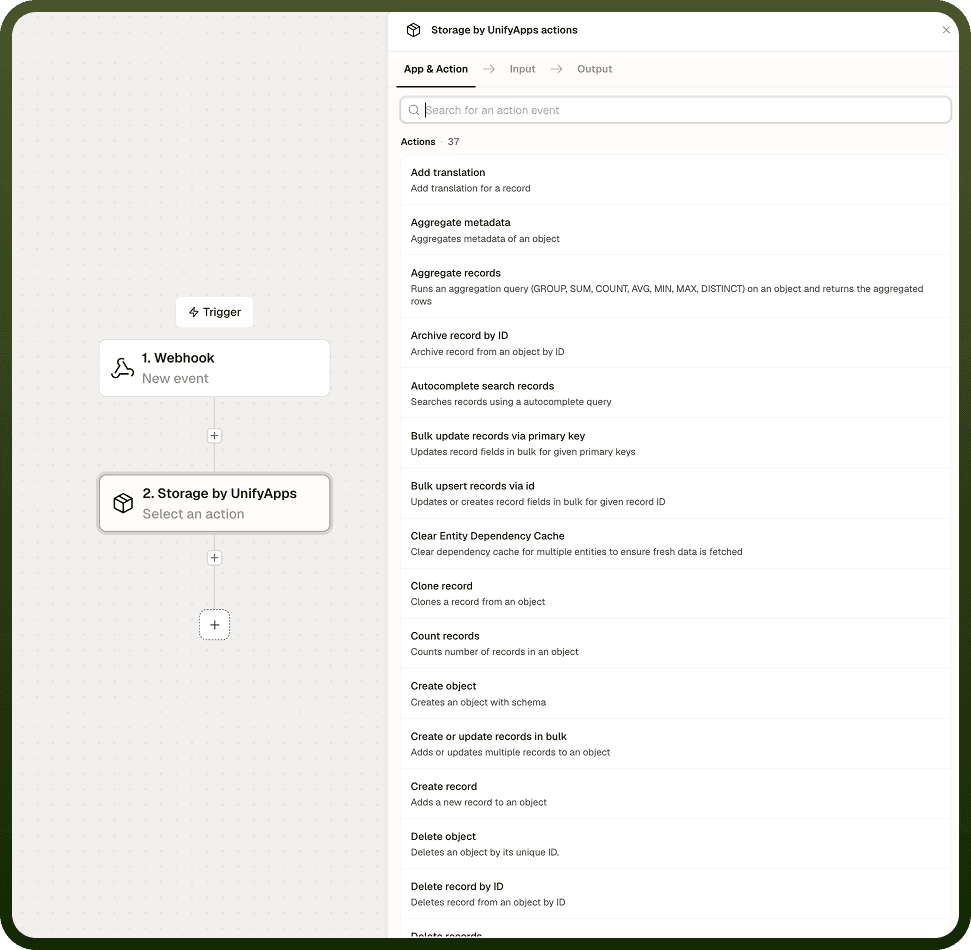
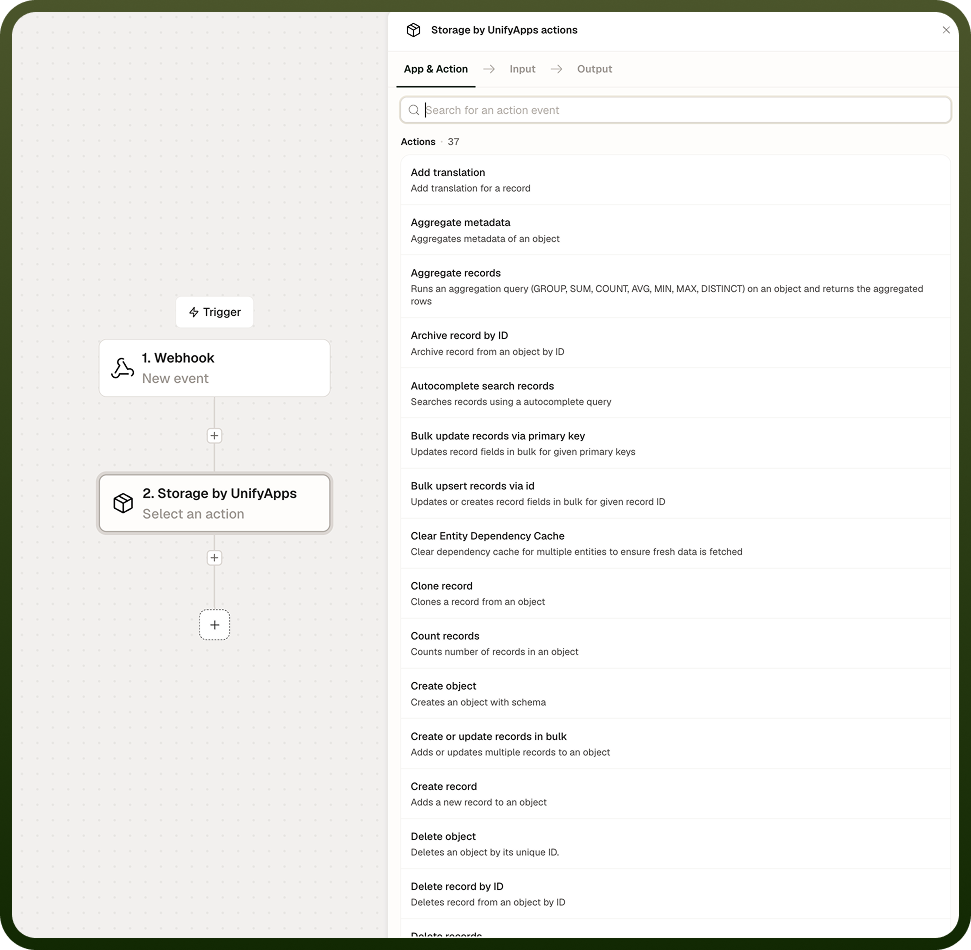
Storage by UnifyApps is a feature within the UnifyApps Automation Builder that enables robust data management directly in automations. The system supports creating, reading, updating, and deleting records, as well as more advanced tasks like semantic search and metadata aggregation.
Key Features
Create, read, update, and delete records
Export and import records in various formats
Aggregate metadata for advanced analysis
Perform semantic searches on stored data
Share records with specific users or teams
Count and fetch records based on various criteria
Actions
Aggregate Metadata
Performs data analysis and summarization on stored records, useful for generating reports, gaining insights, or preparing data for further processing.
Count Records
Retrieves the total number of records in storage, essential for reporting, pagination, or conditional logic in automations.
Create Record
Adds new data to storage, fundamental for capturing information within automation processes.
Delete Records
Removes one or more records from storage, facilitating data cleanup and management.
Export Records
Extracts data from storage in CSV, XLS, or XLSX formats for data portability, reporting, and integration with other systems.
Fetch Records
Retrieves a list of records from storage, bringing existing data into automations for processing or decision-making.
Get Records by IDs
Fetches specific records using their unique identifiers from a selected object, allowing for precise data retrieval.
Import Records
Bulk adds data to storage from external files, streamlining database population or large dataset updates.
Semantic Search Records
Enables natural language queries to search through data, providing more intuitive and flexible data retrieval options.
Share Records
Grants access to specific records for particular users or teams, enhancing collaboration and data security.
Update Record by ID
Modifies an existing record or creates a new one if the specified ID doesn't exist, providing flexibility in managing individual data entries.
Update Records by Query
Modifies multiple records matching specific criteria, enabling efficient batch updates or data transformations.
Use Cases
Advanced Customer Relationship Management
Sales teams manage customer data, interactions, and reports. Utilize create and update actions for maintaining customer records, semantic search for information retrieval, and export features for reporting.
Collaborative Project Management
Project teams share and update task information across departments. Use Create Record for new tasks, Share Records to control access, and Update by Query for batch status changes.
Data-Driven Decision Making
Executives need up-to-date aggregated data for strategic planning. Implement automations using Aggregate Metadata and Semantic Search to compile and analyze relevant data points quickly.
Automated Data Cleansing
Organizations maintain data quality across large datasets. Create automations using Fetch Records and Update by Query to identify and correct data inconsistencies periodically.
Dynamic Content Management
Websites need to update content based on user interactions and external data sources. Use Import Records to bring in new content, Semantic Search to categorize it, and Update Records to refresh displayed information dynamically.
Notes
Keep the following in mind when using Storage by UnifyApps in automations:
Storage objects are shared across automations in the same workspace — changes made by one automation are immediately visible to others reading the same object.
Use the Increment and Decrement operations in Update Record for counters rather than a read-then-write pattern, which creates race conditions when multiple automation runs execute concurrently.
Upsert matches on record ID only — to match on a business key such as email or order number, fetch the record first to retrieve its ID, then pass that ID to Upsert.
Select only the fields your automation actually needs in Fetch Records to keep response payloads small and avoid performance issues on large Storage objects.
Bulk Upsert reports per-record success and failure — always inspect the failure list downstream to handle or requeue bad records rather than treating the batch as fully successful.
Storage is most effective as a lightweight operational store for state that must persist across runs — for large-scale analytics or complex relational queries, consider routing data to a purpose-built external database.